
Home › Forums › Calendar Products › Events Calendar PRO › Events Calendar Pro will not install
- This topic has 5 replies, 2 voices, and was last updated 8 years, 1 month ago by
william spencer.
-
AuthorPosts
-
August 13, 2018 at 7:34 am #1596079
william spencer
Participant“To begin using Events Calendar PRO, please install the latest version of The Events Calendar.”
Courtney….
Still having the same problem. Sharing the Information Automatically does not work. Event and Help do not appear in the Admin Sidebar.
Next steps?Thanks,
Bill Spencer
(732) 267-0769
[email protected]August 13, 2018 at 10:24 am #1596239Courtney
MemberHi William
Please follow https://theeventscalendar.com/knowledgebase/new-user-primer-the-events-calendar-and-events-calendar-pro/ to get installed.
If you are unable to install The Events Calendar, please disable all other plugins and revert to a default theme to install these. It seems like you may have a conflict somewhere.
Thanks
Courtney 🙂August 13, 2018 at 1:31 pm #1596511ParticipantI have followed all of your instructions with respect to plugins and Themes and still getting this Dashboard message.
The latest Events Calendar and Events Calendar Pro versions are installed and activated.
The Admin Dashboard does not include Events only Posts and therefore I cant follow your instructions to share information by selecting Help.
August 14, 2018 at 6:26 am #1596921MemberHi William
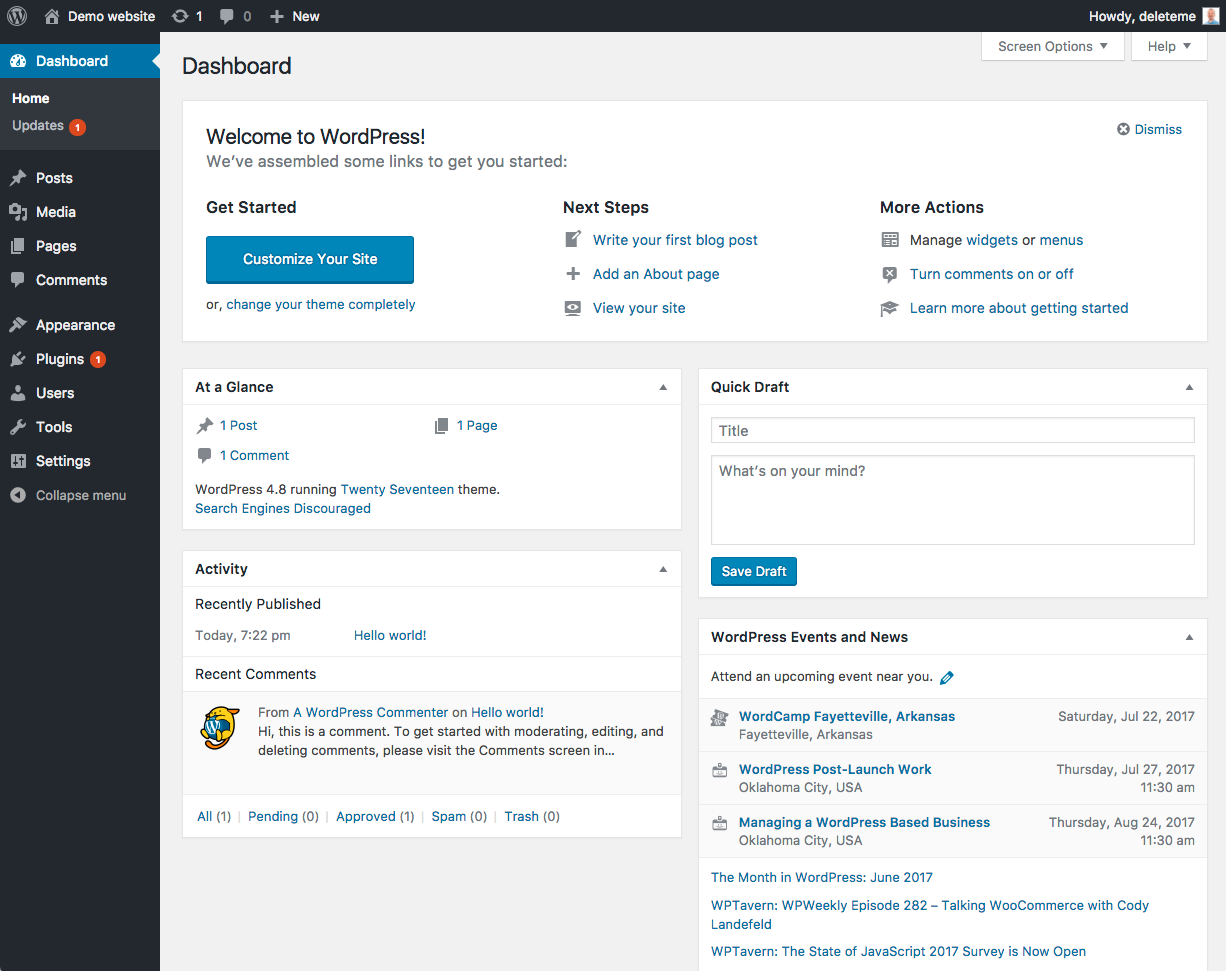
Is there any chance that somehow you are limited from accessing this? Occasionally developers will limit even what clients can access as a means of “helping” or simplifying the client experience. Do you see the left-hand admin dashboard? It should look like the left side of this: https://codex.wordpress.org/images/3/30/dashboard.png
Your screenshot isn’t revealing that left area at all.
Another option, do you have a smaller screen? Most laptop screens should be able to see the left side quite well.
While logged in, can you add this to your website address?
wp-admin/edit.php?post_type=tribe_events&page=tribe-helpThanks
Courtney 🙂August 14, 2018 at 7:26 am #1596985ParticipantCourtney,
The left side WP Admin Sidebar does exist and looks exactly like the one
you sent. Also note that the Admin sidebar screen shot you sent doesn’t
have Events listed after Posts which is the same as the sidebar we are
using.We did add the following to the login as you suggested:
*wp-admin/edit.php?post_type=tribe_events&page=tribe-help*
We got the following message:
“Sorry, you are not allowed to access this page”Next steps?
August 14, 2018 at 12:37 pm #1597426MemberFirst, can you to to the Dashboard » Updates and check for any plugin updates?
If there’s an update that won’t apply, disable all other plugins except The Events Calendar and try updating it. Then update Events Calendar Pro next.
After that, can you share a screenshot of
Plugins » Installed Plugins
Thanks
Courtney 🙂September 5, 2018 at 9:35 am #1614282Support Droid
KeymasterHey there! This thread has been pretty quiet for the last three weeks, so we’re going to go ahead and close it to avoid confusion with other topics. If you’re still looking for help with this, please do open a new thread, reference this one and we’d be more than happy to continue the conversation over there.
Thanks so much!
The Events Calendar Support Team -
AuthorPosts
- The topic ‘Events Calendar Pro will not install’ is closed to new replies.