
Home › Forums › Calendar Products › Events Calendar PRO › Events Calendar PRO CPU Issue
- This topic has 3 replies, 4 voices, and was last updated 9 years, 8 months ago by
Shelly.
-
AuthorPosts
-
January 2, 2017 at 1:28 pm #1212350
Shelly
ParticipantWe’ve changed our hosting to Siteground in the past month, and since, we’ve gotten multiple warnings that we’re over our daily & monthly CPU limit – with the site being deactivated by the host 3 times in the last week. We’ve located the issue – being the Events Calendar PRO making excessive CPU calls.
The most recent culprit: I uploaded the Recurring Event Cleanup Tool and found that an event that was uploaded that started on 12/31/16 and goes through 1/22/2017 (a total of 23 events) was created, yet the calendar created 1,093 occurrences? Attached is a screenshot of the rules that were used to create the event. I’ve left the event live for now so you can troubleshoot: http://achildgrows.com/thecalendar/all-aboard-with-thomas-friendstm-at-the-new-york-botanical-garden-bronx/all/
This is the 3rd time something like this has happened in the past few weeks. What do we need to do to make this stop?!?!?!
January 2, 2017 at 9:36 pm #1212422Hunter
ModeratorWelcome back!
I hope you had a great holiday season 🙂
We’ve changed our hosting to Siteground in the past month, and since, we’ve gotten multiple warnings that we’re over our daily & monthly CPU limit – with the site being deactivated by the host 3 times in the last week. We’ve located the issue – being the Events Calendar PRO making excessive CPU calls.
We don’t have any logged bugs of users reporting similar behaviors, but I’ll provide all the resources I have relating to speed and performance below:
- https://codex.wordpress.org/High_Traffic_Tips_For_WordPress
- https://codex.wordpress.org/WordPress_Optimization
- https://theeventscalendar.com/knowledgebase/caching-basics/
- https://theeventscalendar.com/knowledgebase/caching-month-view-transients/
- https://theeventscalendar.com/knowledgebase/caching-basics/
- https://theeventscalendar.com/the-events-calendar-performance-considerations/
- https://theeventscalendar.com/favorite-developer-plugins/
- https://theeventscalendar.com/knowledgebase/problems-with-minification/
Does the recurring event issue occur every time you attempt to create a new event? If not, is there any sort of pattern you’ve noticed? I set up a test event using the same date/time and recurrence rules, but everything worked correctly. (see screenshot below)
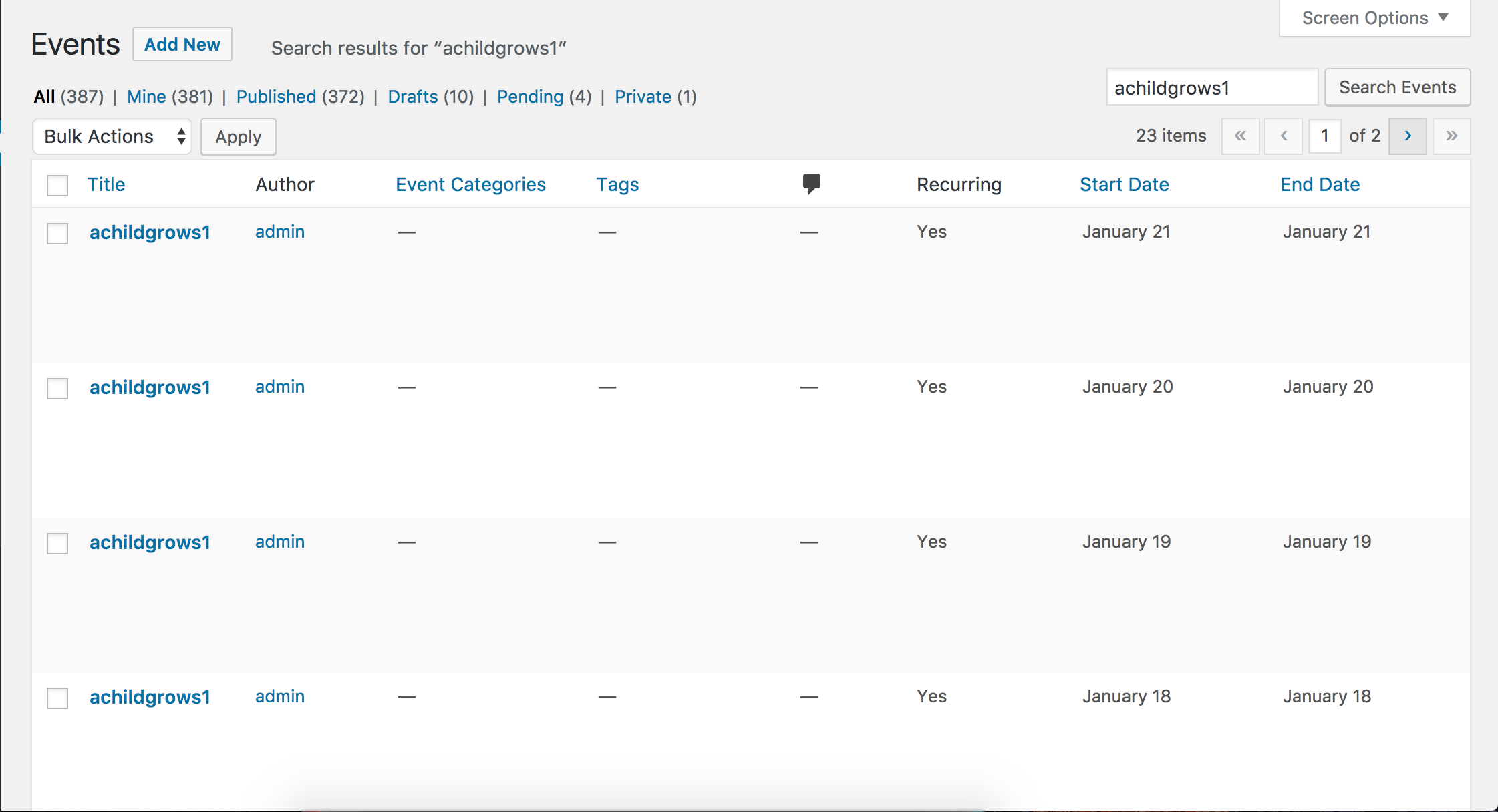
Lastly, I see you checked ‘Yes’ to reverting back to the default WordPress theme and deactivating all plugins other than ours as instructed in the Testing for conflicts guide, but can you please confirm this?
Please keep me updated and take care!
January 24, 2017 at 8:35 am #1223010Support Droid
KeymasterHey there! This thread has been pretty quiet for the last three weeks, so we’re going to go ahead and close it to avoid confusion with other topics. If you’re still looking for help with this, please do open a new thread, reference this one and we’d be more than happy to continue the conversation over there.
Thanks so much!
The Events Calendar Support Team -
AuthorPosts
- The topic ‘Events Calendar PRO CPU Issue’ is closed to new replies.