
Home › Forums › Calendar Products › Events Calendar PRO › Error with mobile calendar view
- This topic has 12 replies, 3 voices, and was last updated 11 years, 2 months ago by
Support Droid.
-
AuthorPosts
-
July 23, 2015 at 12:32 pm #989573
lorrainebow
ParticipantHi there,
My customers are unable to click into the events when using my site on mobile. The black dot appears and it’s not clickable. This is a real issue, as most of my visitors are using ios.
Please help!
Lorraine.
July 23, 2015 at 2:04 pm #989659Brian
MemberHi Lorraine,
Sorry for the issues you are having.
I visited your site and see what you mean.
It looks like you are using Filter Bar 3.5 and that could be the issue.
Can please update to 3.11 for that and see if that helps.
If automatic updates are not working you can download the latest version from your account here on theeventscalendar.com
Let me know if that helps after the update.
Thanks
July 24, 2015 at 5:33 am #989809ParticipantHey Brian,
I’ve upgraded, and it’s still the same. The default view is calendar. Can I make it list and possible to filter by course type?
Thanks,
L.
-
This reply was modified 11 years, 2 months ago by
July 24, 2015 at 5:56 am #989827ParticipantWe just tried it on an iPhone 6 and it’s still not working. The dot is unclickable. It’s not responsive and it would be better if it automatically went to list view in mobile.
Here’s how it looks since the upgrade.
Not pretty.
-
This reply was modified 11 years, 2 months ago by
July 24, 2015 at 5:58 am #989828ParticipantHere’s how it looks since the upgrade.
Not pretty.
July 24, 2015 at 7:56 am #989908MemberHi,
Thanks for updating.
I visited your site on my iPhone and on a couple browsers on my desktop and it displays correctly in all of them right now.
Can you please clear your browser caches and try again.
July 24, 2015 at 8:15 am #989924ParticipantHi Brian,
We cleared the cache. My partner works as a software test manager, and he cannot get it going. This is what happens when he presses the dot – https://instagram.com/p/5hgEXgBOha/ which he suspects is because it’s a hover over click, which is not meant to happen in mobile.
That doesn’t happen in a virtualisation of the iphone, but it does on the actual device.
Thanks in advance for fixing this.
Lorraine.
-
This reply was modified 11 years, 2 months ago by
July 24, 2015 at 11:28 am #990068MemberHi Again,
So I did try your site in my iPhone 5s with the latest iOS 8.4 and it worked for me in both Chrome and Safari.
That is on the actual device and not a virtualization. So not sure why it works for me and not for you.
Do you have someone else that can check that you believe has not visited the site before or at least in awhile?
July 24, 2015 at 2:17 pm #990144ParticipantHi there Brian,
I have an iPhone 5. That works. He, and most of the rest of London have an iPhone 6. It’s higher resolution than the iPhone 5. This has an effect. As you saw from the screen grab – that’s the effect. You cannot click into the event. I’ve now had 5 people using iPhone 6’s test it. 4 are new users. It does not work. My partner wondered if the break point on the responsive site needs to be adjusted to allow the calendar to be wider? Or better still if it’s reduced it chooses list view as the primary option?
Please fix this. It doesn’t work!
Thank you.
Lorraine.
July 24, 2015 at 7:01 pm #990194MemberOk thanks for the information about all the phones.
I was able to test on an iPhone 6 as well an strangely enough it worked again for me.
These are the screenshots from it:
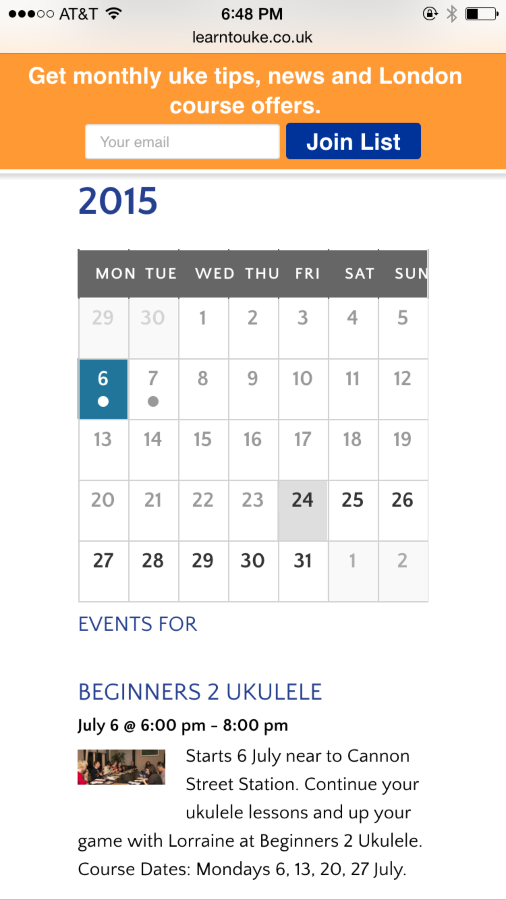
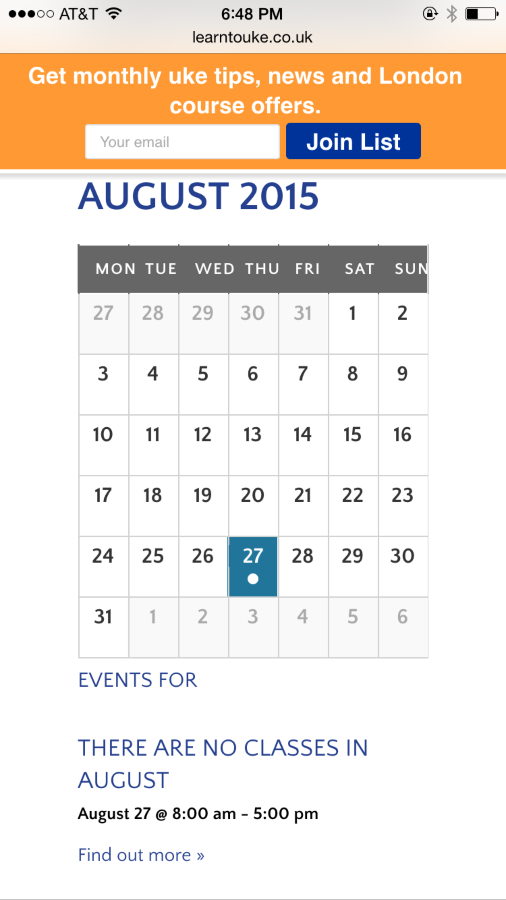
I could click on the dates and change months and did not see any issues unfortunately. So I am still not clear what is causing this.
We are both viewing this page, correct?
http://www.yoursite.co.uk/book-online/
Redirect Month View to List View
Since it is unclear the cause of this and I cannot find any other reports on it yet this snippet could help out in the mean time.This snippet added to your theme’s functions.php will redirect mobile users to the list view.
https://gist.github.com/jesseeproductions/fc21ce52314f31dc230b
I tested on my site and it is working for me.
Let me know if that helps.
Narrow Down the Issue
As for figuring out this issue. Please run through our testing for conflicts guide and see if that finds the issues with the month view for you:July 25, 2015 at 4:57 am #990222ParticipantHi Brian,
This is Nick, Lorraine’s partner. I’ve checked the site on Chrome Dev mode and Iphone 6 does work, however using the actual device it doesn’t. Comparing the screenshot you have sent of the iphone 6. It looks quite a lot different. On mine the days are displayed in full text (i.e. Monday) and they overlap. When you try and press into to calendar event, the whole calendar appears to be selected and nothing happens. That’s why in the screenshot of the phone before the calendar was greyed out. Also comparing screenshots of yours and mine the calendar is wider (squared off) similar to the chrome dev mode iphone 6. Mine is more rectangular with a shortened width.Is it possible the resolution of the iphone 6 is higher, therefore the pixel width is shorter. One of my colleagues who is a wordpress developer asked if it could be a breakpoint when the site scales down to the iphone 6. I’m just clutching at straws here.
If you could help us, it would be amazing.
Cheers,
NickJuly 26, 2015 at 3:00 pm #990372MemberHi Nick,
Sorry for the continued issues here. It is a strange situation where I can test in an iPhone 6 and it works and you are having issues with the same device. So I am unclear what is going on here and found no other reports of this issues so I am not sure what to fix.
Have you tried that coding in my other response to redirect to list view on mobile devices? That would at least give your site a working view on mobile devices so your visitors can get the correct content.
I will ask around the support team and have them all visit the site and see if we can find the source of this.
Cheers
August 10, 2015 at 7:05 am #994718KeymasterThis topic has not been active for quite some time and will now be closed.
If you still need assistance please simply open a new topic (linking to this one if necessary)
and one of the team will be only too happy to help. -
This reply was modified 11 years, 2 months ago by
-
AuthorPosts
- The topic ‘Error with mobile calendar view’ is closed to new replies.