
Home › Forums › Welcome! › Pre-Sales Questions › Custom Google Map Pin
- This topic has 5 replies, 2 voices, and was last updated 9 years, 8 months ago by
George.
-
AuthorPosts
-
January 9, 2017 at 7:06 am #1215072
baseballsoftballuk
ParticipantJust installed the Pro version of the Event Calendar plugin, and everything looks great but I wanted to see if it was possible to use a custom pin for the event location on the map view? On a previous site this was possible by selecting the images file location from the web server and including it in the map’s php file but I can’t find where this code is in any of this plugin’s files.
January 9, 2017 at 8:28 am #1215121ParticipantHey Trevor,
Thanks for reaching out!
This will be possible in version 4.4 of The Events Calendar and Events Calendar Pro, which should be arriving publicly some time this week.
Until those versions of our plugins are available, though, it is not possible to use a custom map pin image.
Stay tuned to http://theeventscalendar.com/blog for updates about the release!
Cheers,
GeorgeJanuary 10, 2017 at 12:59 am #1215669ParticipantI’ve installed the 4.4 update but I can’t find anywhere in the settings or event details to add the custom google map pin/marker. Where do I find this?
Also, my event page doesn’t seem to display properly, the listing seems to be constantly loading and no markers are appearing on the map, is this a known bug or is there something I can fix? Page is here: http://newsite.baseballsoftballuk.com/events/
January 11, 2017 at 8:23 am #1216555ParticipantHi Trevor,
You can specify a custom map marker from within the WordPress Customizer, as described on this Knowledgebase guide → https://theeventscalendar.com/knowledgebase/wordpress-customizer/
I do not have any issues with the map marker customization on my own testing site, so make sure you are using at least version 4.4.0.1 of The Events Calendar and 4.4 of Events Calendar Pro.
As for the other issues on your Map page, when I visited your site I had no problem seeing the map markers, and was not able to identify any especially-long loading or any sort of page-loading that looked erroneous. Here’s a screenshot of the Map Markers I’m seeing on your page, for example (click for a larger-sized image):
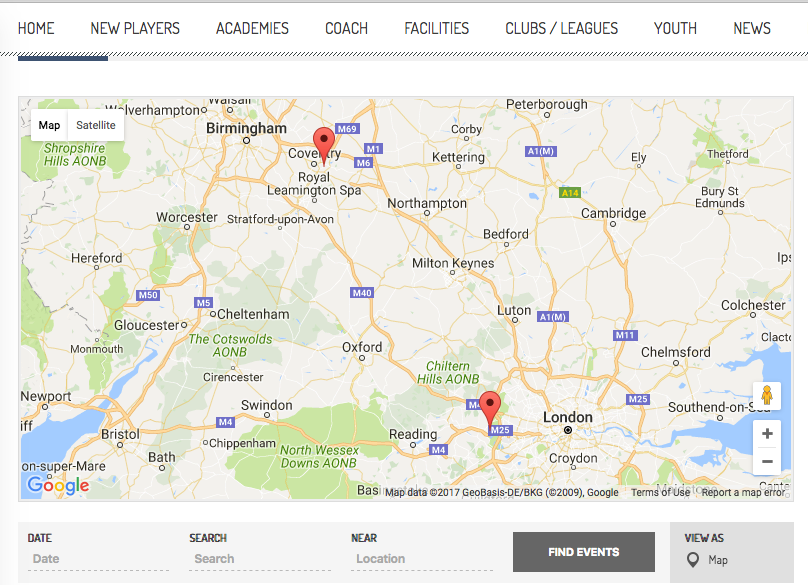
I also cannot produce any issues along these lines on my own testing site, so if you have issues with the Map page, its loading, its map functionality, anything like that, what I would recommend is the following set of steps:
1. Make sure you’re running the most recent version of WordPress—at this time, it’s 4.7. If you’re running a version lower than that, update.
2. Run through the complete set of troubleshooting steps on this page → https://theeventscalendar.com/knowledgebase/testing-for-conflicts/ After EACH STEP in that process, check back on your issues and try to reproduce them—see if anything improves along the way.
☝️ These two steps will help reveal if there’s a theme or plugin conflict whatever issues you run into.
Cheers!
GeorgeJanuary 11, 2017 at 8:34 am #1216567ParticipantThat’s great, thanks George, I thought it would be within the dashboard settings but that’s got the customised pin working perfectly now.
The other issue with the listings loading and no markers was caused by some conflict with an instagram feed plugin and resolved after that was deactivated, apologies for nut updating that part of the issue, but thanks for all your help, working perfectly now!
January 12, 2017 at 6:01 pm #1217805 -
AuthorPosts
- The topic ‘Custom Google Map Pin’ is closed to new replies.