
Home › Forums › Calendar Products › Events Calendar PRO › Calendar gone!
- This topic has 15 replies, 4 voices, and was last updated 9 years, 9 months ago by
Jens Franzen.
-
AuthorPosts
-
December 13, 2016 at 4:06 am #1205117
Jens Franzen
ParticipantDear support,
This calendar has suddenly disappeared: http://ulricanorberg.se/events/
Client says she hasn’t done anything. No updates for any plugins have been made prior to the disappearance. I updated the theme (Divi), WP and Events Calendar Pro today.
Can you see why the calendar is not showing? Attached is a pic on how it used to look.
Thank you
JensDecember 13, 2016 at 8:32 am #1205258Geoff
MemberHello Jens,
Oh no, that’s not good! Let’s see what happening and try to get the calendar to show up again.
First off, is there a page on your client’s site called “Events” or that uses the /events slug? Please go through the published pages and check because it looks as though the content on the page right now is custom content that would not have been included in the calendar:
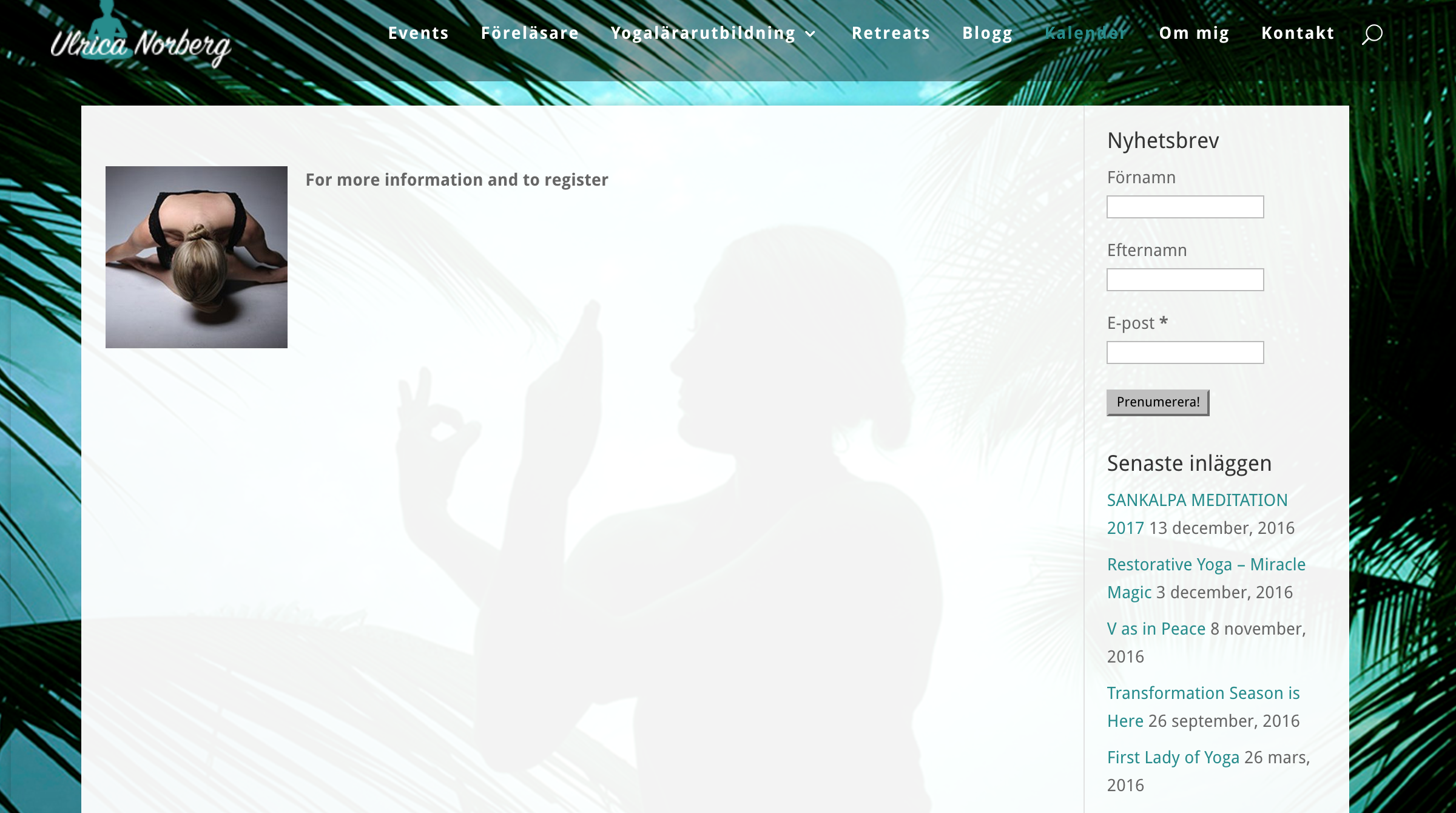
If there is a page called Events or that uses the /events slug, then please delete it permanently from WordPress, clear your permalinks, then see if that makes a difference. You can clear permalinks by heading to Settings > Permalinks from the WordPress dashboard and simply clicking the “Save Changes” button at the bottom of the screen without having made any actual changes.
I’m hoping that does the trick. If not, then we’ll need to try some other troubleshooting ideas.
Thanks,
GeoffDecember 13, 2016 at 12:03 pm #1205465ParticipantDear support,
There was a page called “Events” but that one used the slug “schedule”. I renamed it Schedule anyway. I also cleared permalinks by clicking “Save changes”.
Now, the page shows different content but still no calendar.
I searched posts, pages and events, admin panel, in order to find the page. The content displayed is an event: http://ulricanorberg.se/event/yogaretreat-zanzibar/
I removed that event but that only led me back to the first content – the page you saw. I removed that one as well but it only led me to another event. So, random events are showing, not calendar. Any idea why?
All the best
JensDecember 13, 2016 at 1:34 pm #1205513MemberHi Jens,
Thanks for following up!
I think we’re actually making progress, whether or not it seems like it. 🙂
As a next step, will you please follow the steps outlined in our fixing 404 Errors guide? These steps help resolve most of the issues that cause “Page Not Found” notices like this and I’m hoping it will resolve this one as well.
Thanks,
GeoffDecember 14, 2016 at 1:49 pm #1206146ParticipantHi Geoff,
1. Tried pasting that snippet but must have done something wrong cause it ruined the entire site.
2. Moved on and swapped themes. That made the calendar come back. I’m using the Divi theme. Any idea why Divi is causing this conflict and how I can solve it?/Jens
December 15, 2016 at 8:04 am #1206434MemberHi Jens,
I looked at this with one of my colleagues on the team who is an avid user of Divi and he had a couple of suggestions.
First off, will you please remove all of the custom pages you created for events? This includes the pages that use /schedule and /events as the slug.
Once you remove those pages, will you please navigate to Events > Settings and make sure that the slug setting for your calendar is set to /events?
Then, I would suggest clearing your permalinks again for good measure.
Once you’ve done those, you should be left with the default calendar and it should be displayed on /events.
My colleague tested the default calendar in Divi and found that everything works as expected without any issues. I’m hoping that following these steps will get your calendar back to a default state without any issues as well.
Thanks,
GeoffDecember 15, 2016 at 12:34 pm #1206663ParticipantDear Geoff,
I’m losing it! The widgets work! It works in another theme! It works on other Divi-sites! It has worked without a problem on this site for several years! This doesn’t make any sense!
Well, I did the things you asked. No change. I also tried to change the events slug to “Calendar” and to “nothing” but the same problem remains – one event page is showing. I also tried mixing with the settings, changed starting view from list to month. That did not make it show the calendar, however, it displayed another event page!?
Any other ideas?
December 15, 2016 at 4:48 pm #1206844MemberHi Jens,
Sorry for the frustration! I’m still with you here and will continue working on this with you — we’ll figure something out. 🙂
Just to confirm, is this your main calendar page:
If so, is that the same as what you have entered in Events > Settings? If not, please update and make sure that the current page set up as /events on the site is deleted from WordPress.
Thanks!
GeoffDecember 16, 2016 at 1:47 am #1206963ParticipantDear Geoff,
I confirm that the slug setting is set as “events”. Also, there is no page called “events” or any other type of page with the slug “events”.
I wouldn’t mind giving you a user account so you can have a look backend.
/Jens
-
This reply was modified 9 years, 10 months ago by
December 16, 2016 at 8:25 am #1207072MemberThis reply is private.
December 20, 2016 at 7:19 am #1208156ParticipantThis reply is private.
December 20, 2016 at 1:47 pm #1208517Andras
KeymasterThis reply is private.
December 21, 2016 at 3:01 am #1208770ParticipantThanks Andras,
I was sure I had already tried that.
However, the styling is gone. There is no top margin and no background color. Have a look at the attached image to compare the two different versions.
Elegant themes helped me with styling before the calendar went missing. Perhaps they can help me again. But do you know of a way of having the calendar appear in one of the DIVI modules? Or, are you able to supply me with some code to add to the settings of The Events Calendar to make it appear like it used to? Btw, I am not interested in having the right widget column appear. I need background with transparency and top-margin.
Many thanks
Jens-
This reply was modified 9 years, 10 months ago by
December 22, 2016 at 10:57 am #1209673ParticipantHi again,
Managed to solve it by some avid css-coding.
Thanx for all the help!
January 3, 2017 at 1:45 pm #1212806KeymasterHi Jens,
Happy to hear you managed to get it fixed.
Just a note on the right column with widgets. I believe you can make that disappear with a setting under Events > Settings > Display tab > Events template. This way you will not need css to hide that, in case you used that.
I am going to close this ticket, but if you need anything else related to this topic or another please open a new topic in the forum and we will be happy to help you out.
Cheers,
AndrasPS: If you like our plugin, and you didn’t yet do so 🙂 we would be happy to receive a review in the wordpress.org repository. Thanks!
https://wordpress.org/support/plugin/the-events-calendar/reviews/
https://wordpress.org/support/plugin/event-tickets/reviews/PS2: We’d be also grateful if you would give us feedback on your satisfaction with support. Just click on one of the classy looking emojis below. 🙂 If you can spare a few words, that’s even better. Doublethanks!
-
This reply was modified 9 years, 10 months ago by
-
AuthorPosts
- The topic ‘Calendar gone!’ is closed to new replies.