
▶️Note: This video may refer to products and features that have since been merged or changed. For the most up-to-date information, please refer to the content of this article.
Prerequisite read: creating a cloud automation flow with Power Automate
Note: A premium Power Automate account is required.
There are two Power Automate connectors available to handle triggers and actions.
Each of these connectors has its own set of triggers, operations, and data available for automation purposes.
Check out the Assessment to help you get started.
The Events Calendar connector
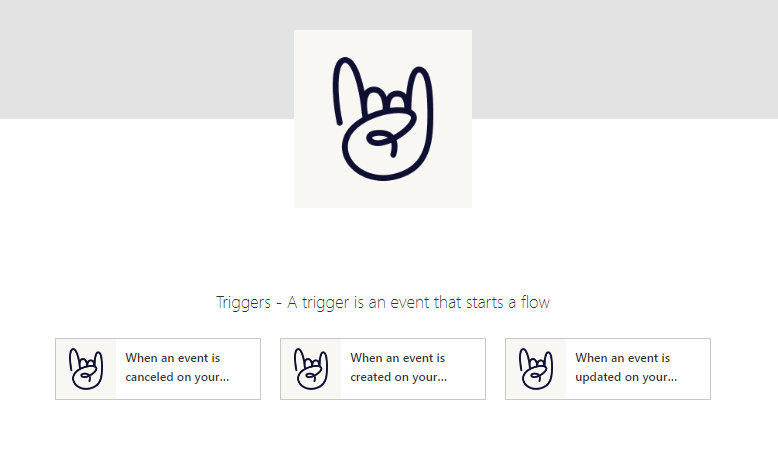
Available Triggers:
- New Event created: When an event is created on your website.
- Updated Event: When an event is updated on your website.
- Canceled Event: When an event is canceled on your website.
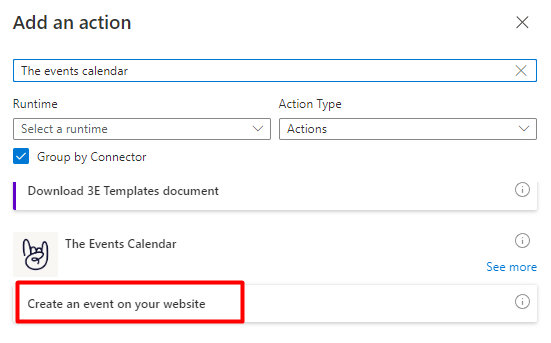
Available Operations (Actions):
- Create Event: Use data from another app to create a new event.
Event data for Power Automate:
Here is a detailed list of event-related available dynamic fields for The Events Calendar connector
| id | Event ID. |
| title | Event title. |
| description | Event description. |
| excerpt | Event excerpt. |
| permalink | Event permalink. |
| event_status | Event status. |
| title | Organizer title. |
| description | Organizer description. |
| excerpt | Organizer excerpt. |
| permalink | Organizer permalink. |
| featured_image_url | Organizer featured image url. |
| phone | Organizer phone. |
| website | Organizer website. |
| Organizer email. | |
| title | Venue title. |
| description | Venue description. |
| excerpt | Venue excerpt. |
| permalink | Venue permalink. |
| featured_image_url | Venue featured image url. |
| phone | Venue phone. |
| website | Venue website. |
| address | Venue address. |
| country | Venue country. |
| city | Venue city. |
| state_province | Venue state/province. |
| state | Venue state. |
| zip | Venue zip. |
| directions_link | Venue directions link. |
| latitude | Venue latitude. |
| longitude | Venue longitude. |
| address | Venue geolocation address. |
| cost | Event cost. |
| website_url | Event website url. |
| featured_image_url | Event featured image url. |
| slug | Tag slug. |
| description | Tag description. |
| name | Ticket name. |
| provider_class | Ticket provider class. |
| name | RSVP name. |
| provider_class | RSVP provider. |
| start_date | Event Start Date. |
| end_date | Event End Date. |
| timezone | Event Timezone. |
| timezone_abbr | Event Timezone Abbreviation. |
| virtual_video_source | Virtual video source. |
| virtual_event_type | Virtual event type. |
| virtual_autodetect_source | Virtual autodetect source. |
| virtual_url | Virtual url. |
| virtual_meeting_provider | Virtual meeting provider. |
| virtual_linked_button_text | Virtual linked button text. |
| virtual_show_embed_at | Virtual show embed at. |
| description | Recurring meta description. |
| additional_field_label | Additional field label. |
| additional_field_value | Additional field values. |
| featured | Featured event. |
| sticky | Sticky in month view. |
| overwrite_coordinates | Venue overwrite coordinates. |
| distance | Venue distance. |
| has_ticket | Event has tickets. |
| has_rsvp | Event has RSVPs. |
| in_date_range | Tickets or RSVP in date range. |
| sold_out | Tickets or RSVP sold out. |
| all_day | All day event. |
| is_past | Past event. |
| virtual | Is virtual event. |
| virtual_embed_video | Virtual embed video. |
| virtual_linked_button | Virtual linked button. |
| virtual_show_on_event | Virtual show on event. |
| virtual_show_on_views | Virtual show on views. |
| virtual_rsvp_email_link | Virtual RSVP email link. |
| virtual_ticket_email_link | Virtual ticket email link. |
| virtual_is_immediate | Virtual is immediate. |
| virtual_is_linkable | Virtual is linkable. |
| virtual_should_show_embed | Virtual should show embed. |
| virtual_should_show_link | Virtual should show link. |
| recurring | Is this a recurring event. |
| id | Organizer ID. |
| id | Venue ID. |
| id | Ticket ID. |
| id | RSVP ID. |
| multi_day | Multi day event. |
| virtual_show_lead_up | Virtual show lead up. |
| duration | Event duration. |
Event Tickets connector
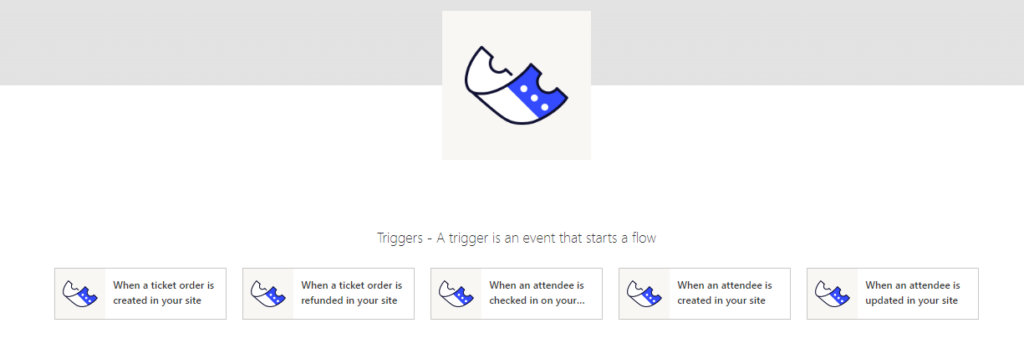
Available Triggers:
- New Attendees
- When an attendee is created on your site
- Updated Attendees
- When an attendee is updated on your site
- Attendee Check-in
- When an attendee is checked in on your site
- New Order (when a new order of tickets is created)
- Refunded Orders (when a ticket order is refunded from Tickets Commerce, EDD, or WooCommerce)
Attendee, and Check-In data for Power Automate:
Here is a detailed list of available attendee-related dynamic fields for the Event Tickets connector
| id |
| total |
| total_pages |
| holder_name |
| holder_email |
| ticket_id |
| security_code |
| check_in |
| user_id |
| purchaser_name |
| purchaser_email |
| provider |
| ticket |
| ticket_product_id |
| order_id |
| order_status |
| event_id |
| event_title |
| optout |
| is_subscribed |
| is_purchaser |
Ticket Order data for Power Automate:
Here is a detailed list of available ticket order-related dynamic fields for the Event Tickets connector.
| id |
| order_id |
| order_number |
| order_date |
| status |
| shipping_total |
| shipping_tax_total |
| order_currency |
| payment_method |
| shipping_method |
| customer_email |
| billing_first_name |
| billing_last_name |
| billing_company |
| billing_email |
| billing_phone |
| billing_address_1 |
| billing_address_2 |
| billing_postcode |
| billing_city |
| billing_state |
| billing_country |
| shipping_first_name |
| shipping_last_name |
| shipping_company |
| shipping_address_1 |
| shipping_address_2 |
| shipping_postcode |
| shipping_city |
| shipping_state |
| shipping_country |
| order_note_content |
| order_note_object_type |
| order_note_date_created |
| ticket_name |
| tax_class |
| tax_status |
| tax_total |
| discount_total |
| order_total |
| price |
| subtotal |
| total |
| tax |
| customer_id |
| customer_user |
| ticket_id |
| quantity |
| variation_id |