
Changing the Number of Events in the iCal Export File
By default, clicking the Subscribe option will give you the next 30 events. This limit is in place because larger files are more likely to fail in iCal readers. That said, it is possible to change the number of exported events if you need to.
Copy the below code into your theme’s functions.php file, preferably a child theme’s functions.php file, or, wherever you usually put custom code. The Code Snippets plugins is a very good option to add snippets like this to your site. For more information about adding custom code to your site, please visit our document on custom code best practices.
add_filter( "tribe_ical_feed_posts_per_page", function() { return 100; } );
This snippet will return 100 events in the export. Adjust that number to suit your needs.
Changing the .ics File Name
By default, the name for this ICS file is constructed as a combination of your site’s name plus a random string of numbers and letters–unique, but perhaps not particularly descriptive for your users. If you’d prefer to change the default file name for your ICS exports to something more memorable, this snippet will let you do just that. Simply add these lines to your theme’s functions.php file:
add_filter( 'tribe_events_ical_feed_filename', function() {
 return 'my-custom-ical-filename.ics';
 } );
This will set the new default file name for your exports to my-custom-ical-filename.ics. If you’d like to use a name that’s unique to your site, just change this text in the snippet (but make sure the .ics extension remains intact).
Change the Exported Calendar Name
The calendar name refers to the name you see in your calendar application, such as Outlook when subscribing to a calendar. It helps you identify and distinguish different calendars when you have multiple subscriptions or shared calendars.
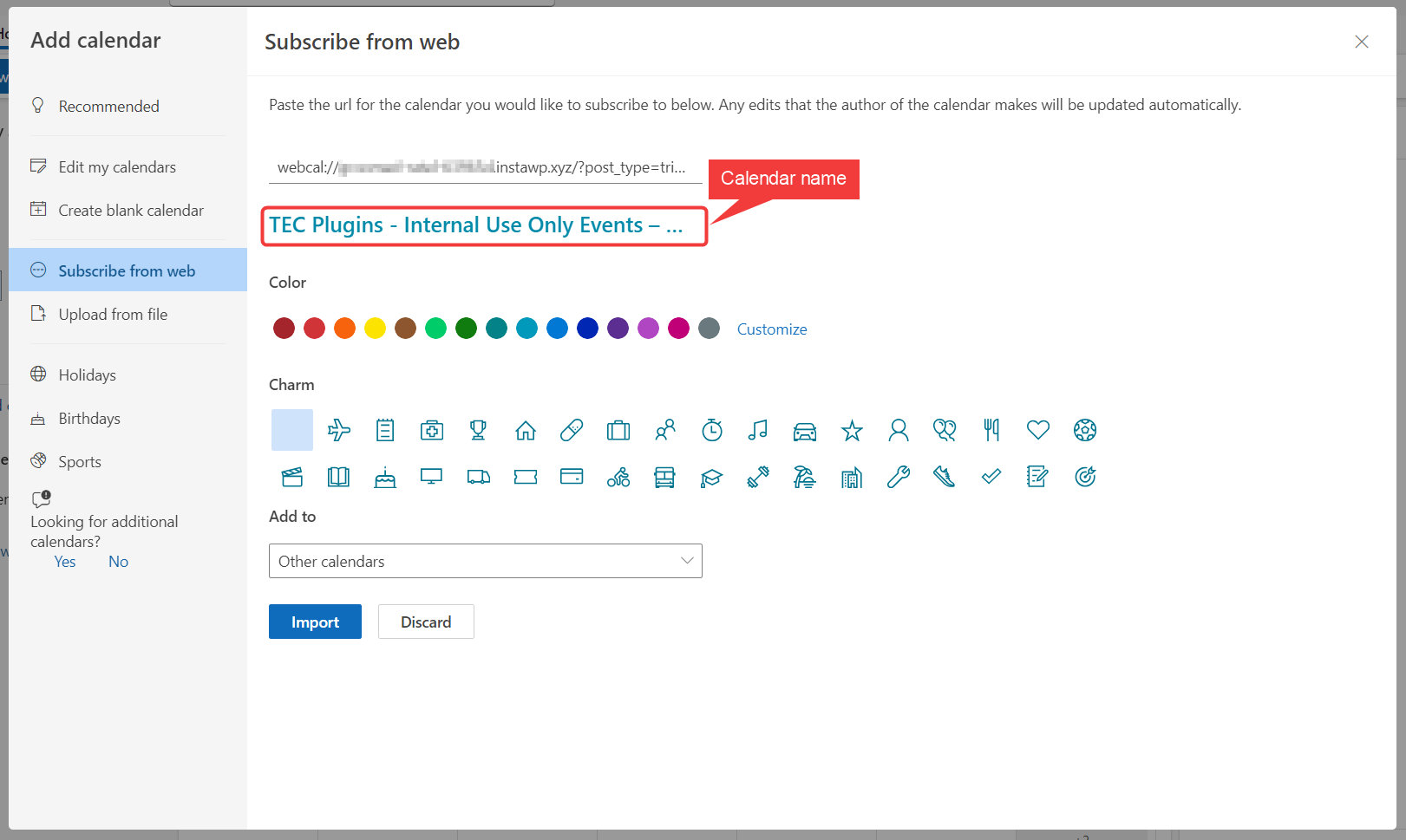
iCal Calendar Name
Adding the following PHP snippet to your site will change the calendar name added to the iCal export,
Outlook Calendar Name
Similar to the prior snippet, the following will let you change the name of the calendar subscribers see when subscribing to the calendar through Outlook,
For Developers
The above code snippets use the following filter hooks
- tribe_ical_feed_calname
- tec_events_ical_outlook_subscribe_url
Remove Event Descriptions from All Calendar Exports
If you’d prefer not to include event descriptions in calendar exports, you can use the filters below to remove the content from all supported export formats. This applies to Outlook 365, Google Calendar, iCalendar (.ics), and Outlook Live.
These filters will clear the description or body fields for each platform, so that attendees only see the event title, time, and other basic details, without the full description content.
You can add the following code snippet to your theme’s functions.php file or via a custom functionality plugin like WP Code:
// Remove description from Outlook 365 export
add_filter( 'tec_events_ical_outlook_single_event_import_url', function ( $url, $base_url, $params ) {
    $params['body'] = '';
    return add_query_arg( $params, $base_url );
}, 10, 3 );

// Remove description from Google Calendar export
add_filter( 'tec_views_v2_single_event_gcal_link_parameters', function ( $pieces, $event ) {
    $pieces['details'] = '';
    return $pieces;
}, 10, 2 );

// Remove description from iCal / ICS exports
add_filter( 'tribe_ical_feed_item', function ( $item, $event ) {
    $item['DESCRIPTION'] = 'DESCRIPTION:';
    return $item;
}, 10, 2 );
With these filters in place:
- The description field will be blank when someone exports an event to any of the supported calendar tools.
- All other event details (like title, time, and location) will remain intact.
Add a Custom Message to Google Calendar Descriptions
When users add your event to Google Calendar, this tweak appends a custom note to the calendar description.
What it does: Appends custom text to the Google Calendar event details.
add_filter( 'tec_views_v2_single_event_gcal_link_parameters', function( $params ) {
    $params['details'] .= "(Remember to arrive 15 minutes early!)";
    return $params;
} );
Result:
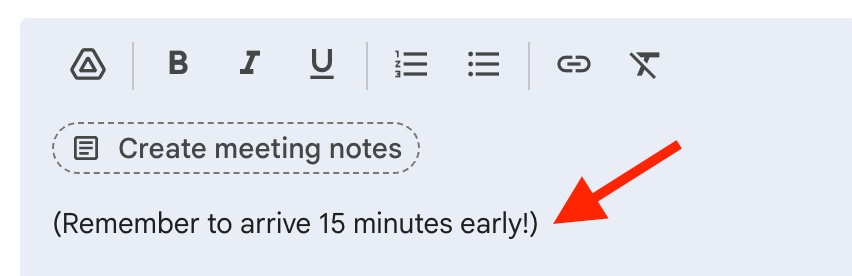
Ref: tec_views_v2_single_event_gcal_link_parameters
Change Default Protocol for iCal
If you’d prefer to change the default protocol of the Subscribe to Calendar‘s iCal option, you can do so with a quick customization.
By default, these links are generated with the webcal:// protocol, which is designed for live iCalendar subscriptions. If instead you’d like the link to use https:// (so it downloads the .ics file directly rather than subscribing), you can override that default with a small code snippet.
Add the following snippet to your site:
add_filter( 'tec_views_v2_subscribe_links_feed_url', 'tec_modify_ical_to_https' );
function tec_modify_ical_to_https( $link ) {
    return str_replace( 'webcal://', 'https://', $link );
}
After adding the snippet, clear any caching layers (plugin cache, server cache, or CDN cache) to make sure the new link updates correctly. Then, check your event page to confirm that the iCal link now uses https://.