Forum Replies Created
-
AuthorPosts
-
websource
ParticipantAny update here?
ParticipantTwo of the three strings are resolved. But this one is still not fixed:
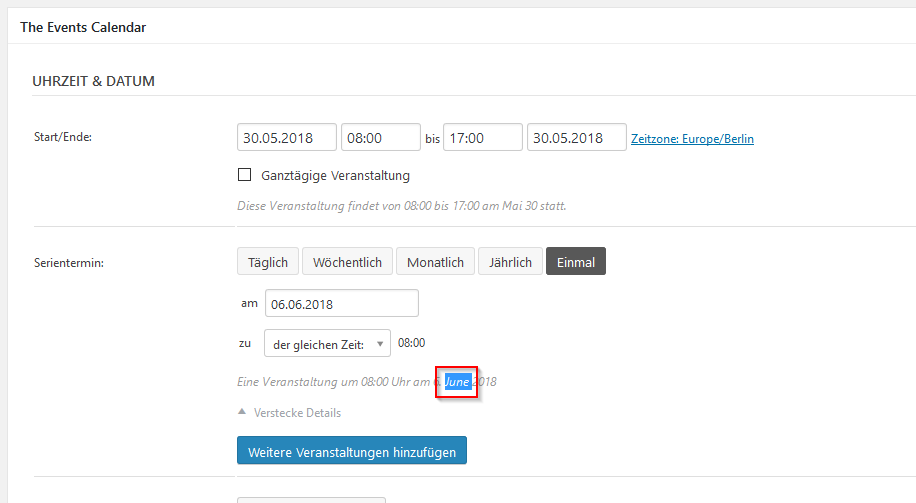
https://theeventscalendar.com/content/uploads/2018/05/d17ce137791c3396.pngAlso please take a look at the image below. new translation which is missing.
ParticipantNo Problem. If you need anything just write me. Hope this gets fixed asap 🙂
ParticipantHi Barry
Thanks for the answer. I wasnt able to find it here:
https://translate.wordpress.org/projects/wp-plugins/event-tickets/stable/de/default?filters%5Bterm%5D=Attendee+list&filters%5Buser_login%5D=&filters%5Bstatus%5D=current_or_waiting_or_fuzzy_or_untranslated&filter=Filter&sort%5Bby%5D=priority&sort%5Bhow%5D=descor
Thanks
BrianParticipantHi there
Isnt it available in a translation file??
Should be, so not everyone has to do it by themselfThanks
BrianAugust 1, 2018 at 1:39 pm in reply to: Datepicker still dont respect startday of week settings of wordpress #1588002ParticipantHi Andras
Also a small update on this.1) add a new ticket -> datepicker is now fine
2) add a new RSVP -> datepicker is still not fixed, please checkThanks
BrianParticipantHi Andras
As heads up..“Tag processing” -> seems to be fixed
Date issue is still presentThanks
BrianParticipantHi Cliff
I saw in the changelog that you fixed this issue. in which file will we need to translate it now?
Thanks
BrianParticipantworks thanks!
June 29, 2018 at 4:35 am in reply to: Datepicker still dont respect startday of week settings of wordpress #1564401ParticipantHallo Andras
Thanks for the update. please see screens attached.
Its not about date format “XX.XX.XX”, its about the start week on day setting in wordpress.
First datepicker starts correct on monday. the other ons still start on sunday. (Wp-Setting is monday)
You have fixed the first datepicker issue also starting on monday in the last MR.Dankeschön
BrianParticipantThanks for the fast answer Cliff.
Awaiting the bugfix 🙂Brian
ParticipantHi Victor
On wp-admin/options-general.php i set my start day to monday
if i go to: wp-admin/post-new.php?post_type=tribe_eventsmy first date picker still shows S/M/D/M/D/F/S/S
so it doesnt seems to be fixed.
Please check furhter. Thanks
BrianParticipantHi Barry
Thanks for the update. i might try adding woocommerce. but i was very happy when i saw i only could do it with your plugins. Thanks for the help hope you’ll be able to fix the extension soon.Please mark this as pending fix.
Thanks
ParticipantHi Barry
Thanks for the explanation and the snippet.
actually i pasted it in the functions.php and for me it doesnt change something at all 🙁for the extension. im wondered that you dont have a solution yet to make registrations but let users pay for it directly at the event? that might be something you could think about with your team
thanks
brianParticipantHi Barry
So actually there are two issues:1) i set the currency of the extension in the events form to CHF. as soon as i press the save button it gets resetted to USD. (note: in TEC Settings the “CHF” has been successfully saved) => but the form problem seems to be a bug and hope i get a quick fix now? 🙂
2) RSVP as standard are free tickets. actually i use it to sell tickets and my client collects the cash directly at the event. so for me i’m searching a solution to actually delete the “Free – ” part and only show the amount i typed in.
Happy to see your ideas and comments.
Thanks
Brian -
AuthorPosts