
Home › Forums › Calendar Products › Events Calendar PRO › Why is the "Photo" view locked in column size?
- This topic has 5 replies, 4 voices, and was last updated 9 years, 10 months ago by
Mike.
-
AuthorPosts
-
November 19, 2016 at 6:22 am #1194841
Mike
ParticipantShouldn’t it expand based on the viewer’s screen size? For example, with my base image size, I can only see three columns. On a full screen display on my laptop, I should be able to see at least 5 or 6 columns. There is a HUGE amount of a white space on either side.
Is there a fix for this?
November 21, 2016 at 9:03 am #1195372Geoff
MemberHi Mike,
The maximum number of columns in Photo will always be three, but they should grow wider as the screen gets wider.
The important thing to note is that the columns will only grow to the maximum width of the page template it is in.
So, for example, the calendar’s default page template is set yo a maximum of 1000px. You can change that by adding some css to your theme’s style.css file:
#tribe-events-pg-template {
max-width: 2000px /* adjust to your liking */
}
That will increase the space and allow the columns to grow further as the page grows in width.
Cheers!
GeoffNovember 21, 2016 at 1:58 pm #1195529ParticipantThis partially worked. It expanded the size of the calendar in IE, FF, and Opera:

However, in Chrome, the view is still locked at the smaller width dimensions:

So this leaves me with two questions.
1. How do I increase the width in Chrome?
2. How do I add additional potential columns, so that when a user is viewing the calendars from a larger viewport, it will add columns to accommodate their screen size?For option two, I recognize I will be editing the template files for the respective views (photo, atm), and I am comfortable doing so. I just need to know which template controls the column display, and what the relevant CSS is for setting responsive break points on the columns.
FYI: My end goal is to utilize the photo view in the map template as well, so once I have the photo view styling completed, I will be copying the entry loop from photo into the map template.
November 22, 2016 at 7:17 am #1195769MemberHi Mike,
Thanks for following up!
You know, I am not sure why Chrome is not reading that change.
I see that DevTools picks it up:
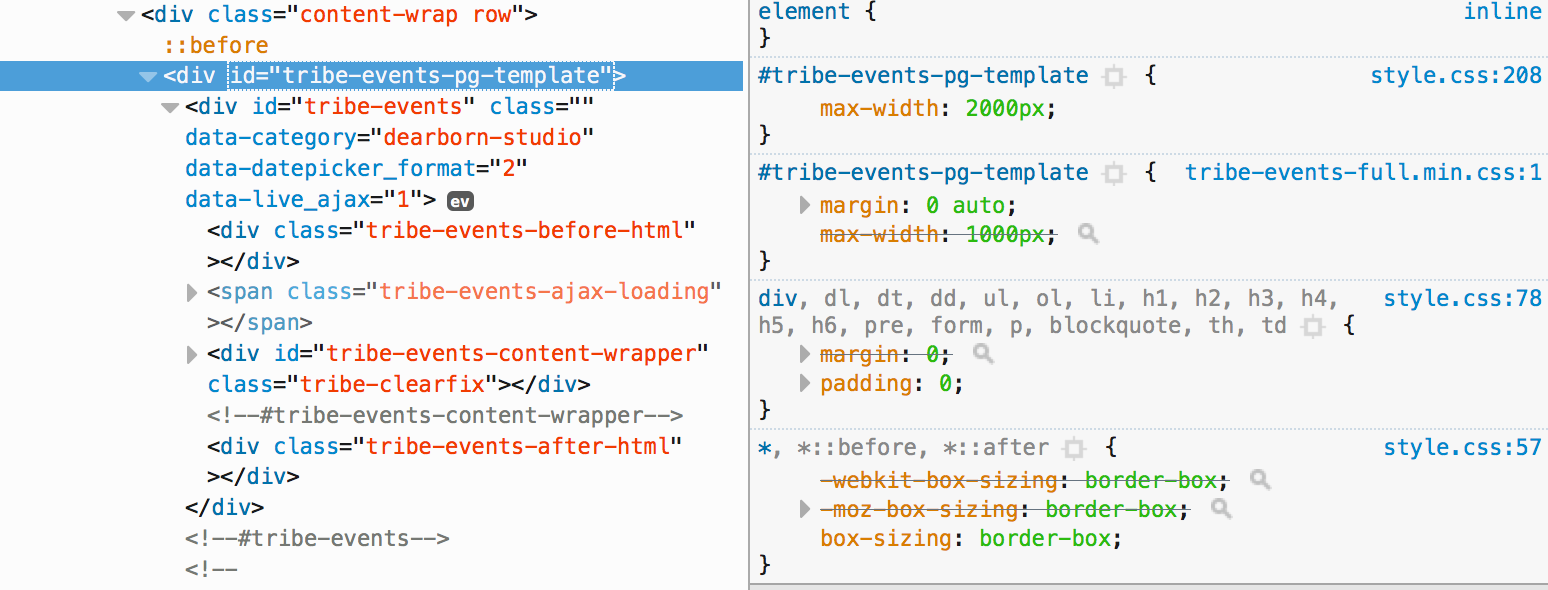
…but Chrome’s does not:
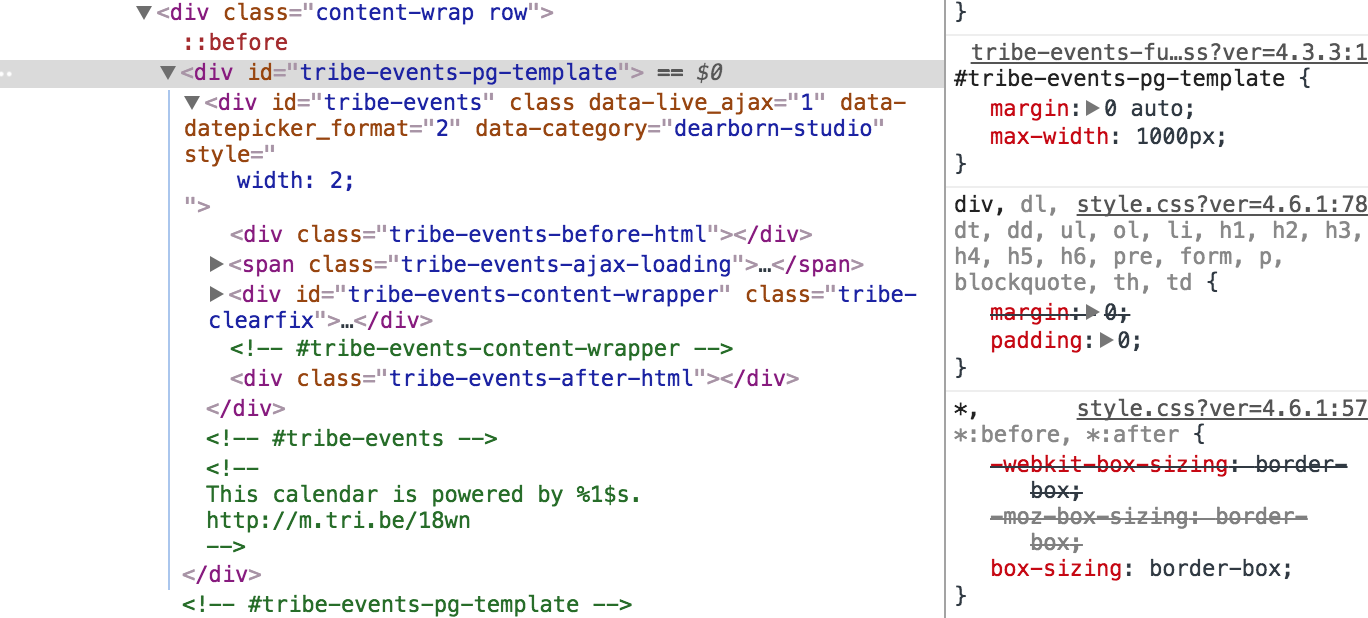
It’s not so much that the snippet doesn’t work, but likely more that there is something with how CSS is served by your site that is preventing it from working the same on all browsers. One other method you might consider is using the Simple Custom CSS plugin to enter the snippet instead.
2. How do I add additional potential columns, so that when a user is viewing the calendars from a larger viewport, it will add columns to accommodate their screen size?
I’m afraid that the plugin does not support adding or removing columns from Photo View, even with template overrides. The layout depends on a Javascript framework called Isotope that does the calculations automatically. In other words, it’s possible you could make the adjustment, but it would require quite a bit of custom development touching core plugin files:
That said, the source files for Isotope can be found here if you’re interested in digging into them further:
/wp-content/plugins/events-calendar-pro/vendor/isotope/Sorry I don’t have a concrete solution or snippet to provide here, but I hope this at least helps get the ball rolling in the right direction!
Cheers,
GeoffDecember 14, 2016 at 8:35 am #1205875Support Droid
KeymasterHey there! This thread has been pretty quiet for the last three weeks, so we’re going to go ahead and close it to avoid confusion with other topics. If you’re still looking for help with this, please do open a new thread, reference this one and we’d be more than happy to continue the conversation over there.
Thanks so much!
The Events Calendar Support Team -
AuthorPosts
- The topic ‘Why is the "Photo" view locked in column size?’ is closed to new replies.