
Home › Forums › Calendar Products › Community Events › Warning When Event Image Not Successfully Saved
- This topic has 4 replies, 3 voices, and was last updated 9 years, 10 months ago by
Support Droid.
-
AuthorPosts
-
May 2, 2016 at 10:05 am #1109607
Alison
ParticipantWhen I submit an event through Community Events –> Submit Event, if the event image I have selected fails to attach, there is no warning that the image failed to upload. What happens is that when I click “Submit Event” the submit event page re-loads with no error messages or anything which is an odd response. So it just sits there. Anyway, if you click over to the calendar to double check that your event made it there, the event is there, but with no image.
(When the image does get saved properly after you click the submit event button, I believe the system brings you to your “My events” screen and there is a button there that says “add new event”. Its hard for me to remember when happens when images are attached successfully because it hardly ever happens to me. I could teach my users that if the system fails to return them to this My Events screen then they should be clued in that their image failed, but that seems like a poor solution.
Unfortunately image upload failure seems to happen to me a lot….. my images just don’t seem to want to stick to my events. I think the root cause is a WordPress issue related to the Media Library being a terrible part of WordPress, and not an Events Calendar thing, but it would be really nice if a message displayed that the image failed to attach. Is an error message something that can be accomplished?
And if you have any tips on how to make the WordPress Media Library image upload actually work, which i think is the root cause of this, that would be great. I have looked into it and they recommend increasing the max file size setting for image sizes. But my failed image uploads are small files (less than 10 MB, most of the time less than 5 MB) and my file size limit is 64 MB so I can’t see that helping.
May 2, 2016 at 2:04 pm #1109720Hunter
ModeratorHello Alison 🙂
Thank you for the well-written and informative post. I’d be happy to help investigate the issue you describe.
First off, does the issue of nearly-consistent failed featured image uploads when adding events via the submit event form occur when using the default WP theme and only our plugins active as outlined in our Testing for conflicts guide?
Additionally, have you noticed any sort of pattern/reason as to why the featured image is not properly uploaded? For example, if you upload an image and leave the event description field (a required field) blank when adding an event via the submit event form, does it require you to re-upload the featured image?
Let me know if anything I’ve said/asked needs clarity and thanks again for the in-depth post. Have a good week!
May 5, 2016 at 3:17 pm #1111242ParticipantHi Hunter:
When an image fails to upload on an event submission, is your system designed to provide the user with a warning that the image did not upload? I need to know, what is the expected behaviour for failed image uploads please so I know what the system should be doing when it is working as designed.
Alison
May 6, 2016 at 9:53 am #1111553ModeratorHey Alison,
Welcome back. To answer your question, yes, the plugin is designed to provide an error when an image upload fails (see screenshot below).
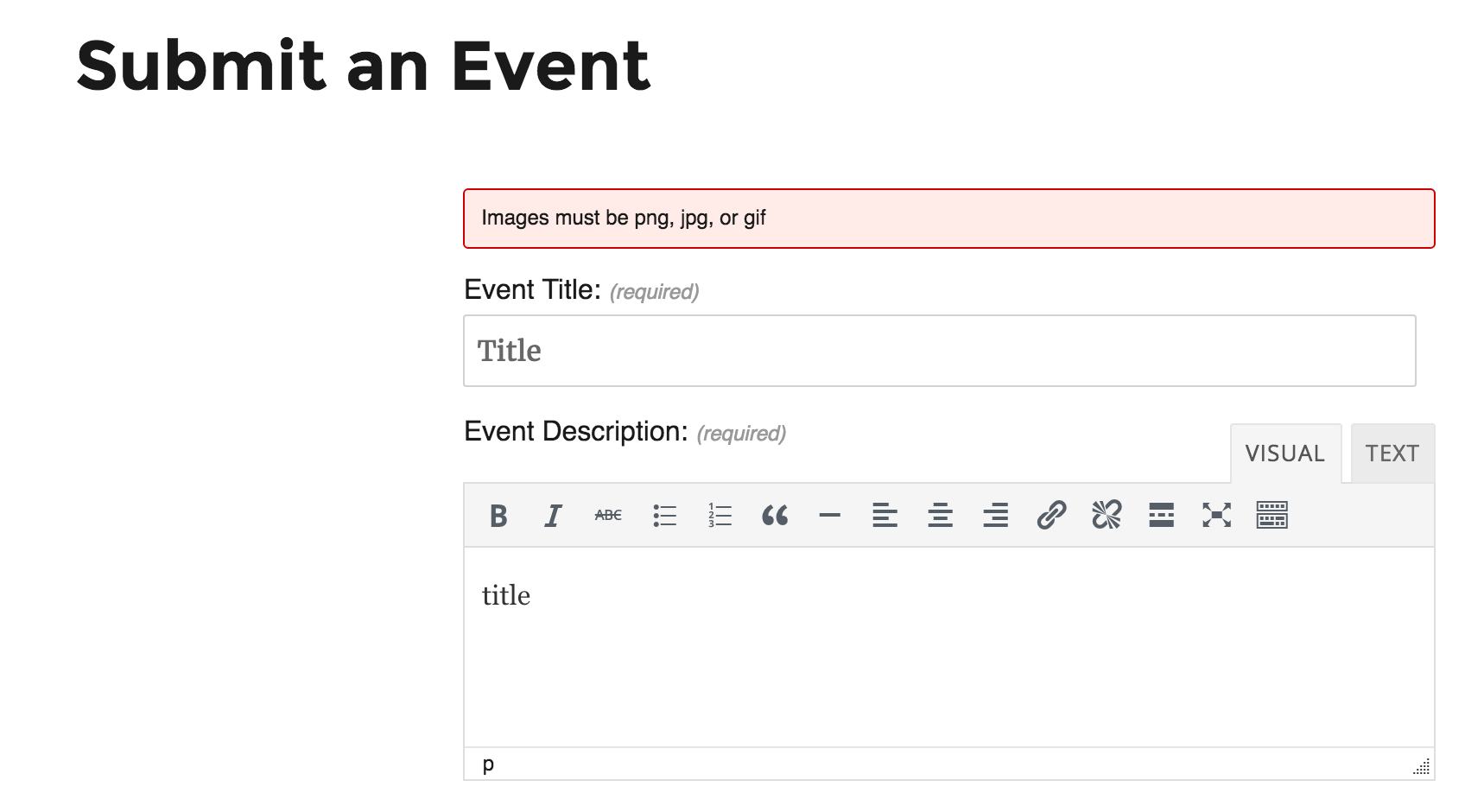
I apologize if I didn’t answer your question the first time around. Happy Friday and thanks for the patience while we work towards a resolution.
May 21, 2016 at 9:35 am #1117387KeymasterThis topic has not been active for quite some time and will now be closed.
If you still need assistance please simply open a new topic (linking to this one if necessary)
and one of the team will be only too happy to help. -
AuthorPosts
- The topic ‘Warning When Event Image Not Successfully Saved’ is closed to new replies.