
Home › Forums › Welcome! › Pre-Sales Questions › Trying to decide which products I need
- This topic has 2 replies, 2 voices, and was last updated 10 years ago by
Support Droid.
-
AuthorPosts
-
September 12, 2016 at 7:29 am #1162772
Alexander Abell
GuestHi there!!
My non-profit 501(c)6 organization is a band of young advertisers who help 501(c)3’s by donating our marketing and advertising skills and time to submit pro-bono ad campaigns.
We are revamping our website and looking to increase the functionality. I found Time.ly’s All-In-One event plugin but found it lacking in certain areas. After reading reviews, I think that The Events Calendar is the move, but I’m not sure what all we need. I would love to have the full bundle, as we do create seperate facebook events, we need ticketing, and right now we are just leveraging splashthat.com for rsvp and checkin, but it’s clunky and too many tools in the stack.
I’d like to allow users to submit from the backend (i can gate this based on membership type through S2members). I’d also like different categories. We’re still trying to decide if it will be by committee (ex: gatherings, publicc service, government relations, diversity) or by the audience (community events, club meetings, programs, fundraisers, etc)
To recap, the main features I need are:
- Super easy to use
- Easy event submission from front-end (logged in users only)
- Community calendar submissions that require admin approval (and option to select which admin approves)
- Easy ticketing with paypal or stripe or square (not paypal payments pro or anything that requires monthly fee)
- Widgets to showcase events across the site
- People can subscribe and/or google calendar integration
What do you recommend?
September 14, 2016 at 2:09 pm #1164234Hunter
ModeratorHey, Alexander!
Welcome to our Pre-Sales Channel 🙂
First off, thank you for considering us for your events calendar needs. Sounds like a fun project with many benefits! Our plugins will definitely accomplish what you’ve described. I’ll break things down for you, but feel free to reply back with any questions or comments you might have.
- Our plugins are super easy to use! Based on what you’ve described and how you’ve described it, I don’t think you should have too many roadblocks.
- Our submit event form is simple to use and can be customized to your liking.
- We include options on who you want to see the form (logged in/logged out users). You may need to integrate the membership plugin of your choice to allow for specific admin approvals. Again, I don’t think this would be too difficult.
- We currently allow for PayPal and Stripe gateways. More info on the recent integration of Stripe can be found here.
- Need widget shortcodes? We’ve got you covered!
- We have buttons on the main views and individual events, allowing users to add multiple or single events to their Google Calendar. Scroll to the bottom of this page to see the monthly export option. You can see the ‘+iCal Export’ button on single event pages. (screenshot below)
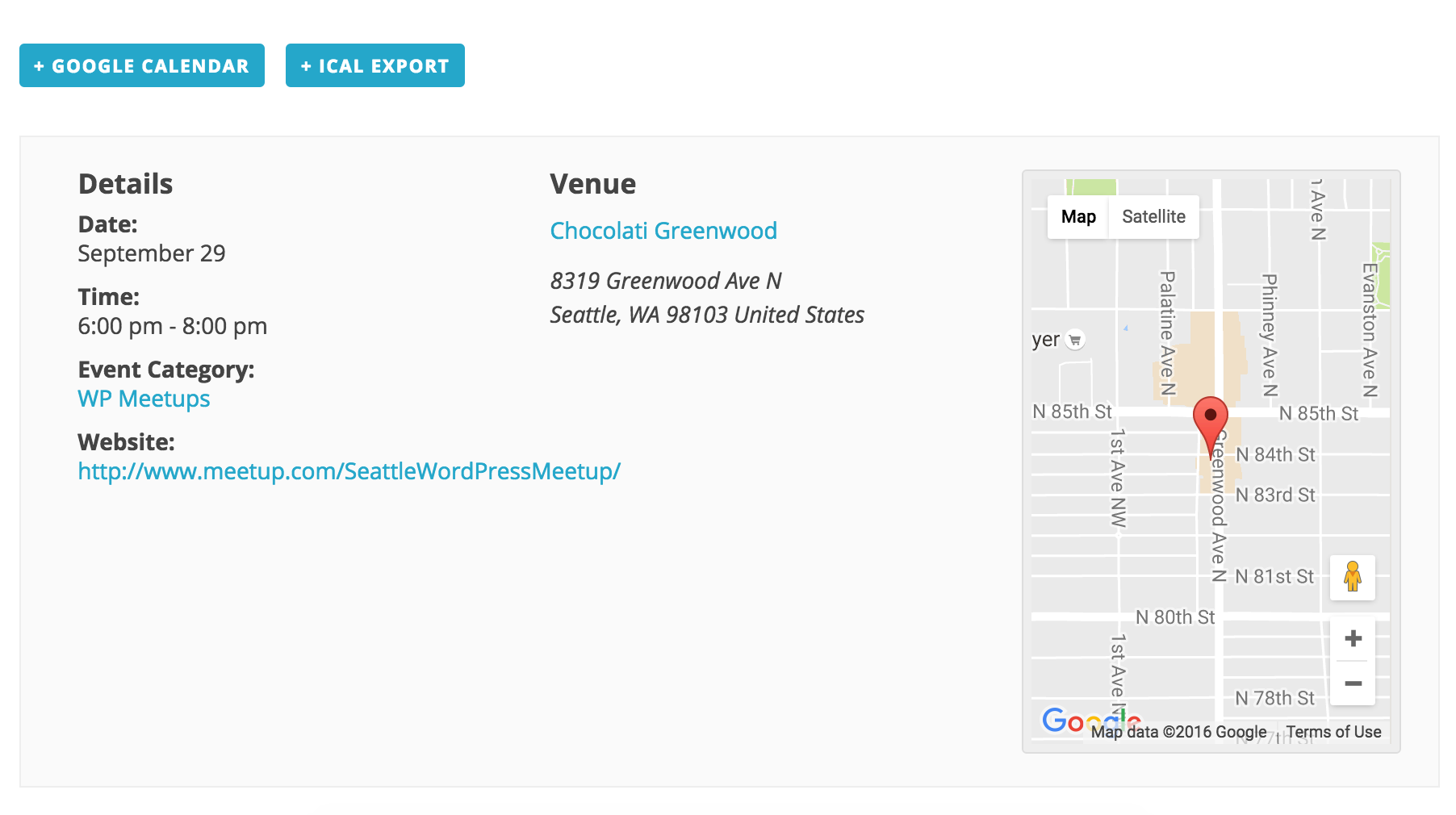
I hope I’ve sufficiently answered your questions and have a great evening. Thanks again for reaching out. Cheers!
October 6, 2016 at 9:35 am #1173285KeymasterHey there! This thread has been pretty quiet for the last three weeks, so we’re going to go ahead and close it to avoid confusion with other topics. If you’re still looking for help with this, please do open a new thread, reference this one and we’d be more than happy to continue the conversation over there.
Thanks so much!
The Events Calendar Support Team -
AuthorPosts
- The topic ‘Trying to decide which products I need’ is closed to new replies.