
Home › Forums › Calendar Products › Events Calendar PRO › tribe_events_list shortcode customizations
- This topic has 25 replies, 4 voices, and was last updated 10 years, 10 months ago by
Geoff.
-
AuthorPosts
-
July 21, 2015 at 8:15 am #988414
Ian
ParticipantThe Pro shortcode [tribe_events_list] does not seem to come with as many customization options as would be handy. I am thinking:
1) Dividers as months change
2) Ability to display the category assigned to an event (in a full list where the category is not specified in the shortcode it is a bit confusing to not know if one is looking at say, a concert or a lecture or whatever…)Re 1 there is a post on this forum which has some code that looks like it might do the trick. Any advice on where it should be placed and how it should be called?
July 21, 2015 at 8:36 am #988434MemberHey Ian and welcome to the forums! I hope you’re enjoying PRO so far. 🙂
Good question–and nice work finding that thread as well. The answer in there is certainly one way to go. You could add that to your theme’s functions.php file and it should do the trick for dividers.
Customizing the widget template is a good way to display the category. We have a Themer’s Guide to help get started with customized layouts, but it basically boils down to this:
- Make a copy of the template. It’s located at /plugins/the-events-calendar/views/widgets/list-widget.php
- Make a new folder in your theme directory called tribe-events
- Make a new folder in that one called widgets
- Drop the copied list-widget.php template in that last folder
Now that the template is in your theme folder, it can be modified to suit your needs. In this case, you can add the category name by using echo tribe_meta_event_category_name() in the template where you would like it to display.
https://theeventscalendar.com/function/tribe_meta_event_category_name/
Will this help you get started? Please let me know. 🙂
Cheers!
GeoffJuly 21, 2015 at 9:06 am #988464ParticipantJuly 21, 2015 at 9:08 am #988469MemberAwesome! Glad this helps get things started. 🙂
You could call tribe_meta_event_category_name() to display the category name for each event in the loop.
So, for example:
<?php echo tribe_meta_event_category_name() ?>Cheers!
GeoffJuly 21, 2015 at 9:14 am #988471ParticipantYou were quick off the mark, as was I in my pre-edited reply where I stupidly mentioned category display again despite the fact you had already covered it! RTFM I guess. or RTFP perhaps (p=Post).
July 21, 2015 at 9:32 am #988484MemberHa! No worries man, that’s one of the difficulties with conversing over a forum. 🙂
Let me know if any follow-up questions come up as a result and I’d be happy to help as best I can.
Cheers!
GeoffJuly 21, 2015 at 9:53 am #988500ParticipantA couple of probs.
* I can’t get tribe_meta_event_category_name() to show anything (yes, using the PHP tags – and the code is running as I can print stuff to screen)
* If I did get it to work it would apply on pages where I need the same widget to list events which are all in the same category. This would clearly be spurious if not downright annoying!
Sounds like I need to first get it to work and then register it somehow as a new shortcode with a different name?
-
This reply was modified 11 years, 3 months ago by
July 21, 2015 at 10:16 am #988514ParticipantOn the plus side I have got the code simonlandin generously posted to put in month dividers to work, and it does the trick very nicely!
July 21, 2015 at 10:28 am #988522ParticipantWhere are functions such as
tribe_events_event_schedule_details()I need to modify what is output by this. Would I again do so on a copy of the original file in a new location?
Also with the list-widget.php file in a new location it is not picking up styles – and there is only a number next to each row rather than the date / day of week block. Is this down to
<li class="tribe-events-list-widget-events <?php tribe_events_event_classes() ?>">At the moment I have put the month divider function in the same list-widget.php file which is probably Not A Good Thing…
?July 21, 2015 at 12:34 pm #988574MemberHi Ian!
There is more documentation on tribe_events_event_schedule_details() over here:
https://theeventscalendar.com/function/tribe_events_event_schedule_details/
Altering that would certainly require a bit of custom wrangling since it generally controls the date and time formatting. I think using echo to print the category in the template override is the easier way to go.
The styling thing is certainly odd because the snippet you shared seems to call the classes. If Is the stylesheet not showing up in your source code?
I would suggest pasting the divider function in your theme’s functions.php file. 🙂
Cheers!
GeoffJuly 21, 2015 at 3:06 pm #988669ParticipantOK all set up with a child theme functions.php with the divider code and this works just fine.
What does not work is any of the styling etc. Instead of

I am getting
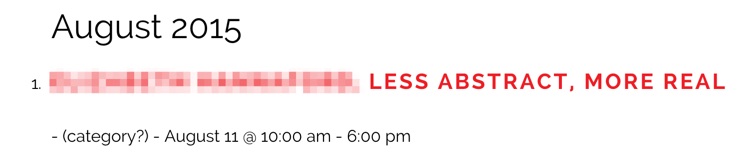
(note the echo of plain text where the tribe_meta_event_category_name() function is failing)The full custom list-widget.php code looks like this (I have commented //=====INACTIVE?==== by each of the parts of code apparently not to be doing anything in that when commented and run there is no difference in the output.)
if ( ! defined( 'ABSPATH' ) ) { die( '-1' ); } $events_label_plural = tribe_get_event_label_plural(); $posts = tribe_get_list_widget_events(); // Check if any event posts are found. if ( $posts ) : ?> <ol class="hfeed vcalendar"> <?php // Setup the post data for each event. foreach ( $posts as $post ) : setup_postdata( $post ); // call extra function to add dividers for change in months club_tribe_events_list_the_date_headers() ?> <li class="tribe-events-list-widget-events <?php //=====INACTIVE?====tribe_events_event_classes() ?>"> <?php //=====INACTIVE?====do_action( 'tribe_events_list_widget_before_the_event_title' ); ?> <!-- Event Title --> <h4 class="entry-title summary"> <a href="<?php echo esc_url( tribe_get_event_link() ); ?>" rel="bookmark"><?php the_title(); ?></a> </h4> <?php //=====INACTIVE?====do_action( 'tribe_events_list_widget_after_the_event_title' ); ?> <!-- Event Time --> <?php //=====INACTIVE?====do_action( 'tribe_events_list_widget_before_the_meta' ) ?> <div class="duration"> <?php //=====INACTIVE?====echo tribe_meta_event_category_name(); ?> - (category?) - <?php echo tribe_events_event_schedule_details(); ?> </div> <?php //=====INACTIVE?====do_action( 'tribe_events_list_widget_after_the_meta' ) ?> </li> <?php endforeach; ?> </ol><!-- .hfeed --> <p class="tribe-events-widget-link"> <a href="<?php echo esc_url( tribe_get_events_link() ); ?>" rel="bookmark"><?php printf( __( 'View All %s', 'tribe-events-calendar' ), $events_label_plural ); ?></a> </p> <?php // No events were found. else : ?> <p><?php printf( __( 'There are no upcoming %s at this time.', 'tribe-events-calendar' ), strtolower( $events_label_plural ) ); ?></p> <?php endif;July 21, 2015 at 3:17 pm #988673ParticipantAnd stylesheets seem to be showing up in the page source code in just the same way on the styled and non-styled versions
July 21, 2015 at 3:38 pm #988684ParticipantOK – APOLOGIES – I have figured the styles oddity. I am using PRO and the path to the list-widget.php file given early on in this thread is from the standard version. Now I have located the correct file in the pro folders and started working with this things make more sense.
Not working any better however!!
The month divider code does not seem to work at all now and neither does the category display when inserted as follows (snippet only)
<!-- Event  -->
		<div class="<?php tribe_events_event_classes() ?>">
			<?php echo tribe_meta_event_category_name(); ?> - (category?) -
			<?php tribe_get_template_part( 'pro/widgets/modules/single-event', null, $instance ) ?>
		</div><!-- .hentry .vevent -->
A list entry currently looks like this:
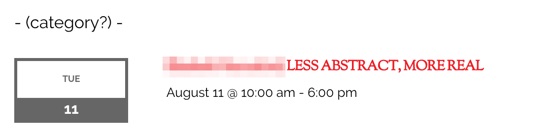 July 21, 2015 at 3:48 pm #988691Participant
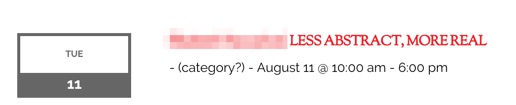
And now I have realised that in Pro the event itself is in a file under /modules/single-event.php
I therefore put tribe_meta_event_category_name() in that instead but still only get:
 July 21, 2015 at 4:42 pm #988701Member
Oh man, I have led you down a bad rabbit trail–so sorry man! This is totally my bad.
You are definitely correct that the pro/widgets/modules/single-event.php template is the way to go for the categories. Try using this instead where you would like the category to display:
<?php echo tribe_get_event_categories() ?>Like I said, so sorry! I just tested that in my setup and it seemed to work well for outputting the category names for each event.
Let’s tackle and confirm that first before moving on to the dividers. 🙂
Cheers!
Geoff -
AuthorPosts
- The topic ‘tribe_events_list shortcode customizations’ is closed to new replies.