
Home › Forums › Ticket Products › Community Tickets › ticket orders 'processing'
- This topic has 8 replies, 2 voices, and was last updated 9 years, 6 months ago by
Cath.
-
AuthorPosts
-
March 28, 2017 at 6:08 am #1260729
Cath
ParticipantHi
I have events calendar pro set up with community events and community tickets.
I have been testing with Paypal sandbox and everything seems to be working except orders are marked as’processing’. I want an order to be an order- we don’t need to vet orders after they have been paid for. Thank youMarch 28, 2017 at 6:56 am #1260760ParticipantI have just discovered an even bigger problem…… when a ticket is sold the community organiser does not get any notification. The site owner gets a notification but not the event organiser!
March 28, 2017 at 11:51 pm #1261266Hunter
ModeratorHi and welcome,
Sorry to see you here under the circumstances. I was recently testing the process similar to what you described for another user and also could not figure out a way to have the orders marked as “Complete” when purchasing test tickets in my PayPal Sandbox Dev account. I’m still awaiting a response from our dev team in hopes of learning more. I’m not even sure a bug is present, it could be a simple setting. Please review the following resources just to make sure you have things set to your liking:
• https://theeventscalendar.com/knowledgebase/woocommerce-specific-ticket-settings/
• https://theeventscalendar.com/knowledgebase/woocommerce-specific-ticket-settings/
• https://docs.woocommerce.com/document/automatically-complete-orders/
• https://wordpress.org/plugins/woocommerce-autocomplete-order/Should you decide to test more and come up with a solution, it would be sincerely appreciated if you could what you come up with in this thread. The majority of our team is on a team retreat, so the turnaround time may be a slower than our typical 24 hour response time, but hang tight and I’ll update you once I learn more information. If it’s been longer than a few days, feel free to ping me here and I’ll see what I’ve got for you.
I have just discovered an even bigger problem…… when a ticket is sold the community organiser does not get any notification. The site owner gets a notification but not the event organiser!
Download and install this extension as you would a normal plugin: https://theeventscalendar.com/content/uploads/2016/10/tribe-ext-tickets-email-options-0-4-1.zip
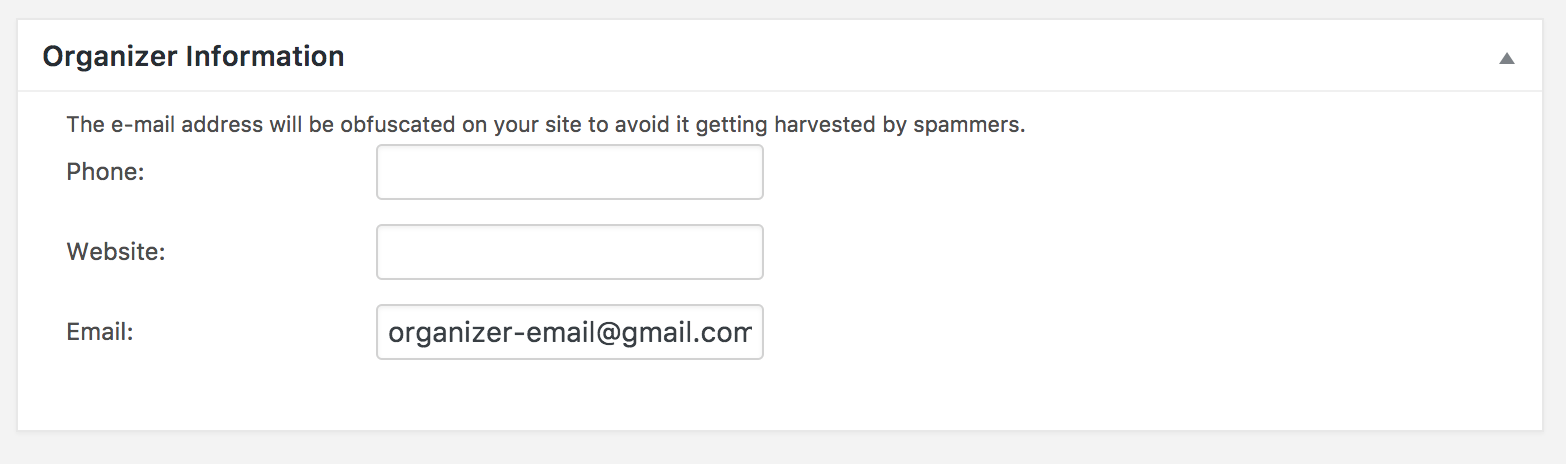
Whatever email address entered into the ‘Organizer’ field should receive an eamil notifying an order was placed
 March 29, 2017 at 2:03 pm #1261739Participant
Hi
Thanks for the reply. I have gone through all the links and I can’t see a problem with my settings.I have downloaded and installed the extension and ticked the box to send organiser an email but the organiser still does not receive an email when a ticket is sold. I have checked that the email address is correct….. any other ideas?
March 29, 2017 at 9:15 pm #1261842ModeratorTry installing Easy WP SMTP as it helps ensure emails get delivered properly. I use it on all my test/live sites and it works wonders! Let me know how it goes.
March 31, 2017 at 3:47 am #1262497ParticipantThank you
I have installed that and the test says it is working. However when I buy a ticket the organiser still does not receive an email. The site admin and customer emails are working but not the organiser……March 31, 2017 at 12:51 pm #1262810ModeratorWelcome back,
After more research on the matter, it appears this is a commonly requested feature but at this time borders on the line of customization support which we’re unable to cover: What support is provided for license holders?
I found this relative thread from just a few months ago where a user provides a solution, though I can’t guarantee it will work on your site:
• https://theeventscalendar.com/support/forums/topic/extension-cc-to-organizer-mail/#post-1230403Here are a few other threads relating to the topic, so maybe you can come up with a working solution:
• https://gist.github.com/cliffordp/4f06f95dbff364242cf54a3b5271b182
• https://theeventscalendar.com/support/forums/topic/email-rsvp-help/#post-1141037Try searching our forums to see if you can find any working examples. I wish I had a better answer for you but we’re just not permitted to spend time supporting unofficial features which means you’ll need to handle things from here on out.
Should you come up with a working solution, I’m sure other users would be forever thankful if you shared it as a reply. Let me know if I’ve cleared up our position on the matter and best of luck. Cheers!
April 22, 2017 at 9:35 am #1273084Support Droid
KeymasterHey there! This thread has been pretty quiet for the last three weeks, so we’re going to go ahead and close it to avoid confusion with other topics. If you’re still looking for help with this, please do open a new thread, reference this one and we’d be more than happy to continue the conversation over there.
Thanks so much!
The Events Calendar Support Team -
AuthorPosts
- The topic ‘ticket orders 'processing'’ is closed to new replies.