Theme conflict – how can I resolve this?

Home Forums Calendar Products Events Calendar PRO Theme conflict – how can I resolve this?

Viewing 3 posts - 1 through 3 (of 3 total)
  • Author
    Posts
  • #1206036
    Mary
    Participant

    We use a child theme of the theme Salient. We tested the Events Calendar (free plug in) and it worked perfectly fine. We now purchased PRO plug in and the calendar wouldn’t load. It show if you type in the url direcly but when clicked in menu, the page is blank and it just keeps loading.

    We did the test for theme conflict and it seems that there is one as it works fine with theme 2016. Can you help us resolve this issue?

    #1206107
    Nico
    Member

    Hi Mary,

    Thanks for getting in touch with us! I can help you out on this 🙂

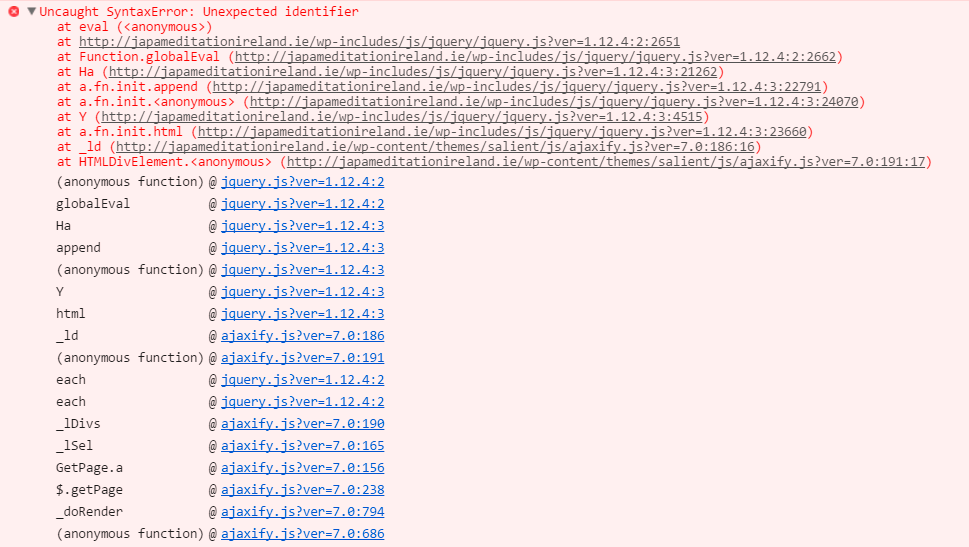
    First thing I’m seeing are JavaScript errors in the console (Using your browser to diagnose JavaScript errors). You can see the error description below:

    error-js

    Although the error seems to be generated in the parent theme, try disabling the child theme and confirm to issue is still present. If so, then report this issue to the theme developers.

    Hope that helps,
    Best,
    Nico

    #1213803
    Support Droid
    Keymaster

    Hey there! This thread has been pretty quiet for the last three weeks, so we’re going to go ahead and close it to avoid confusion with other topics. If you’re still looking for help with this, please do open a new thread, reference this one and we’d be more than happy to continue the conversation over there.

    Thanks so much!
    The Events Calendar Support Team

Viewing 3 posts - 1 through 3 (of 3 total)
  • The topic ‘Theme conflict – how can I resolve this?’ is closed to new replies.