
Home › Forums › Calendar Products › Events Calendar PRO › Switch to list view in event category not working
- This topic has 9 replies, 2 voices, and was last updated 10 years, 11 months ago by
George.
-
AuthorPosts
-
November 27, 2015 at 8:05 am #1031573
Rocio
ParticipantHello,
When i’m watching an event category page and I try to switch to list view, i get this notice:
Notice: Trying to get property of non-object in /var/www/vhosts/xxx/httpdocs/wp-content/plugins/the-events-calendar/src/Tribe/Template/Month.php on line 356
and we get an empty calendar view (not the list view) with “no upcoming events” message.
I’d try with twentyfourteen theme and all the plugins deactivated (only with the events calendar and events calendar pro, and even with events calendar PRO deactivated) and the problem is still there.
November 30, 2015 at 3:21 am #1032292ParticipantHey @Rocio!
I’m sorry to hear about these issues – can you share a link to where you get this error exactly?
On the URL you provided, I was not able to see this error; I also cannot recreate it on my local site.
Thank you!
GeorgeNovember 30, 2015 at 6:18 am #1032554ParticipantThis reply is private.
November 30, 2015 at 9:24 am #1032698ParticipantHey @Rocio,
Thank you for elaborating on this!
1. How exactly have you implemented this design style on your site:
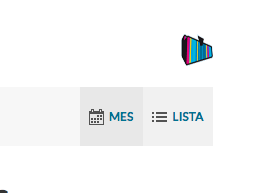
That is not the default layout of things, so what customizations have you made to do this?
2. If you temporarily remove these customizations, do the issues improve at all?
3. What are your site’s Permalinks settings in “Settings > Permalinks” in your wp-admin? (like are they /%postname%/, for example?)
Thank you for your patience with this!
GeorgeNovember 30, 2015 at 10:23 am #1032733ParticipantHello, this layout is done only with CSS. I only use the Skeleton Styles needed for the correct functionality of the events calendar (first option in Display tab). I only change the default template to use my own to force fullwith layout in genesis.
Anyway, the problem still exists when I switch to twenty fourteen theme (with zero customization), and the notice is still there, so I understand the theme is not the problem.
My permalink settings are /%postname%/
December 1, 2015 at 9:35 am #1033304ParticipantThanks for elaborating on that @Rocio, and for testing the Twenty Fourteen theme!
I’m sorry about how long this issue is taking – I admit that I’m a bit confused about what’s going on, because it seems like category links work totally fine just until you switch views. Meanwhile, on my local testing site even if I switch views I cannot reproduce this error.
However, I did some digging and it turns out that this is a bug we are working on fixing. It happens because of translations, which I didn’t find on my site because I am not using a translation.
I’m really sorry about the existence of this bug! We are working on it and are hoping to have it fixed for the official 4.0 release coming soon – if not, then by a maintenance release soon after.
Thank you for your patience with this!
Sincerely,
GeorgeDecember 1, 2015 at 10:25 am #1033343ParticipantHi again George,
definitely is about translation. I’ve change the language of my wordpress instalation to english (US) and the problem is gone now, and I can switch to list view. Unfortunately, my client needs the web and the admin panel in spanish.
Do you know how much time can take to developers to fix the bug? or if there is any temporary workaround to fix it? We need to launch the web in a month and I’m worried about this part of the website.
Thanks!
December 2, 2015 at 8:21 am #1033890ParticipantThank you so much for your patience and for confirming the nature of the issue here. Unfortunately I am not 100% certain about when the fix will be released; it should be coming in the 4.0 release, which is coming very, very soon.
There is one option that might help, but you should only consider if you have good backups of your site and can create more backups before doing these steps.
This option is to head to http://theeventscalendar.com/my-account/downloads and scroll down to the “Early Access” section of the page. You should be able to download the 4.0 Release Candidates for all of the plugins for which you have a license, and for The Events Calendar itself.
Once you download these plugins, back up your site and database. Then, delete all existing versions of The Events Calendar and its add-ons like Events Calendar Pro on your site. This will not delete event data but you should have a backup just in case – do not try this without a backup.
Once those are deleted, install the 4.0 Release Candidate versions of all plugins; re-enter License Keys if needed; and then go to Settings > Permalinks in your admin area, and just click “Save Changes” without actually making any changes. This may seem like an odd thing to do but is a little “trick” within WordPress to get the permalinks across your site to refresh, which might help here.
Then check things out again – are the issues exactly the same, or improved at all?
Thank you!
GeorgeDecember 3, 2015 at 1:03 am #1034327ParticipantYeah! I’ve updated events calendar and events calendar pro following this steps and now categories are working as expected in our lang 🙂
That’s great, thank you very much for your patience,
Cheers
December 3, 2015 at 4:36 pm #1035152ParticipantWoot! 😀 Thanks for the update and for your patience!
Best of luck with your site,
George -
AuthorPosts
- The topic ‘Switch to list view in event category not working’ is closed to new replies.