
Home › Forums › Calendar Products › Events Calendar PRO › PRO Calendar Home before & after update
- This topic has 8 replies, 3 voices, and was last updated 10 years, 6 months ago by
Support Droid.
-
AuthorPosts
-
February 22, 2016 at 11:18 am #1080084
krusesolutions
ParticipantThankfully I ran across these comments about the PRO update before upgrading to the latest PRO version on a site I manage, which I have cloned for testing and design purposes. Everything between the sites is the same, so I was able to update the plugin on the cloned site to test.
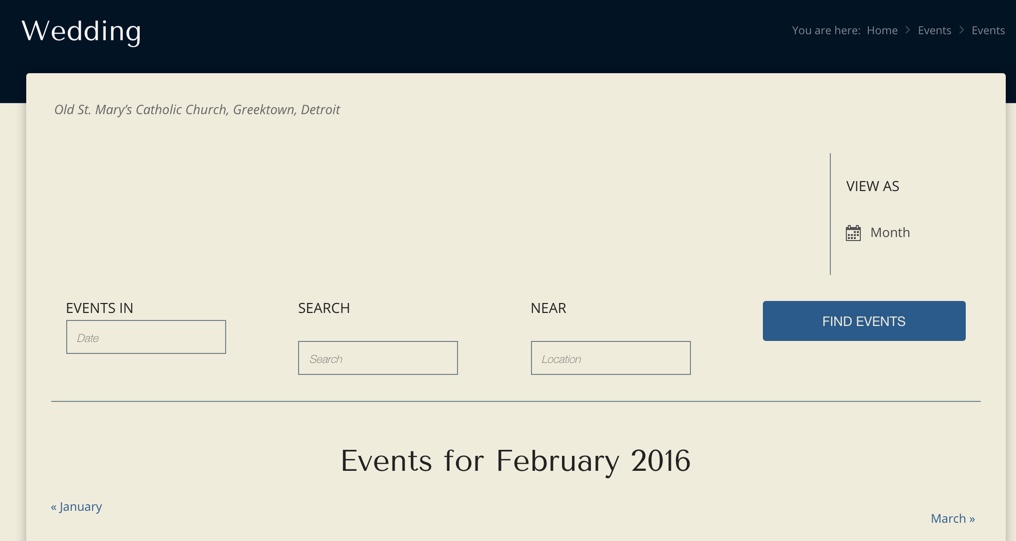
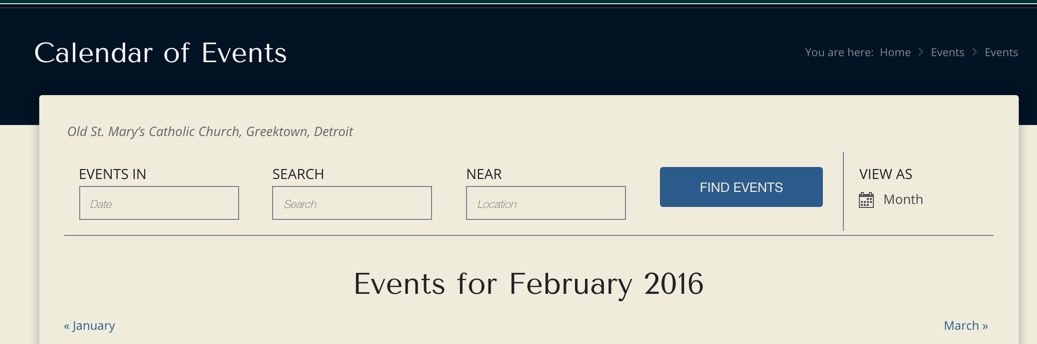
So far it looks like the only thing different is the Events home page. The updated version on the cloned site is displaying “Wedding” in the banner as seen here: https://cldup.com/4W8CH96dun.jpg – instead of “Calendar of Events” for the banner, as seen here on the actual site with the older version (3.12.6): https://cldup.com/TfSCn62lc0.jpg … You can also see the three search boxes are not displayed correctly and the area they appear in has been dramatically expanded for some reason on the cloned site.
Please advise for this to be corrected so that I can confidently update the PRO plugin on the actual site. Thanks!
February 22, 2016 at 4:41 pm #1080317Brian
MemberHi,
Sorry for the issues you are having.
We are not sure what changed, but it appears this issue is coming from a conflict with Beautiful Math Module of JetPack.
If you disable that module does it fix the issues?
On my testing site if turn on the module I see the issue you are having and if I turn it off it goes away.
Let me know if that helps.
Thanks
February 23, 2016 at 6:38 am #1080663ParticipantHi Brian,
Thanks for your help. You guys have excellent support on this site!
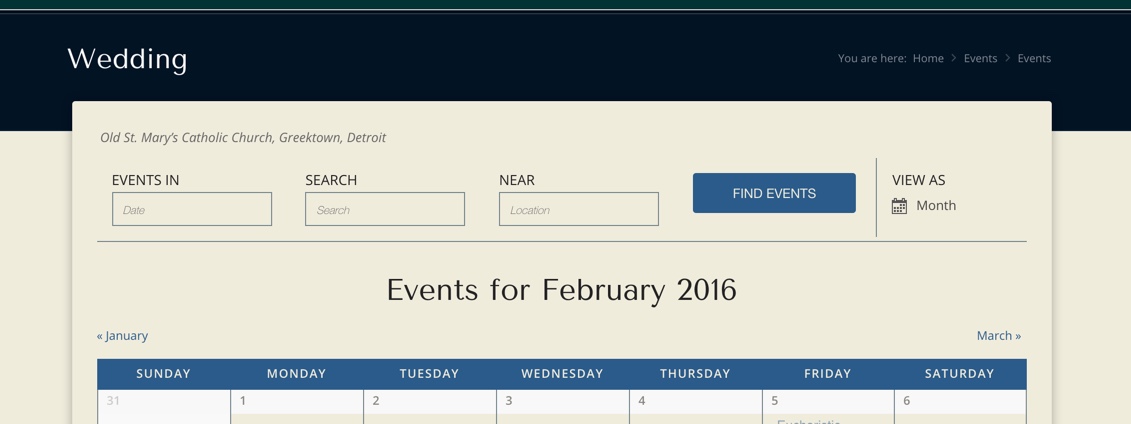
I deactivated the Beautiful Math module from Jetpack and bingo – it fixed the spacing and alignment issue! Now the only thing I am noticing is that the banner is still showing “Wedding” as opposed to what should be there: “Calendar of Events” – as seen here …
Thanks again for your help … please advise on this other issue.
John
February 23, 2016 at 7:47 am #1080688MemberThis reply is private.
February 23, 2016 at 8:11 am #1080707ParticipantHi,
Sorry I should have pointed that out again – that’s the actual site … the one that still has the older version. The cloned site that I am using to test this before updating the plugin is oldstmarysdetroit.com/new … You will see the “Wedding” banner on that one. Let me know what you think.
John
February 23, 2016 at 8:33 am #1080720MemberOk thanks for that.
That coding is coming from your theme, so not sure what it is picking up wedding there and not in the live site.
You can use conditionals to modify the output in the theme:
https://gist.github.com/jesseeproductions/903f5ca75877b713c674
However, since that is not our coding I am not sure where it is in the theme you are using.
Also, what version of the events calendar is on the live site? And is it 4.0.6 on the staging site?
February 23, 2016 at 9:24 am #1080838ParticipantThat’s what is weird since everything else is the same … both sites are “live” … it’s just that the oldstmarysdetroit.com/new is a cloned version of the real site.
Both sites have the new 4.0.6 for the Events Calendar plugin. the /new (cloned) site has the 4.0.6 PRO plugin and the “real” site has the older version 3.12.6 … I didn’t change anything else – so that’s why I was surprised to suddenly see “Wedding” appear across the top instead of “Calendar of Events”
No other changes were made. The sites are using a Theme called “Incarnation” by http://www.kriesi.at/
February 23, 2016 at 9:46 am #1080854MemberYou would have to look to see how that functions works to figure out what the issue might be.
Since the coding is in the theme I have nothing to look at for what might cause it.
I can try to help out if you can find the coding or the developer might be able to provide support on it.
March 9, 2016 at 8:35 am #1086674KeymasterThis topic has not been active for quite some time and will now be closed.
If you still need assistance please simply open a new topic (linking to this one if necessary)
and one of the team will be only too happy to help. -
AuthorPosts
- The topic ‘PRO Calendar Home before & after update’ is closed to new replies.