Good evening William and welcome to the Events Calendar Support forum!
Thank you for reaching out to us.
We are sorry to hear about the images being so tiny in your photo view.
I would love to help you with this topic.
I did a bit of digging, and I have found the culprit.
There is a CSS rule that is doing this on your site
@media and (min-width: 750px) {

.post-type-archive-tribe_events .tribe-events-event-image {

width: 25%;

}

}
You could either remove that rule or create a new one to offset its effects:
@media and (min-width: 750px) {

.post-type-archive-tribe_events .tribe-events-event-image {

width: 100% !important;

}

}
Also my events, some may have lots of content and some little, is there a way just to use an excerpt so it doesn’t look out of whack when next to each other.
Absolutely, you will simply need to activate the “excerpt metabox in your events pages
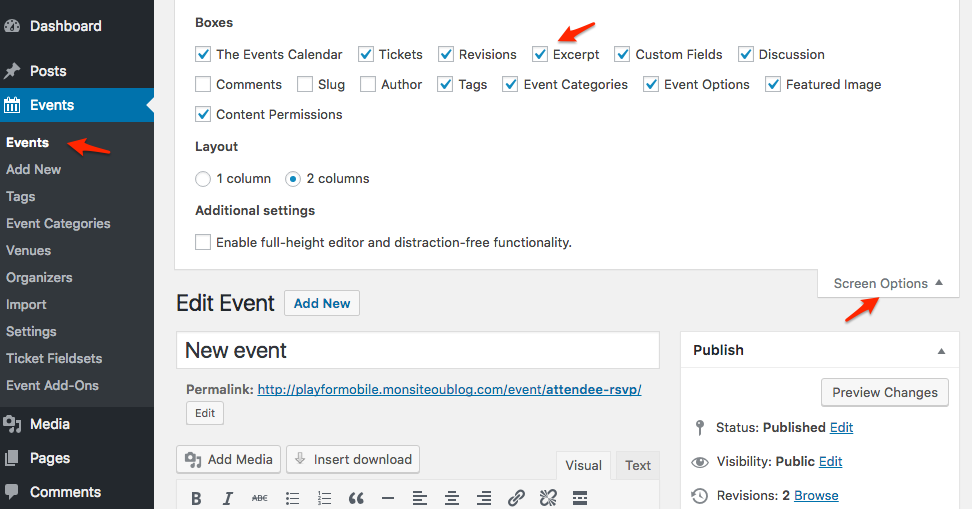
Let me know if that helps.
Have a great day!
Geoff B.

.


