
Home › Forums › Calendar Products › Event Aggregator › Not Importing Facebook Event Photo
- This topic has 6 replies, 6 voices, and was last updated 9 years, 10 months ago by
Dea.
-
AuthorPosts
-
December 7, 2016 at 7:49 am #1202620
Dea
ParticipantFour issues here:
1. The Event Aggregator is not importing my facebook event photos. It is forcing me to manually set the event photo myself (as shown with the Gingerbread party). This is extremely counter-productive.
http://e43.e39.mwp.accessdomain.com/event/nutcracker-holiday-story-time/2. In addition, the icon next to the event venue is covering the text. Please see screenshot.
http://e43.e39.mwp.accessdomain.com/event/nutcracker-holiday-story-time/3. It is also displaying the description twice on the detailed view.
http://e43.e39.mwp.accessdomain.com/event/nutcracker-holiday-story-time/4. Also, on the month view, the text is coming through wayyyyy too large. How do I adjust the font size?
http://e43.e39.mwp.accessdomain.com/calendar/month/December 7, 2016 at 8:42 pm #1202972Hunter
ModeratorHello,
Welcome to our premium plugin forums and thank you for your purchase! I would be happy to help answer your questions.
1. The Event Aggregator is not importing my facebook event photos. It is forcing me to manually set the event photo myself (as shown with the Gingerbread party). This is extremely counter-productive.
We have a bug logged resembling what you’ve described. It is marked as “Priority 1” and a fix will be included in the next maintenance release which is set to be released any day. Please stay tuned to our Release Notes and the plugin changelogs for more info.
2. In addition, the icon next to the event venue is covering the text. Please see screenshot.
Unfortunately, we aren’t able to assist with theme conflicts. For more information on what we’re able to help out with, please review our What support is provided for license holders? Knowledgebase article. I would start by using my browser’s Inspect tool as explained in this Using the ‘Inspect’ tool to make changes with CSS YouTube video.
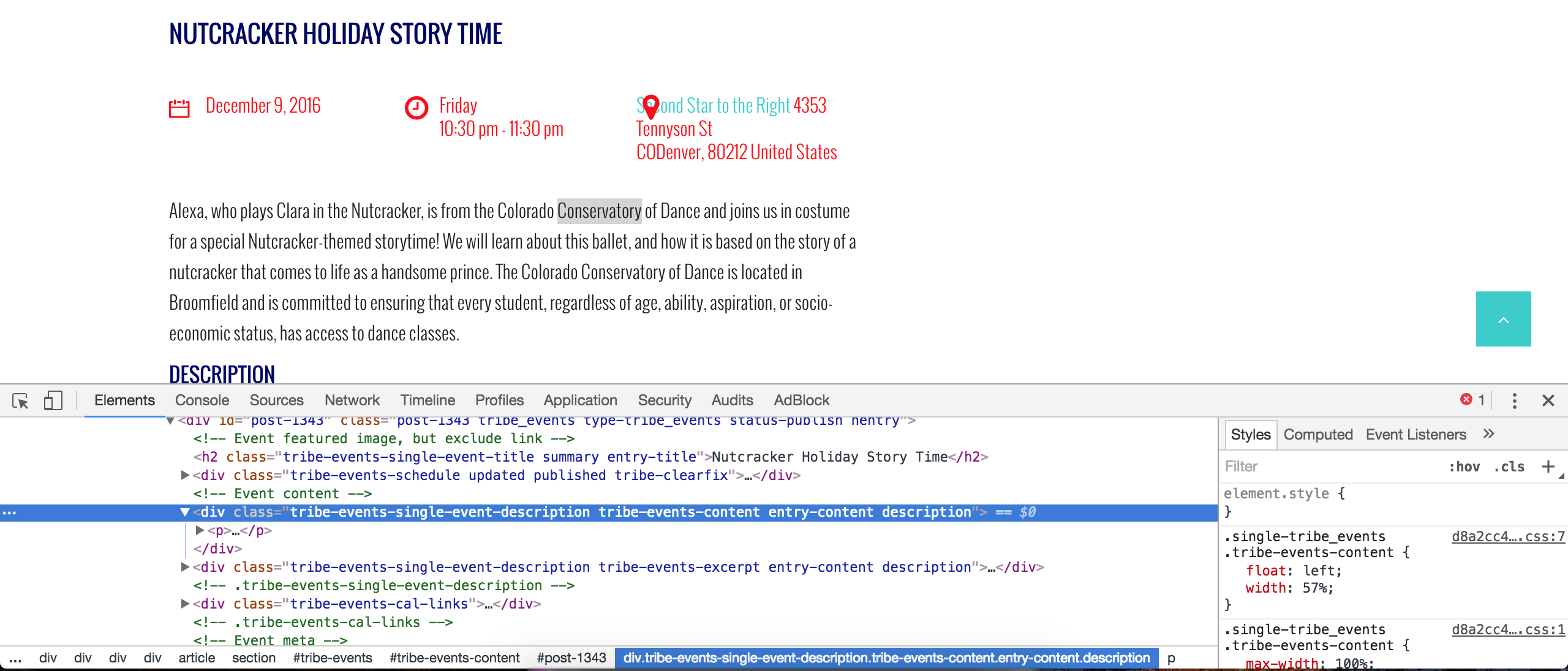
3. It is also displaying the description twice on the detailed view.
It appears your event content is being called twice (see screenshot below). This is another scenario where I can’t do much, but I would start by reviewing our Themer’s Guide to learn how to create and save customizations properly. I’d look to see if you have a file with the following structure as it’s the code most likely responsible for the duplicate content: /your-theme/tribe-events/single-event.php.
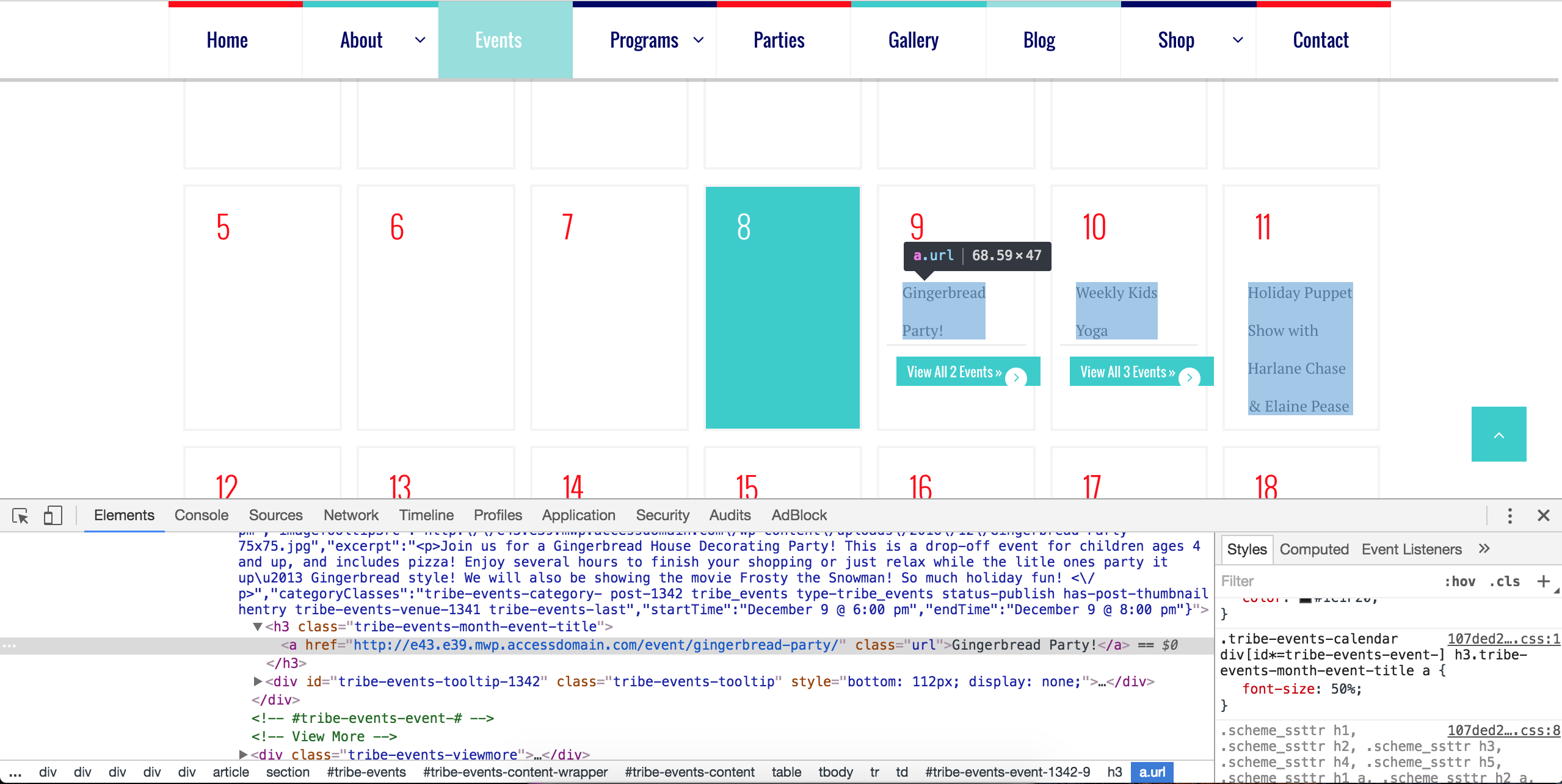
Also, on the month view, the text is coming through wayyyyy too large. How do I adjust the font size?
I used my browser’s Inspect tool and I believe the following CSS code should reduce the size of the text. Adjust the 50% to whatever you’d like. Try adding it to your theme’s style.css file or if they’ve built in a CSS tab in your theme options, add it there. More info on styles can be found here, here, and here.
.tribe-events-calendar div[id*=tribe-events-event-] h3.tribe-events-month-event-title a {

    font-size: 50%;

}
I hope this helps and best of luck with the customizations. Cheers!
December 8, 2016 at 2:18 pm #1203530George
ParticipantHello!
I wanted to share the news that a fix has finally arrived for these issues—featured images should import without issue now.
Grab the 4.3.4 update from today to get this bug fix. Learn more about the 4.3.4 release here.
Thanks so much for your patience!
Cheers,
GeorgeDecember 8, 2016 at 4:46 pm #1203616Neil Duckett
ParticipantI saw the update and was thrilled to test it. After installing it i manually imported a heap of events, something i haven’t done for a month because i didn’t want events with no picture. Around 60 events imported, across several different organisers.
Not one Facebook Event image. I give up!!!
Still no Google Map for the events either, absolutely no change at all from what i can see.
Don’t ask me to disable every plugin and run multiple tests … i don’t have the time.
Once again, let down wondering why I’ve invested so much time into this.
-
This reply was modified 9 years, 10 months ago by
December 9, 2016 at 8:01 am #1203853ModeratorHey Neil,
We try and keep threads to the original user who posted the request for support. If you don’t mind, please create a new thread in regards to your issue and we’d be happy to help provide assistance. Thanks for understanding and I’ll keep my eye on the incoming queue. Cheers!
December 31, 2016 at 8:35 am #1211985Support Droid
KeymasterHey there! This thread has been pretty quiet for the last three weeks, so we’re going to go ahead and close it to avoid confusion with other topics. If you’re still looking for help with this, please do open a new thread, reference this one and we’d be more than happy to continue the conversation over there.
Thanks so much!
The Events Calendar Support Team -
This reply was modified 9 years, 10 months ago by
-
AuthorPosts
- The topic ‘Not Importing Facebook Event Photo’ is closed to new replies.