
Home › Forums › Calendar Products › Events Calendar PRO › Next month link not working
- This topic has 13 replies, 4 voices, and was last updated 10 years, 12 months ago by
Josh.
-
AuthorPosts
-
September 28, 2015 at 1:59 pm #1009432
diane
ParticipantOn the calendar view the link to the next month (i.e. October) isn’t working. A loading icon comes up and it just tries to load forever. This is a problem in Firefox and Edge. The link is working fine in Chrome and Safari.
September 28, 2015 at 3:21 pm #1009469Cliff
MemberThanks for your question and the link, Diane.
I tested with Chrome and it didn’t work there either. In the Developer Tools console, I saw these errors:
- js:87 You have included the Google Maps API multiple times on this page. This may cause unexpected errors.ei @ js:87
http://www.815life.com/wp-content/cache/minify/000000/lZBNTsQwDIUvNGkYIcSaA…5R66px10lFcY1x-p79vKfT2_sf-myt0a7x78rUWRY7fIbAdbpEGwJsrWQoawNQSSRAY3o28.js - Failed to load resource: the server responded with a status of 404 (Not Found)
y0stzyrWL05NLErOMAIA.js:1 - Uncaught TypeError: Cannot set property ‘innerHTML’ of null

Whenever there are JavaScript console errors, it can affect our plugins’ functionality.
You’ll need to track down what other plugin(s) or theme code is trying to load the Google Maps API besides ours. And resolve the other JS issues as well.
Here are some helpful tips for debugging:
Could you try temporarily activating the default Twenty Fifteen theme, and seeing if the issue persists.
If disabling the theme fixes it, we have narrowed the issue down to a theme conflict. Do you have any theme overrides for the Events Calendar? If so could you try disabling them by renaming your [themename]/tribe-events/ folder to ‘tribe-events-bak’. Did that fix it?
If the issue persists in the default Twenty Fifteen theme, then we have a different set of debugging steps. Please keep the Twenty Fifteen theme enabled, and also disable any plugins other than the ones from Modern Tribe to see if that fixes it. If it does, please try re-enabling the plugins one at a time until the issue resurfaces. When it does resurface, can you let me know which plugin caused that to happen?
September 29, 2015 at 8:31 am #1009699ParticipantI noticed everything was working fine with the same errors on our demo site: http://www.old.815life.com/events/. The only different between the demo site is that it was running The Events Calendar Pro Version 3.12. The live site was using 3.12.1. I disabled The Events Calendar Pro on the live site and it solved the problem. As a next step, I deleted it and uploaded Version 3.12. The problem still occurred. Therefore, I currently have The Events Calendar Pro disabled on the live site. What do I need to do to ensure that all the 3.12.1 files are gone completely so that I can try 3.12 again?
September 29, 2015 at 9:45 am #1009740MemberI see console errors at the old.815life site too.
- Please make sure you have the latest version of all of our plugins and the latest version of WordPress core.
- If the problem persists, please try temporarily activating the default Twenty Fifteen theme and seeing if the issue persists.
- If the issue persists in the default Twenty Fifteen theme, please keep the Twenty Fifteen theme enabled and also disable any plugins other than the ones from Modern Tribe to see if that fixes it. If it does, please try re-enabling the plugins one at a time until the issue resurfaces. When it does resurface, can you let me know which plugin caused that to happen?
Thanks for following these troubleshooting steps so we can get to the heart of the issue (either it’s a theme or plugin conflict or something else).
September 30, 2015 at 8:06 am #1010043ParticipantHi Cliff,
Yes, the old site has the same errors in the console. My point was that the plugins are functioning perfectly fine on the old site with those same errors in the console.
1. Yes we have the latest version of all of our plugins and the latest version of WordPress core.
2. Yes the problem persists with the default Twenty Fifteen theme.
3. The plugins have been tested. The problem is only resolved by disabling The Events Calendar Pro plugin.Thanks!
September 30, 2015 at 9:00 am #1010078MemberDiane, thanks for the details.
When I have TwentyFifteen theme,TEC and TEC Pro active, and all other plugins deactivated, I do not see those console errors. You’re saying you do?
===
If you do, would you mind grabbing your system information and pasting it here? I know you sent it previously, but I’d need to see it with the setup described in the previous paragraph.
Make sure to use the ‘Set as private reply’ checkbox to protect your private information from the public. You can find the system info by going to WP Admin > Events > Settings, clicking on the “Help” tab, and scrolling down to the ‘System Information’ box. (Or by going to [yoursite]/wp-admin/edit.php?post_type=tribe_events&page=tribe-events-calendar&tab=help). That will give me a lot of extra information to help diagnose the problem.
===
If I misunderstood, please clarify further for me.
Thank you so much! I definitely want to help you figure this out.
October 2, 2015 at 8:46 am #1010959ParticipantHi Cliff,
I was able to resolve the problem by deleting The Events Calendar Pro plugin and all the files via FTP and then installing Version 3.12.2.
In regards to the errors, the Google Maps API error is being caused by the Events Calendar calling the Google Maps API when I already have it running on my site. We use a geo-based business directory and Google Maps API is an imperative part of it. It is not imperative to use this functionality on the events calendar. How do I disable The Events Calendar Pro from calling the Google Maps API?
Thanks!
October 2, 2015 at 1:11 pm #1011073MemberDiane, I’m stoked to hear your update to v3.12.2 helped. We’re almost there!
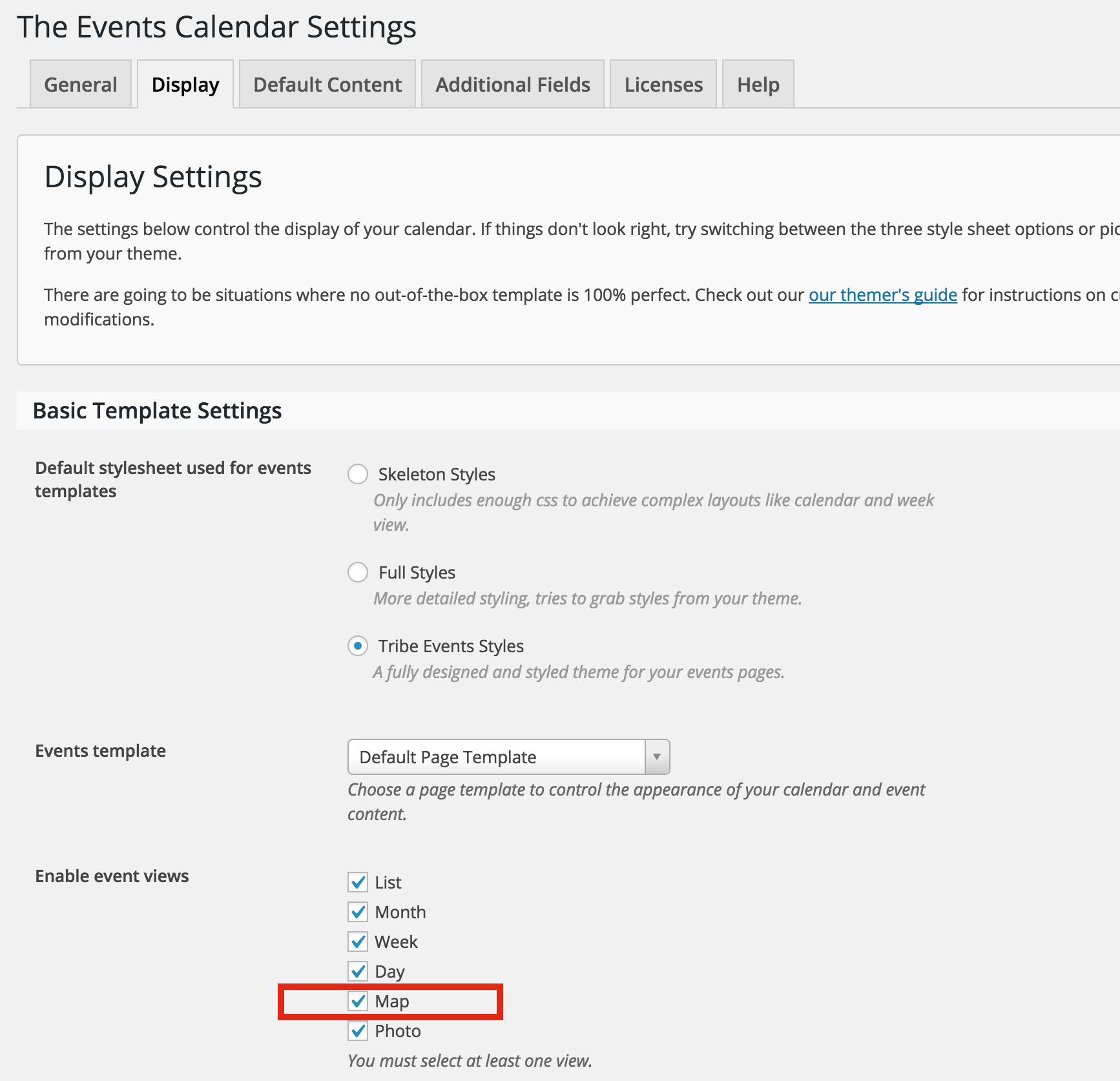
As far as Google Maps script goes, if you’re not going to use the Events Map view, what if you uncheck it in your settings?

I’m guessing that’ll make our plugin’s Google Maps script not load.
Let me know whether or not that does the trick for you.
October 9, 2015 at 10:17 am #1013224ParticipantHi Cliff,
No, I’ve always had that unchecked. It does not prevent The Events Calendar from loading the Google Maps script. Please let me know if you have any other suggestions.
Thanks!
October 12, 2015 at 7:53 am #1013698Geoff
MemberHi Diane,
Just chiming in here while Cliff is taking some much-deserved time off. 🙂
Sorry if this has already been covered as I try to fill in here, but are your Google Map settings for The Events Calendar already deactivated? You can do this under Events > Settings–scroll down to the Map Settings section, uncheck the option (screenshot) and save your settings.
That is supposed to dequeue the Google Map API scripts included in The Events Calendar–but do please let us know if that’s not the case for you here.
Thanks!
GeoffOctober 13, 2015 at 1:54 pm #1014277ParticipantHi Geoff,
Your screenshot was of the Events Template, which is not related to my issue.
“Events > Settings > Map Setting > Enable Google Maps” is unchecked. This did not dequeue the Google Map API. It is still running twice on the page. Please refer to http://www.815life.com/events/ to verify.
Thanks,
October 14, 2015 at 6:53 am #1014485MemberAh, shoot–sorry for the wrong screenshot. I pasted the wrong link in there, so sorry for the confusion!
We can also try dequeuing the plugin’s version of the script altogether. You can add a snippet like this to your theme’s functions.php file to do that:
function dequeue_tribe_events_scripts() {
wp_dequeue_script( 'tribe-events-pro-geoloc' );
}
add_action('wp_enqueue_scripts', 'dequeue_tribe_events_scripts', 100 );
That deactivates the Google Maps scripts included in both The Events Calendar and The Events Calendar PRO.
For reference, here is a nice list of all the calendar scripts and their corresponding handles.
Does that help clear out the console error? Please let me know.
Thanks,
GeoffOctober 14, 2015 at 8:07 am #1014558ParticipantThat snippet worked perfectly. Thank you!
October 15, 2015 at 11:39 am #1015025ParticipantHey Diane,
Josh here 🙂 Cliff is still spending some quality time with his new little one around the house.
I’m glad we were able to get this resolved for you! I’ll go ahead and close this thread for now. If you have any further questions, please don’t hesitate to open a new thread.
Thanks!
- js:87 You have included the Google Maps API multiple times on this page. This may cause unexpected errors.ei @ js:87
-
AuthorPosts
- The topic ‘Next month link not working’ is closed to new replies.