
Home › Forums › Calendar Products › Events Calendar PRO › Multi-user management
- This topic has 6 replies, 2 voices, and was last updated 8 years, 2 months ago by
apadmin.
-
AuthorPosts
-
June 26, 2018 at 5:54 am #1561584
apadmin
ParticipantI have the following situation… I have a website where there will be several events, and I will have more than one person who will create and manage the events, but one can not see the event data of others. How can I configure TheEventsCalendar to do this?
June 26, 2018 at 4:34 pm #1562333Brendan
KeymasterHi there,
Thanks for emailing support!
I understand you would like multiple editors to edit an event.
If a user is a WordPress Editor or Administrator, they should be able to edit any of the events via wp-admin.
However, if you’re wanting such users to be able to edit via Community Events front-end form, that may require customized coding to accomplish this. I don’t believe we have an existing code snippet available to provide to you at this time for this.
You might benefit from a plugin like User Role Editor (or others like it), but we don’t provide support for using such a plugin.
Thanks,
BrendanJuly 11, 2018 at 6:20 am #1572570ParticipantActually i just wanna to attribute a specific category to a user so that user only see events belonging to this specific category… there is any way to do that?
July 11, 2018 at 9:20 am #1572746KeymasterHi there,
Out of the box, no but it appears the User Role Editor plugin may do this. It states: Manage user access to editing posts/pages/custom post type using posts/pages, authors, taxonomies ID list.
I would install the plugin and look at what options are available in regards to creating roles for specific categories.
Thanks,
BrendanJuly 12, 2018 at 6:21 am #1573430ParticipantI still need some help…
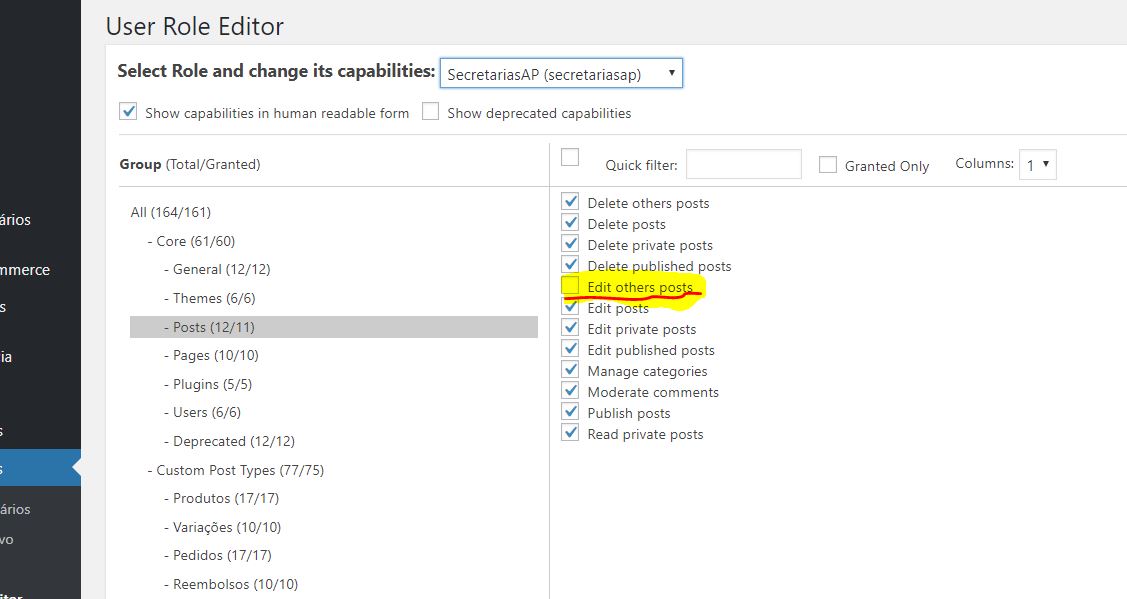
First of all I install the “User Role Editor” plugin and create a a new role making a copy of admin role and the only change that I make was disabling the [edit_others_posts] item. (image01.jpg)
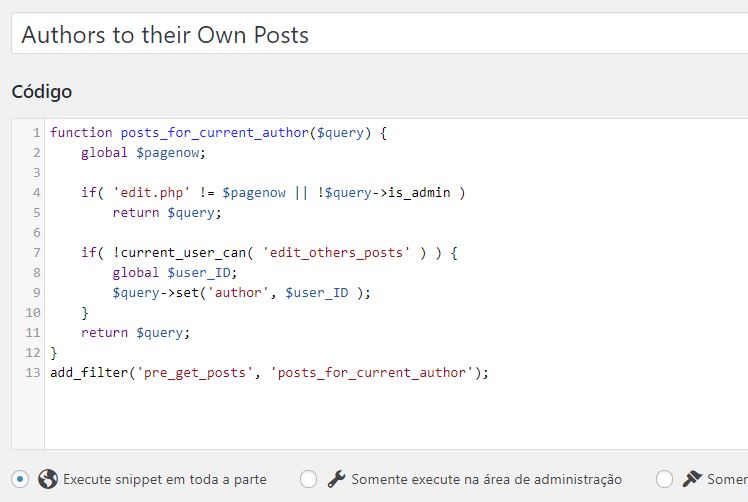
After that I install this plugin (https://br.wordpress.org/plugins/code-snippets/) and create a snippet code to show only the author post to the user. (image02.jpg)
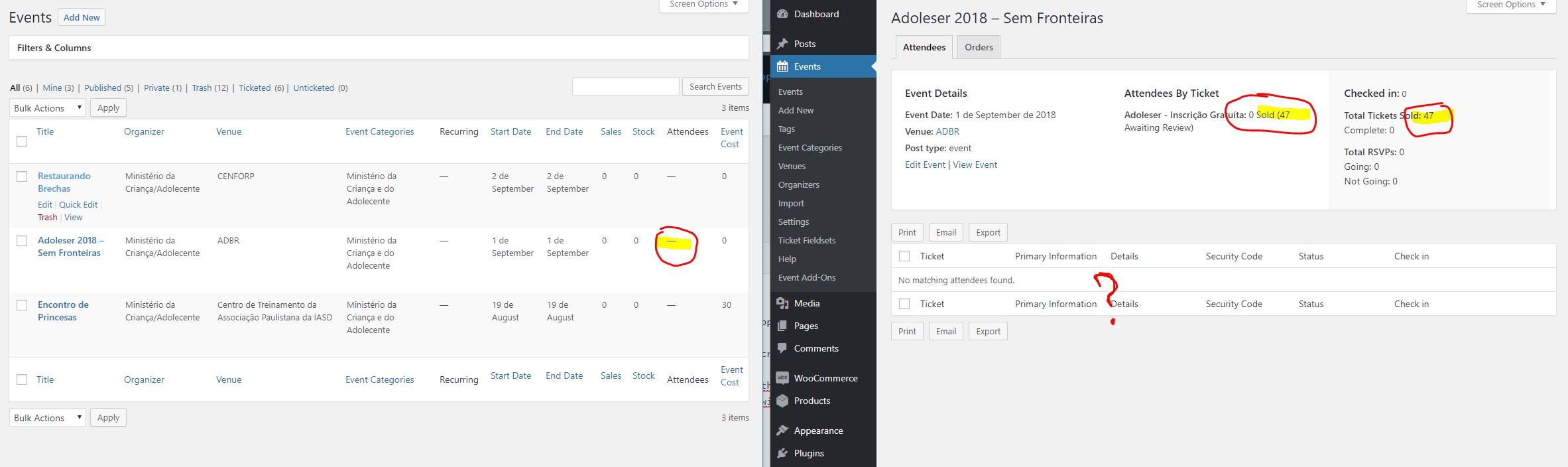
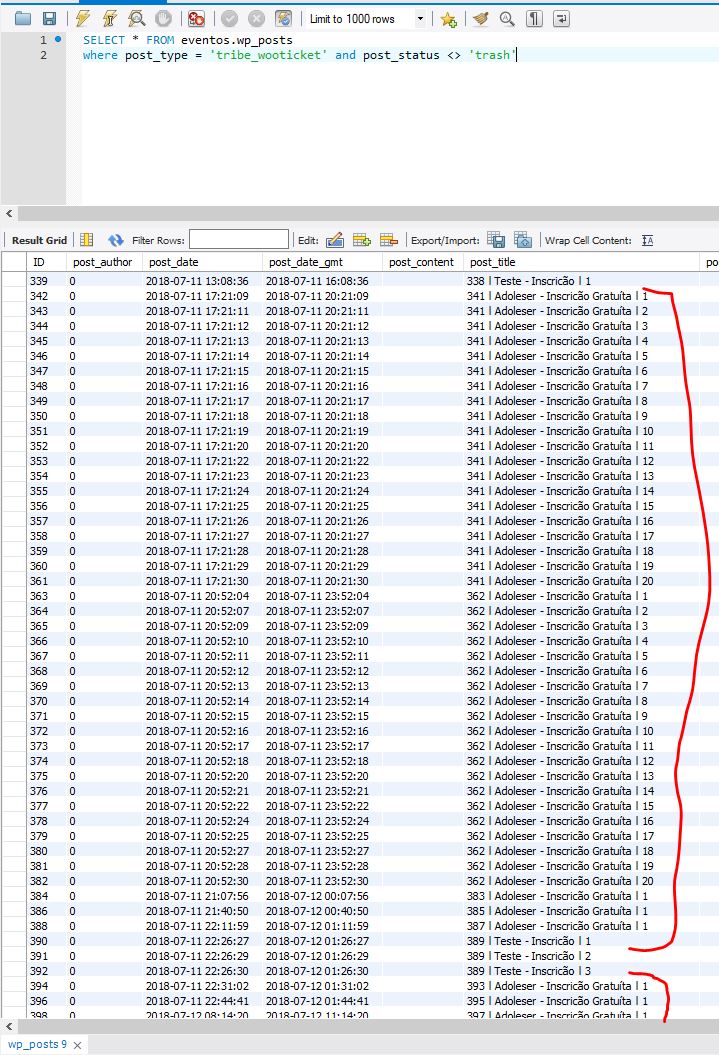
So I change the author of the event and I finnally achieve what I was looking for, but there is a problem and I can’t solve it. I can’t see anymore the number of attendees (image03.jpg)… and not even showing the list of attendees (Image04.jpg) …but the data are in database (image05.jpg)July 12, 2018 at 6:27 am #1573435ParticipantImage01 = https://theeventscalendar.com/content/uploads/2018/07/7efd77b1238e40e2.jpg
Image02 = https://theeventscalendar.com/content/uploads/2018/07/9a7e3f98acbf9f7a.jpg
Image03 and Image04 = https://theeventscalendar.com/content/uploads/2018/07/f99befb09f5b42ab.jpg
Image05 = https://theeventscalendar.com/content/uploads/2018/07/a42072ae3dbb44a2.jpgJuly 16, 2018 at 8:10 pm #1576747KeymasterHi there,
This is beyond the scope of our support since its a 3rd party plugin and not something we support on setting up. I can get you a list of customizers that can help with tasks like this.
Let me know.
Thanks,
BrendanAugust 7, 2018 at 9:35 am #1592141Support Droid
KeymasterHey there! This thread has been pretty quiet for the last three weeks, so we’re going to go ahead and close it to avoid confusion with other topics. If you’re still looking for help with this, please do open a new thread, reference this one and we’d be more than happy to continue the conversation over there.
Thanks so much!
The Events Calendar Support Team -
AuthorPosts
- The topic ‘Multi-user management’ is closed to new replies.