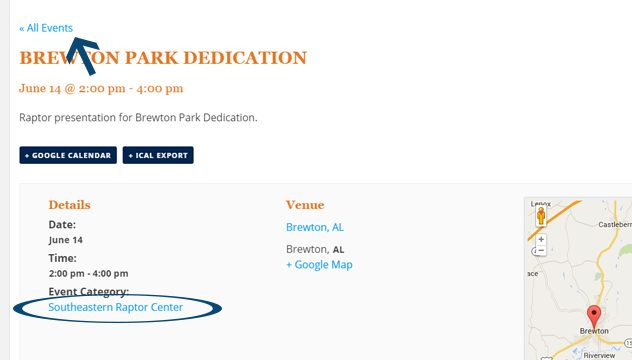
Hey Davin,
The first thing I’d recommend for making a customization like this is to read our official Themer’s Guide here → https://theeventscalendar.com/knowledgebase/themers-guide/
That will show you how to make custom versions of The Events Calendar view files in your theme, so that you can make customizations in a way where things won’t break if you update your plugins in the future.
Using the principles there, the file you’ll want to customize is views/single-event.php (and, if you’re using the new version 3.10, then it’s src/views/single-event.php.
The “All Events” link is around line 26 or 27 or so, starting with this line of code:
<p class="tribe-events-back">
You’ll see the link constructed here, and from there it’s all up to you how to build out the category link. You can use something like The Events Calendar’s own tribe_get_event_taxonomy() function, or you can use WordPress core functions like get_term_link().
Make a good backup of things before you start, read through that themer’s guide to learn the safest way to make customizations like this, and read any Events Calendar code directly if you’re not sure how something is put together. I’m sure if you play around with things, you’ll make something quite useful for your site.
Cheers!
George

.