
Home › Forums › Calendar Products › Events Calendar PRO › Layout The events calender pro in Avada theme
- This topic has 3 replies, 2 voices, and was last updated 10 years, 8 months ago by
Hunter.
-
AuthorPosts
-
January 28, 2016 at 2:33 am #1063540
Peter
ParticipantDear Reader,
I purchased The pro version mainly for reoccuring events
I made A first event and have difficulties with the layout showing on the website;– It doesn’t show the map
– I cannot choose the pro view as options (week etc..)
– The highlighted picture and any other picture in the event page don’t show up properly.Is there a conflict with the Plugin and the Avada theme (integrated so should be ok !!)
Hope you can help me out because on the youtube instruction movies it didn’t look so difficult and the eventpages showed up beatifully wich is not happening for me.
Gr,
Peter
January 28, 2016 at 6:19 pm #1064089ModeratorHello Peter 🙂
Sorry to hear about your troubles. Have you read through our Themer’s Guide? We provide instructions on how to successfully overwrite essentially every aspect of our plugins. Here is an article put out by the Avada team on how to use The Events Calendar with Avada.
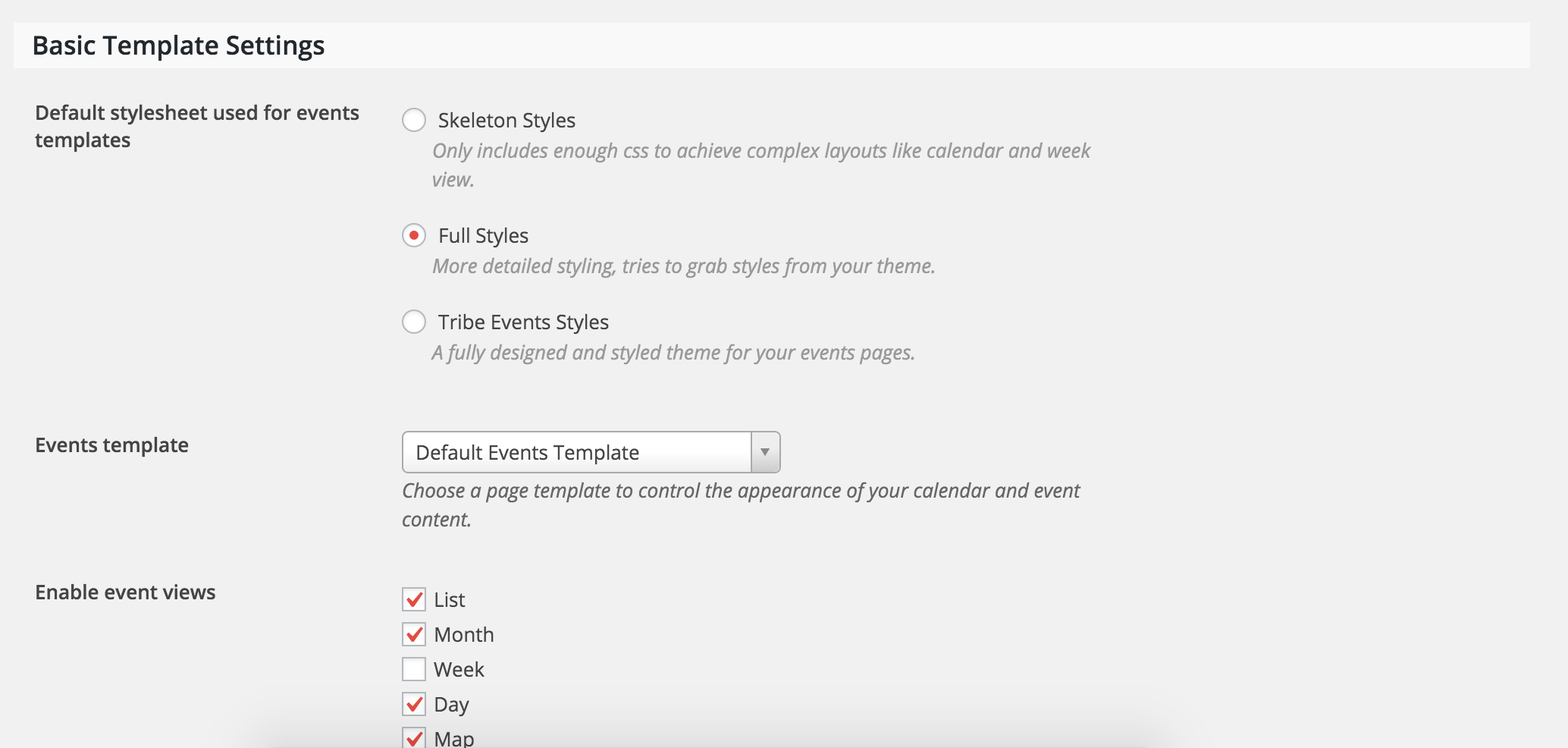
Additionally, try different options found under Events > Settings > Display in your WordPress admin dashboard. You may be able to get what you’re looking for through these options without doing any template overrides.
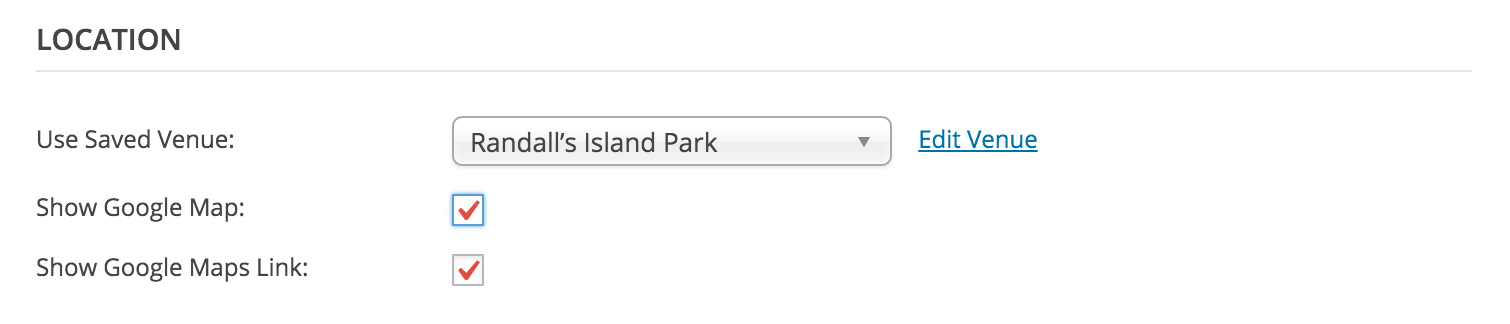
– It doesn’t show the map
Make sure “Show Google Map” is enabled when adding/editing an event. If the map doesn’t display even when enabled, refer to the Themer’s Guide.
– I cannot choose the pro view as options (week etc..)
Can you elaborate on this a little more? I’m a little confused by the wording :-*>
Is there a conflict with the Plugin and the Avada theme (integrated so should be ok !!)
We don’t have any logged conflicts with the Avada theme, but that may be a question worth asking their support team as well.
Keep me informed on the status of your situation and thanks for being a great customer!
January 30, 2016 at 10:45 pm #1065112ParticipantThanks for the answer.
My settings was not in trybe events style.
The other style setting are (for a start) to complex to alter to my liking yetThx
February 1, 2016 at 6:58 pm #1066062ModeratorPeter,
Thanks for keeping me up-to-date with the status of your issue and I’m glad to hear you’ve got it resolved for the time being. I’m going to close this thread out, but please open a new one if you have any more questions.
Thanks for choosing PRO and have a great week 🙂
-
AuthorPosts
- The topic ‘Layout The events calender pro in Avada theme’ is closed to new replies.