Hi there.
Based on your screenshoot it seems like you have others plugins as well adding more items into your columns, there are two ways you can edit this columns one is by using a filter like this one, into your functions.php file.
function tribe_events_manage_admin_columns( $columns ) {
    $list = [ 'title', 'author', 'tags', 'comments', 'date', 'tickets' ];
    foreach ( $list as $item ) {
        if ( isset( $columns[ $item ] ) ) {
            unset( $columns[ $item ] );
        }
    }
    return $columns;
 }

add_filter( 'manage_tribe_events_posts_columns' , 'tribe_events_manage_admin_columns' );
Is going to remove all columns from the default of the events you can update the variable list with the columns that you want to remove so it match your needs.
The other solution you can do it directly from the admin panel by clicking in the Screen Options button on the top right corner of the screen.
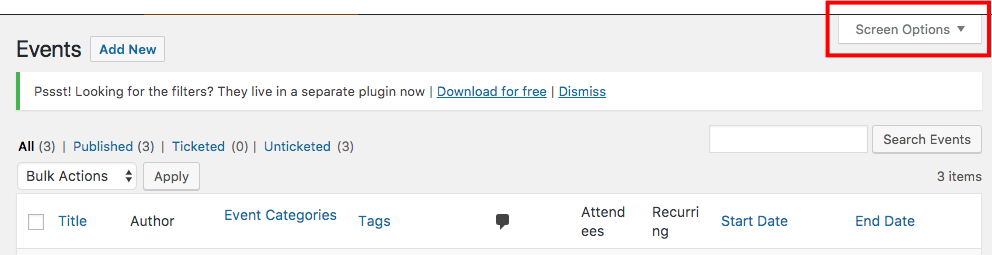
Then select the columns you want to display and click on Apply.

Please let me know if you have any other questions about this issue or if there’s anything else I can do for you.
Thanks,
Crisoforo

.


