
Home › Forums › Calendar Products › Events Calendar PRO › Is it possible to hide event description using CSS
- This topic has 6 replies, 3 voices, and was last updated 10 years, 7 months ago by
Support Droid.
-
AuthorPosts
-
December 8, 2015 at 11:12 am #1037770
cjswradio
ParticipantHello,
I’ve looked at a few topics involving this, all of which involve either mobile or calendar views, or involve editing the actual plugin scripts. Is there a way to hide the event description in all views unless you have clicked on a single event using an easy copy and paste CSS? I understand there is a themers guide, we are not expert programers, and editing code stuff is a little over our organizations capabilities. We are using a flywheel server so I dont even know how to access the actual files, im working entirely within the wordpress platform right now.
All I want to do is hide event description in all views including mobile. Can this not be an easy click on feature?
Thanks
December 8, 2015 at 9:35 pm #1037983Brook
ParticipantHowdy Myke,
That seems doable via CSS. You might give this a whirl. It hid the description in every view I tested:
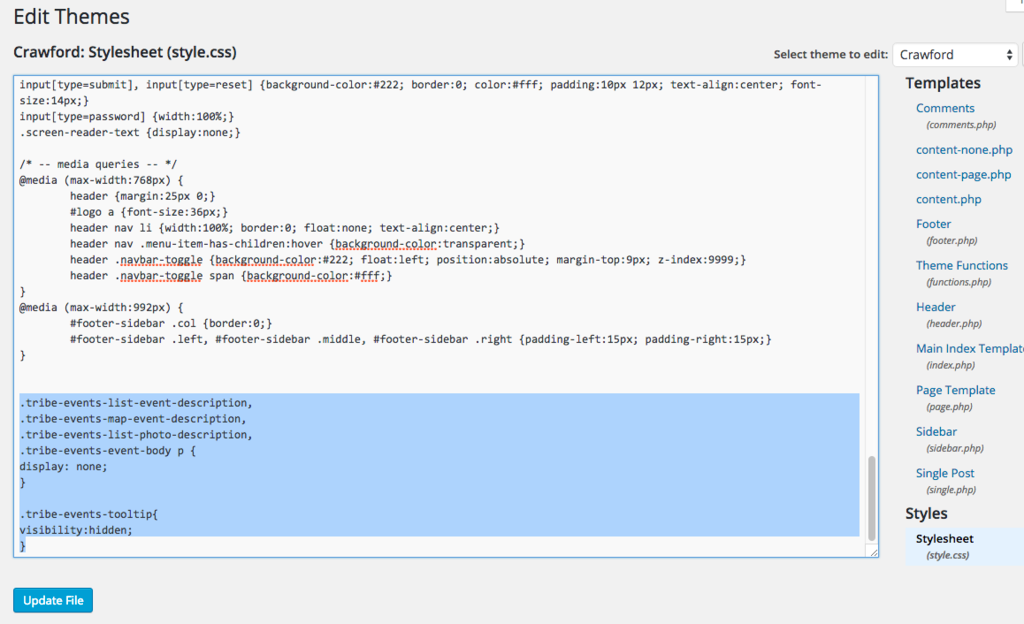
.tribe-events-list-event-description,
.tribe-events-map-event-description,
.tribe-events-list-photo-description,
.tribe-events-event-body p {
display: none;
}

.tribe-events-tooltip{
visibility:hidden;
}
Does that work for you?
If you would like to see a built-in admin interface that lets you toggle stuff like this on/off, please vote on the feature request.
Cheers!
– Brook
December 9, 2015 at 10:49 am #1038368ParticipantPasted into the style.css nothing happened! Could it be the theme we are using? or maybe an issue with the flywheel server…?
 December 10, 2015 at 3:12 pm #1039243Participant
Howdy Myke,
You definitely pasted it in a good spot. I would suspect it is a caching issue. There are sometimes a number of caches that need clearing. Your web browser’s cache, the server cache, a WP Caching plugin’s cache, sometimes a CDN cache. You might first try clearing your browser cache. And it that doesn’t work check with flywheel to see what kind of other caches they might have in place.
Does that make sense and sound like a good plan?
– Brook
December 10, 2015 at 3:17 pm #1039247ParticipantThank you I will try that!
December 11, 2015 at 11:20 pm #1039975ParticipantYou are welcome. I know you marked this resolved, but I’ll leave it open for a bit longer just in case any more questions crop up. Cheers!
– Brook
February 18, 2016 at 8:32 am #1076158KeymasterThis topic has not been active for quite some time and will now be closed.
If you still need assistance please simply open a new topic (linking to this one if necessary)
and one of the team will be only too happy to help. -
AuthorPosts
- The topic ‘Is it possible to hide event description using CSS’ is closed to new replies.