
Home › Forums › Calendar Products › Events Calendar PRO › Geolocation not working every time?
- This topic has 7 replies, 4 voices, and was last updated 9 years, 11 months ago by
Rob.
-
AuthorPosts
-
November 3, 2016 at 8:52 am #1187038
Rob
ParticipantI have 2 types of events both in Australia
Melbourne and Brisbane
When I type in brisbane in the near field it shows “brisbane australia” so the geolocation has been found
When I type in Melbourne in the near field it does not show australia and it cannot find the events (probably because geolocation did not resolve my search into a location.Why is this different ?
Both venues only contain the country (australia) and the cityNovember 4, 2016 at 8:15 am #1187701Geoff
MemberHello Rob and happy Friday!
I have seen this sort of thing pop up before. Both the mapping and geolocation features of the plugin are powered by the Google Maps API and the issue has been related to that in the past. More specifically, one venue is properly validated by the API using the venue address but the other is not recognized by the API for some reason or another.
One thing we ought to try right off the bat is to specify the exact latitude/longitude coordinates for the Melbourne venue in the venue settings.
You can add the coordinates by heading to Events > Venues from the WordPress dashboard and clicking “Edit” on the venue. Once in there, there is an option to use the venue’s coordinates:
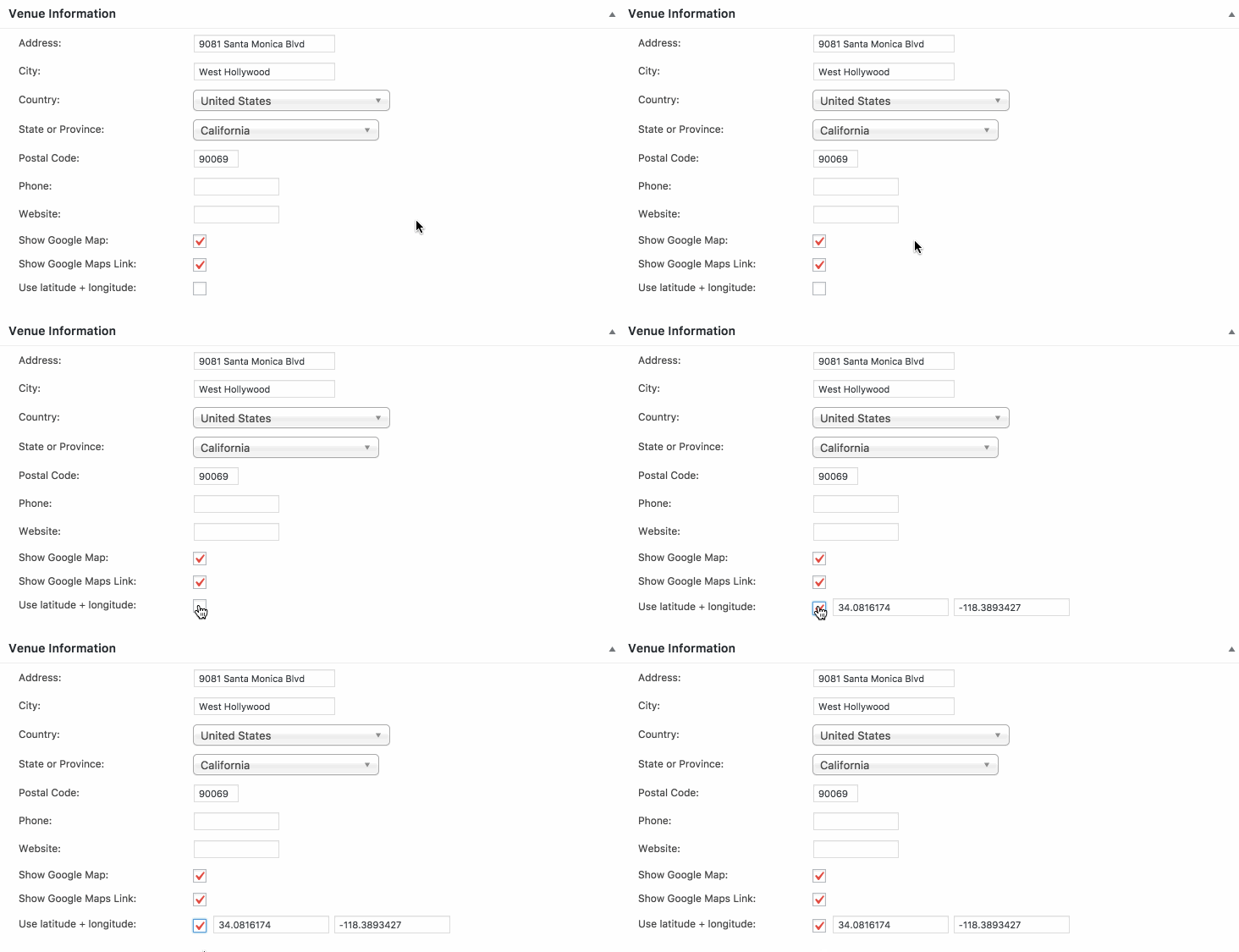
The coordinates should populate automatically but, if they do not, you can enter them manually using the information in the Google Maps URL for the venue.In this case, it looks like that would be: -37.971237 and 144.4926947.
Enter those coordinates, save the venue and hopefully that should do the trick. I will warn that the change may not be immediate and, if there is a caching plugin on your site, you will want to clear the website cache to help speed the process up a bit. You can also head to Settings > Pernalinks from the WordPress dashboard, click the Save button on the screen without making any changes and that will further flush the site’s cache.
Let’s start there and see what we find.
Thanks!
GeoffNovember 5, 2016 at 5:05 am #1188109ParticipantThanks… will try that…
However I realize that your filter bar is now accepting filters on country and city..that might be easier. But at the same time I am reluctant to spending another 89 for just the filtering. I already purchased the calender and tickets, and having to shelve out another 89 then your entire system seems a bit too pricy…
And the bundles are including too much stuff that I will definately not need
What can you do for me ?November 7, 2016 at 8:09 am #1188618MemberHi Rob and hop you had a great weekend!
The bundles are the best deal at the moment, but we do keep a list of our current and best deals posted over here for future reference:
https://theeventscalendar.com/deals-coupons-discounts/
I do want to noite that, even with Filter Bar, validating the venue with the geo-coordinates will be key to ensiring the events show up in the filtered results.
Cheers,
GeoffNovember 7, 2016 at 8:25 am #1188625ParticipantYes, but with the filter bar working with country and city, I no longer need geolocation
Regarding bundles, guess I have to wait until there is a special promotion
Right now my budget for event plugin and ticketing is maxed out…November 7, 2016 at 8:47 am #1188643MemberI hear ya and totally understand tight project budgets.
Did you have any other questions here about the geolocation results behavior? If so, please let me know and I’d be happy to help as best I can.
Cheers,
GeoffNovember 29, 2016 at 8:35 am #1199119Support Droid
KeymasterHey there! This thread has been pretty quiet for the last three weeks, so we’re going to go ahead and close it to avoid confusion with other topics. If you’re still looking for help with this, please do open a new thread, reference this one and we’d be more than happy to continue the conversation over there.
Thanks so much!
The Events Calendar Support Team -
AuthorPosts
- The topic ‘Geolocation not working every time?’ is closed to new replies.