Thanks for reaching out! To be clear, do you mean something like on our demo page here → http://wpshindig.com/events/
In other words, on that page all of the “filters” are just visible on page load. You do not have to click “Show Filters” or anything like that to reveal the filters.
Is this what you mean? If so, yes this is definitely possible. 🙂
If this is not what you mean, can you go into some depth and detail about what exactly you do mean?
Yes, that is what I mean. When the page loads all the filters should be visible, however the link you shared loads a page where the filters are not visible, I still have to click “show filters.” So long as it is easy to set up the filter bar so it is open on the page by default then I’m happy…
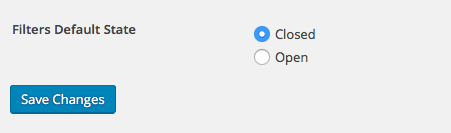
Awesome! Thanks for clarifying. This is fortunately very simple to control – when Filter Bar is installed, all you have to do is head into your site’s wp-admin dashboard and then head to Events > Settings > Filters.
At the bottom of the page is a “Filters Default State” option – set this to “Open”, save the options, and the filters should default to “open” on page load.