
Home › Forums › Calendar Products › Events Calendar PRO › /events/community/list
- This topic has 4 replies, 3 voices, and was last updated 9 years, 3 months ago by
Thomas Claffy.
-
AuthorPosts
-
December 27, 2016 at 3:32 pm #1210892
Thomas Claffy
ParticipantWhen my user is not logged in and I navigate to this page, I am getting a generic login page with no recaptcha which is exposing automated login attempts. Any idea how I can catch this page and reroute it to my custom login page? I have the following custom code to reroute the wp login but your login ends up there after failing because no recpatcha value is passed. What is the name of that page that I could add a similar function when the user is not logged in?
/**
* Remove standard login page
*
*/
function custom_login_page() {
$new_login_page_url = home_url( ‘/login/’ ); // new login page
global $pagenow;
if( $pagenow == “wp-login.php” && $_SERVER[‘REQUEST_METHOD’] == ‘GET’) {
wp_redirect($new_login_page_url);
exit;
}
}if(!is_user_logged_in()){
add_action(‘init’,’custom_login_page’);
}December 28, 2016 at 8:22 am #1211030Geoff
MemberHi Thomas,
Nice to see you again and I hope you’re doing well!
Good question. The only workaround I know for this is the answer that my colleague Nico provided here in this thread:
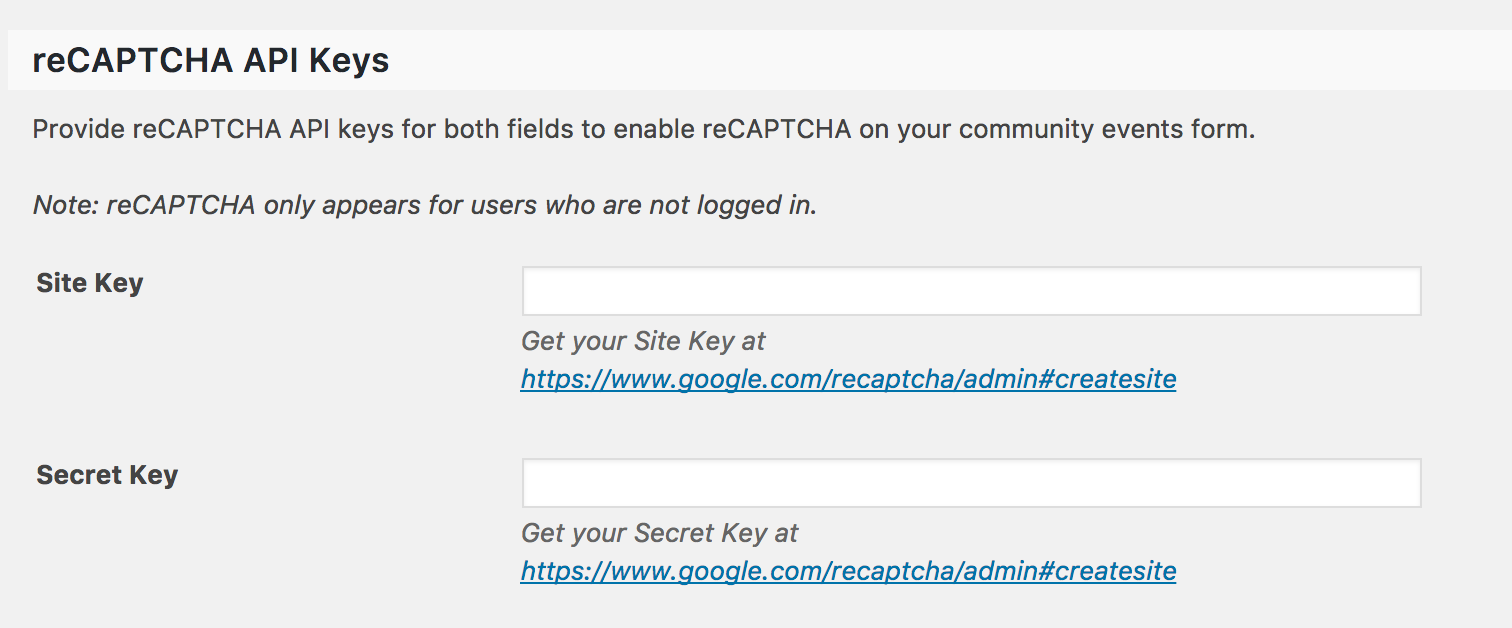
It’s worth noting that Community Events does allow you to add ReCAPTCHA to the form settings to prevent automated login attempts and from the need to redirect to a custom login. You can activate that by navigating to Events > Settings > Community from the WordPress admin:
Cheers!
GeoffDecember 28, 2016 at 11:07 am #1211160ParticipantThanks for the direction Geoff. And for the record, I have valid keys set in the community settings already but no recaptcha and the register button redirected to my custom login page so it’s probably a tangled web I weave. Anyway, Nico’s code gave me the url’s I could not deduce from the login forms and the direction for a function that is now added to my child themes functions.php and does exactly what I need. My custom login form with the persistent recaptcha always shows now. I think this was sorted out a few builds ago and then something changed. Hopefully this is not a moving target.
/**
* Remove community login page
*
*/
function tribe_ce_redirect_login ( ) {
$new_login_page_url = home_url( ‘/login/’ ); // new login page
wp_redirect($new_login_page_url);
exit;
}add_action ( ‘tribe_ce_event_submission_login_form’, ‘tribe_ce_redirect_login’ );
add_action ( ‘tribe_ce_event_list_login_form’, ‘tribe_ce_redirect_login’ );December 29, 2016 at 8:15 am #1211349MemberExcellent! So glad to hear that the weave is a little less tangled now. I’ll go ahead and close this thread since I see it was marked Resolved, but definitely let us know if things get tangled back up in any way and we’d be happy to look into it as best we can, as always.
Cheers!
Geoff -
AuthorPosts
- The topic ‘/events/community/list’ is closed to new replies.