Hey @graham,
Thanks for reaching out.
What you describe is currently the default functionality of this widget (and its corresponding shortcode) – this is a conscious design choice in the context of the widget because widgets are usually used in small areas of the website with limited space.
Your current list might look something like this:
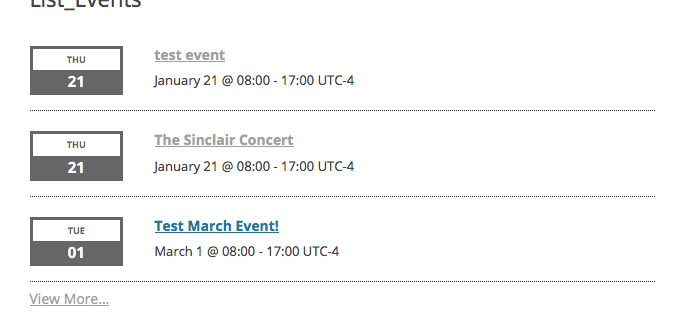
To add the location information, you will have to modify code.
Now, we cannot help with custom code, so if you would like to change the appearance of the event address and such, you will have to take the reins on that yourself.
However, just to get the actual information to show up in that location div, what you can do is create the following file inside your theme:
[your-theme]/tribe-events/pro/widgets/modules/single-event.php
Then, use the content of this Gist I made for you as the content of that file → https://git.io/vz06c
Here’s that code in effect; you can see the location info now on events that have venues:
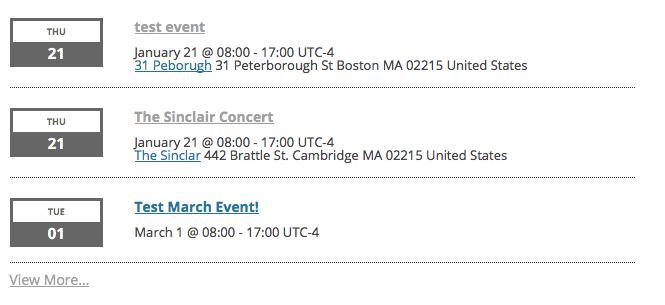
You will have to take the reins from here to further get this how you would like, but I hope this all helps you get started. For more information on customizing event templates (which is what the process I laid out above, with the custom single-event.php file), check out this guide on our site → https://theeventscalendar.com/knowledgebase/themers-guide/
Best of luck with your customizations,
George

.

