I have to categories for the calendar installed, but I only want the widget to showcase one of the categories. What do I need to do in the widget admin so that only one category appears, not all the event listings?
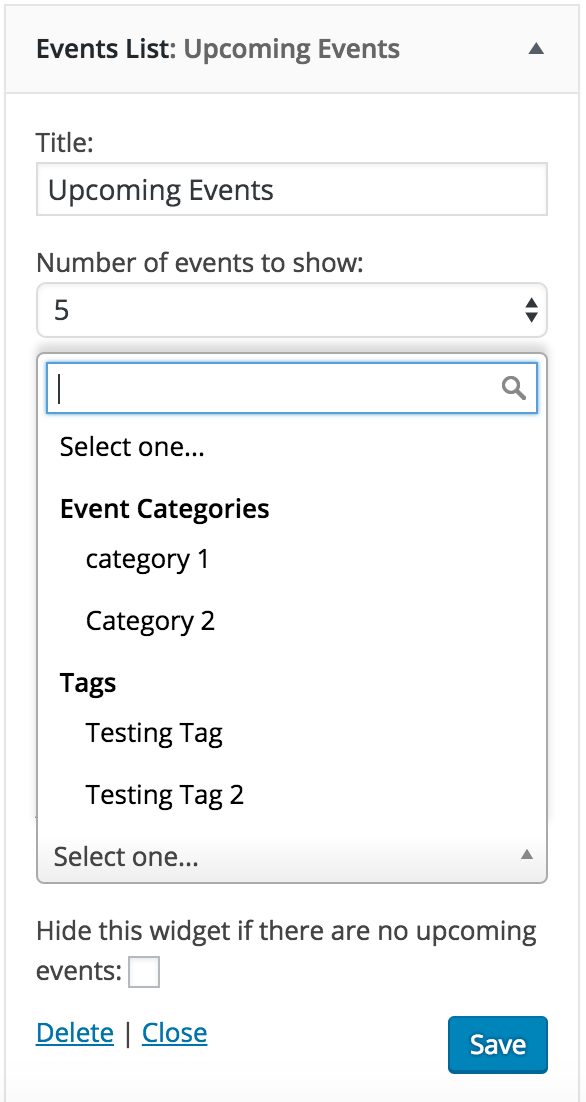
Under Appearance > Widgets, if you add an Events List widget, you should have the ability to limit which categories are displayed in the widget (see screenshot below).
If I misunderstood you or you have any additional questions, please let me know and I’d be happy to help. Thank you again for reaching out and have a great rest of the day!
My apologies for not recognizing prior to my first response, but to have the filters seen in the screenshot I posted, you’ll need to purchase Events Calendar PRO. You can see near the bottom of the page in the comparison table, the Advanced Widget is only available with the PRO version.
I upgraded and it resolved the issue. But I have once question about the way the widget looks. It shows both a month view and a list of events below. I assume that’s the default. Any way to remove the calendar? Thx.
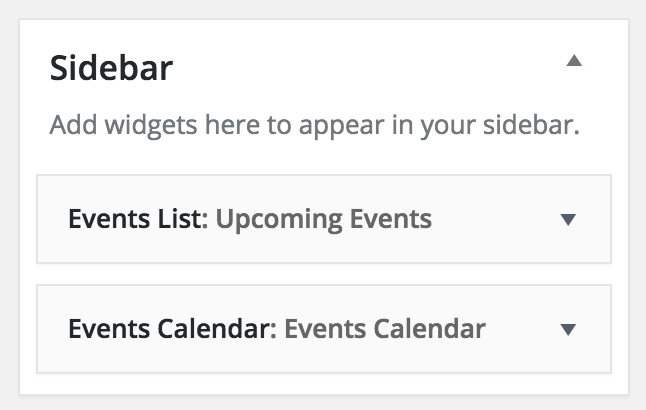
It shouldn’t display both a calendar and list. Can you double-check to make sure you don’t have both the Events List and Events Calendar widgets inserted? (see screenshot below)
Let me know if this answers your question and have a good rest of your day.
.