
Home › Forums › Calendar Products › Events Calendar PRO › Eventbrite integration not working
- This topic has 10 replies, 3 voices, and was last updated 11 years ago by
Support Droid.
-
AuthorPosts
-
September 15, 2015 at 8:22 am #1005305
flamsteedas
ParticipantSince the upgrade to the latest version, when importing events from Eventbrite, the ticket booking panel is not appearing on our website page.
See http://flamsteed.info/event/romney-observing-evening-7-november-2015-backup-8-november/ .
However, events that we imported prior to the upgrade are displaying the ticket panel OK. See http://flamsteed.info/event/visit-to-mullard-radio-astronomy-observatory/ .
Could you please let us know what could be causing this issue, please?
September 15, 2015 at 4:36 pm #1005451George
ParticipantHey @flamsteedas,
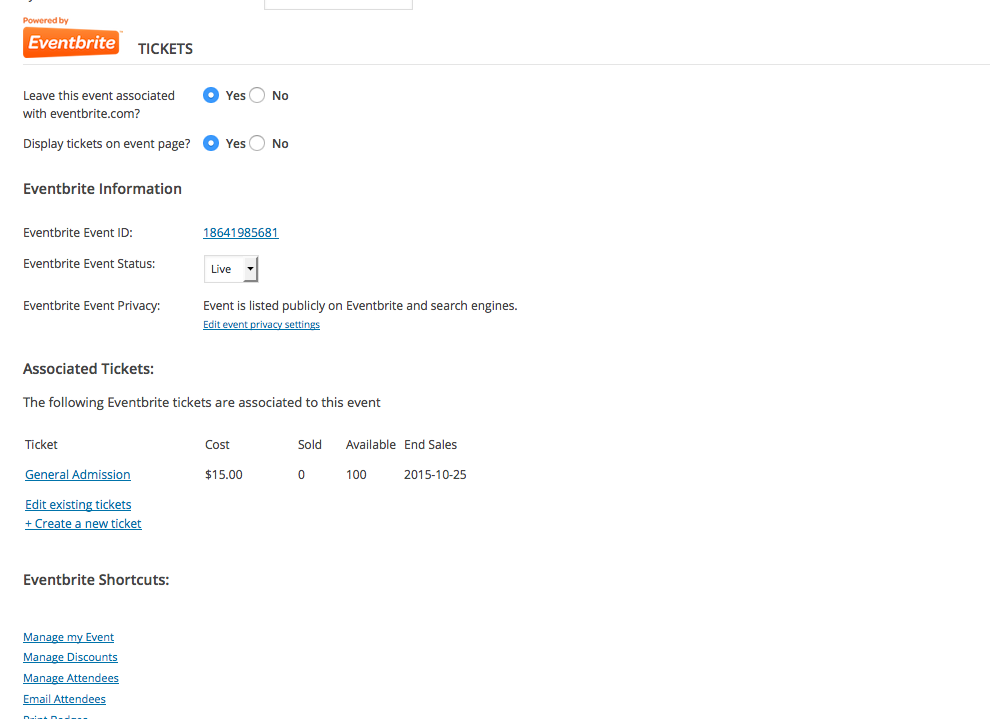
Sorry you’re having trouble here! I’m curious, if you head into the edit-event screen for an imported event on your WP site, do you find that the “Display tickets on event page” option is set to “Yes” or “No”? If set to “no”, does setting it to “Yes” and saving the changes resolve your problem here?
If not, then can you take a screenshot of your whole Eventbrite-related information in the edit-event screen for the event you linked to above? As an example of that, here’s a screenshot of the EB-related information from an event I imported for testing purposes:
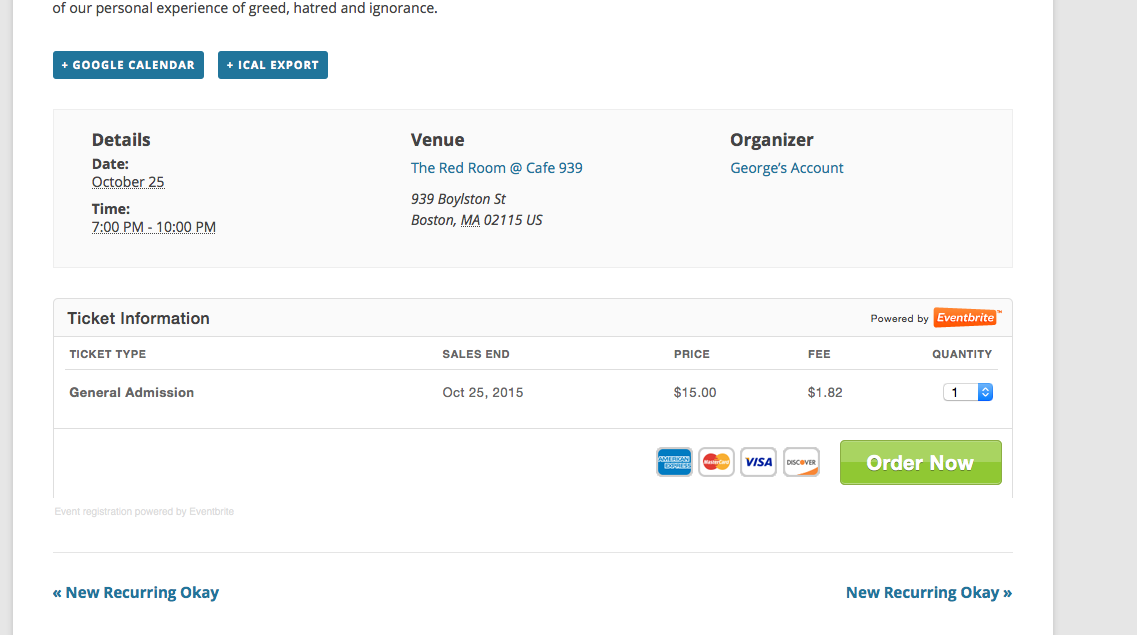
And this event works fine for me:
Thank you!
GeorgeSeptember 15, 2015 at 11:39 pm #1005497ParticipantHi George,
Yes, it’s set to display tickets on the event page. We used the same import routine as normal. Events that had been set up prior to the update are still working fine. It’s just anything that’s been set up since the update where the ticket window is not appearing.
See the Eventbrite settings in the image below:

Kind regards,
Flamsteed AS
September 16, 2015 at 2:07 pm #1005776ParticipantThanks for the screenshot @flamsteedas!
One thing I noticed is that it says that your event is not listed publicly – if you adjust those settings so that the Eventbrite event is listed publicly, does anything improve on your site?
Thank you for your patience here!
— George
September 16, 2015 at 2:19 pm #1005783ParticipantHi George,
Interesting. We’ve made this a public event, and the ticket box appears. If we the switch it back to a private event, the ticket box remains in place.
Our events are for members of our society, so shouldn’t be listed as “public”, so we’d be grateful for a resolution to this issue.
Thanks,
Flamsteed AS.
September 16, 2015 at 2:24 pm #1005787ParticipantHey @flamsteedas,
If events are “private”, I do not believe Eventbrite’s API will let us access enough information to generate the ticket box. I can double-check with a developer on this, but this may unfortunately be an inherent limitation with their API and our plugin 🙁
I’m glad that at least we’ve found a way to get the tickets to appear – I hope you can use that somehow! Otherwise, if you need events to be “private” on Eventbrite, then for now the best option may simply be to share the link to the event on eventbrite.com and then only have the ticket box display for Public events.
I’m sorry about this disappointing news! Let me know know what you think.
— George
September 16, 2015 at 8:34 pm #1005848ParticipantHi George,
That doesn’t sound correct. All of our events in the past have been set to private, and we’ve had no issue. Something has changed in the latest update.
The only difference in setting an event as private is that it’s not listed in the Eventbrite directory of events. It’s still possible for anyone to access it, if they know the event number.
We’d be grateful if you could find a fix to this issue.
Thanks.
September 17, 2015 at 9:55 am #1006072ParticipantAll of our events in the past have been set to private, and we’ve had no issue. Something has changed in the latest update.
You’re right about this @flamsteedas, and I’m very sorry for having gotten this wrong. My assessment about Eventbrite’s API changes is actually wrong, and I will investigate further to try and find exactly what has caused this change in behavior.
I’ll be investigating our Eventbrite add-on’s code directly to try and find the bug and will post an update here as soon as I’ve done so.
Thank you for your patience while I do this!
Sincerely,
GeorgeSeptember 24, 2015 at 12:30 pm #1008466ParticipantHi George,
I wondered if you had an update to this issue. I’ve just downloaded the latest updates to the Event Calendar Pro and to the Eventbrite add-on, and the problem still remains.
September 25, 2015 at 10:29 am #1008755ParticipantWe unfortunately do not 🙁 This most recent release was a “maintenance release” aimed at fixing some smaller (but numerous) bugs, but we have another proper “main release” coming soon for most plugins.
Stay tuned!
October 10, 2015 at 7:05 am #1013431KeymasterThis topic has not been active for quite some time and will now be closed.
If you still need assistance please simply open a new topic (linking to this one if necessary)
and one of the team will be only too happy to help. -
AuthorPosts
- The topic ‘Eventbrite integration not working’ is closed to new replies.