
Home › Forums › Calendar Products › Events Calendar PRO › Event Calendar colours not working
- This topic has 10 replies, 4 voices, and was last updated 10 years ago by
Leigh.
-
AuthorPosts
-
September 12, 2016 at 9:07 am #1162836
Leigh
ParticipantHi there
I followed instructions to change the colour of my calendar in pro but the colours don’t change even after publishing.
September 12, 2016 at 9:24 am #1162851Geoff
MemberHi Leigh and welcome to the forums! I’m sorry fore the trouble here but am happy to check this out with you.
Oh yes, it looks like we’re working with the Mini Calendar here, which is a bit different than the full-size calendar. Now worries, though, we can figure this out!
Will you please add the following CSS to your theme’s style.css file or by using the Simple Custom CSS plugin:
.tribe-mini-calendar thead,
tribe-mini-calendar .tribe-events-present {
background: #81d742; /* or whatever color you would like */
}

.tribe-mini-calendar .tribe-events-has-events:hover {
background: #21759b; /* or whatever color you would like */
}
Here’s a screenshot of how that looks when I test it out on your site. Will this work for you as well? Please let me know. 🙂
Cheers!
GeoffSeptember 12, 2016 at 9:35 am #1162862ParticipantHi Jeff
I have added the CSS code for you to test.
What is the short code for the full size event calendar?
September 12, 2016 at 10:03 am #1162869MemberHi Leigh,
Oh geez, it looks like the theme styles are overriding those customizations. Try this instead:
.tribe-mini-calendar thead,
tribe-mini-calendar .tribe-events-present {
background: #81d742 !important; /* or whatever color you would like */
}

.tribe-mini-calendar .tribe-events-has-events:hover {
background: #21759b !important; /* or whatever color you would like */
}
What is the short code for the full size event calendar?
I am afraid there is no shortcode for the full calendar at the moment, though it is something we are working on and hope to release in Events Calendar PRO 4.3. 🙂
Geoff
September 12, 2016 at 10:07 am #1162870ParticipantDone
September 12, 2016 at 10:18 am #1162878MemberThanks!
Hmm, I’m not seeing all of the code in there, but this should change the gray for today’s date to green:
.tribe-mini-calendar .tribe-events-present, .tribe-mini-calendar .tribe-mini-calendar-today {
background-color: #81d742 !important;
}
Geoff
September 12, 2016 at 10:26 am #1162886ParticipantYes Jeff yes that is an improvement. Is there a way you can make the date box green?
September 12, 2016 at 10:27 am #1162887ParticipantPS I put all the code you gave for the CSS twice so don’t know why it isn’t showing you what you need
September 12, 2016 at 2:14 pm #1162997MemberThanks, Leigh!
Hmm, so strange. Here’s what I’m seeing when I test out the code changes on your site:
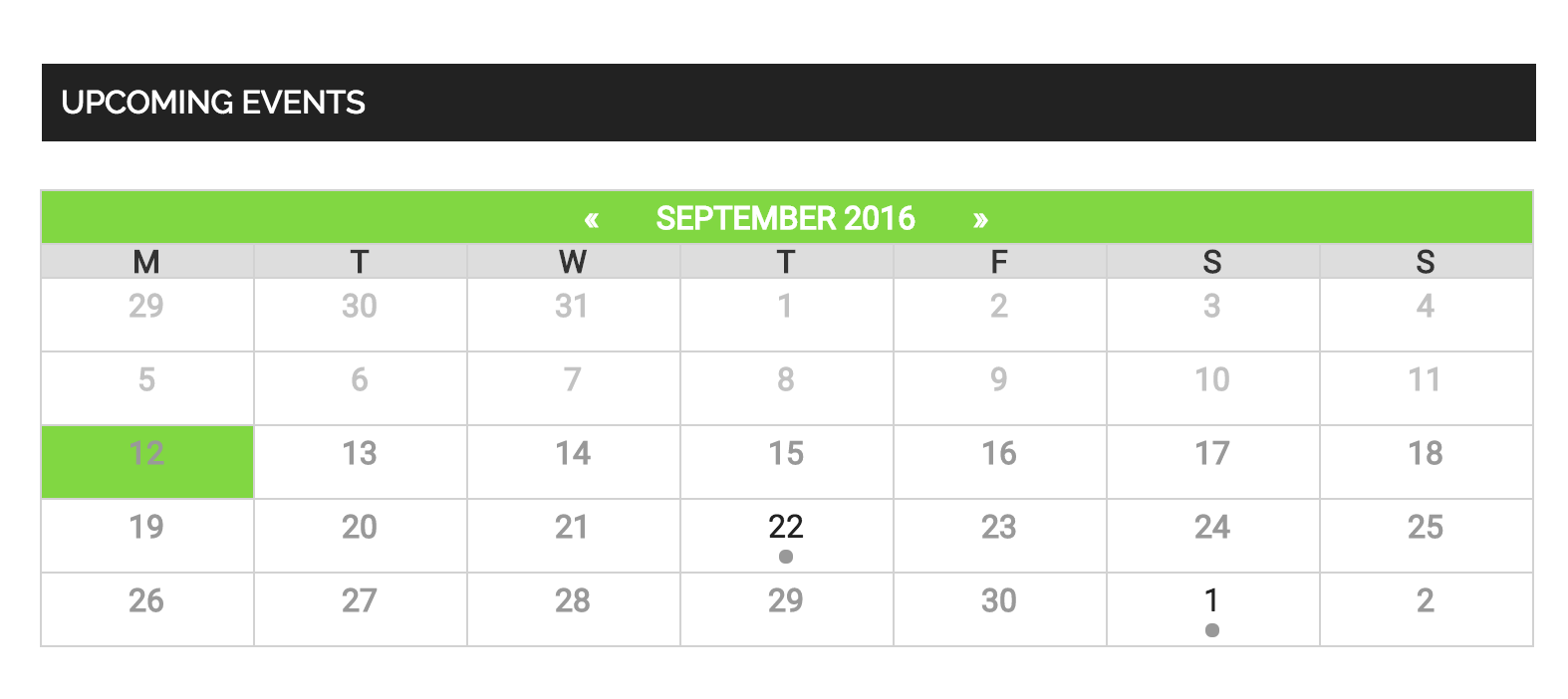
Are you adding the snippets to the theme’s style.css file? If so, would you be willing to try the Simple Custom CSS plugin instead? I have a hunch that the theme style’s are tough to override and that plugin will make it easier to make it happen.
Thanks so much!
GeoffOctober 4, 2016 at 9:35 am #1172349Support Droid
KeymasterHey there! This thread has been pretty quiet for the last three weeks, so we’re going to go ahead and close it to avoid confusion with other topics. If you’re still looking for help with this, please do open a new thread, reference this one and we’d be more than happy to continue the conversation over there.
Thanks so much!
The Events Calendar Support Team -
AuthorPosts
- The topic ‘Event Calendar colours not working’ is closed to new replies.