
Home › Forums › Calendar Products › Community Events › Duplicate Organizer Fields / Can't Add New Organizer
- This topic has 4 replies, 4 voices, and was last updated 9 years, 7 months ago by
Mackie.
-
AuthorPosts
-
February 6, 2017 at 1:44 am #1229826
Mackie
ParticipantOne of the latest releases of Community Events has some bugs I think:
Biggest issue is suddenly the “Use Saved Organization:” field/table is showing up TWICE on the add event form. I tracked it down to line 45 of organizer.php
$organizer_meta_box->render();That line now outputs 2 rows of the default organization. If I remove or comment out that line then it outputs nothing for the organizer. We customized some files in our theme but no template changes related to this page. Something in the latest updates you released broke this. We do have some custom js used mainly to hide certain fields, but I’ve tested removing all of that and it’s definitely not the issue.
Furthermore, if I try to click “Add New Organizer” then it creates yet a 3rd row of the same exact thing “Use Saved Organizer”. Before these recent updates there was an option within the dropdown to add a new organizer and it actually worked. Now there’s duplicates AND users cannot create a new organization at all.
AND, I even went into settings and set it so the user should not be able to add a new organization – yet on the Add Event (community events) page the option still exists to add a new organization. Guess we’ll have to hide that with CSS if we want it gone?
I really wish you guys would test your updates better before releasing them. I’ve had to tell my client that unlike most WP plugins, we cannot update Events Calendar because there’s a high likelihood of something breaking. I’ve told them we may need to revert back to an old version, and from now on we need to do comprehensive testing before updating.
February 6, 2017 at 1:50 am #1229830ParticipantTo save time I want to confirm that yes, I have tried this using the default 2017 theme and all other plugins deactivated except Events Calendar + EC Pro + EC Community Events. Same exact problem persists.
February 6, 2017 at 10:50 pm #1230352Hunter
ModeratorHello,
Thank you for taking the time to be so thorough in your initial post and sorry to see you’re having issues with the Community Events Add Event form.
I compared our logged bug reports to what you’ve shared with me and attempted to reproduce the behavior on a few test sites I have set up, but neither resembled the issues you’re currently experiencing. Does this issue occur if you revert back to Community Events 4.4?
It might be best you set up a fresh WordPress installation where you can fully troubleshoot the issue. Make sure you have only the default WordPress theme, The Events Calendar, and Community Events installed and activated on the test site. Please review our Using One License for Live and Dev Sites and Moving Your License Keys tutorials for more information.
Please make sure WP_DEBUG and WP_DEBUG_LOG are enabled on your site’s wp-config.php file. Any errors will display at the top of your page as you try to reproduce the conflict. I also recommend right-clicking your mouse and opening the ‘Inspect’ tool to see if any errors display in the console. Note what you find and please include it in your reply.
It would also be helpful if you could include screenshots of the issues so I can have a visual of them. It also helps our devs when they’re working to improve the faulty code. If you could “allow anonymous submissions” on the test site, that would be ideal so we could go in and investigate. It would be best to have the default WordPress theme, The Events Calendar, and Community Events only installed/activated while we are looking at your site.
AND, I even went into settings and set it so the user should not be able to add a new organization – yet on the Add Event (community events) page the option still exists to add a new organization. Guess we’ll have to hide that with CSS if we want it gone?
I’m also unable to reproduce this issue. Please see the screenshots below.
Screenshot of ‘Organizer‘ section with the ‘Users cannot create new Organizers‘ option checked under Events > Settings > Community:
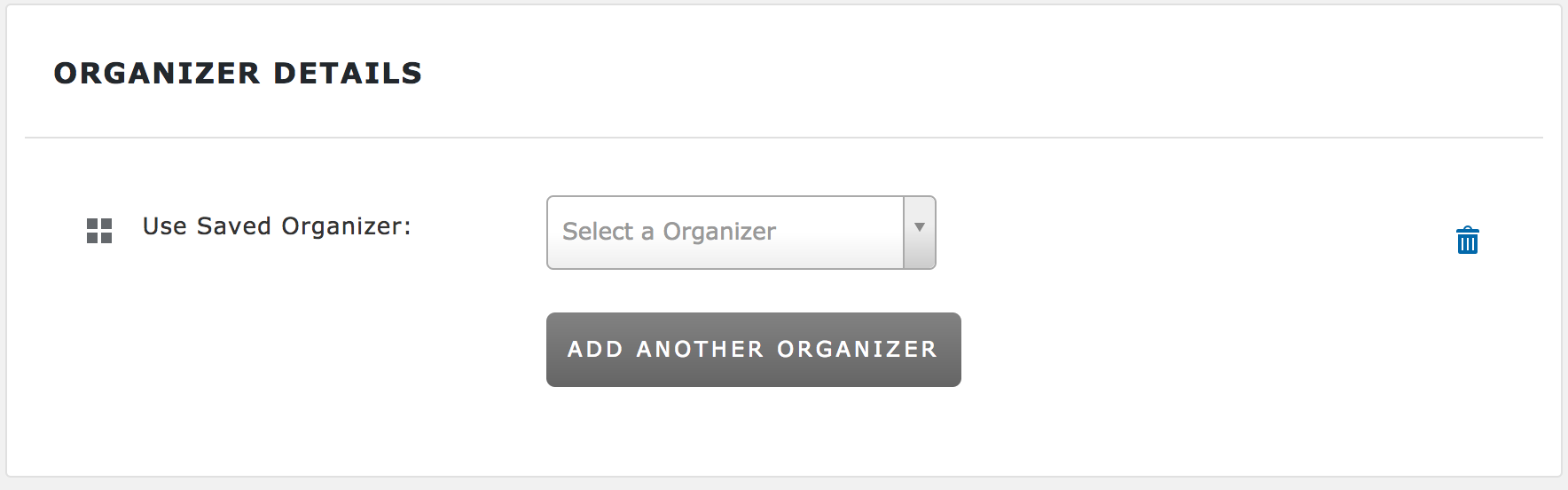
Screenshot of ‘Organizer’ section with the ‘Users cannot create new Organizers‘ option unchecked under Events > Settings > Community:
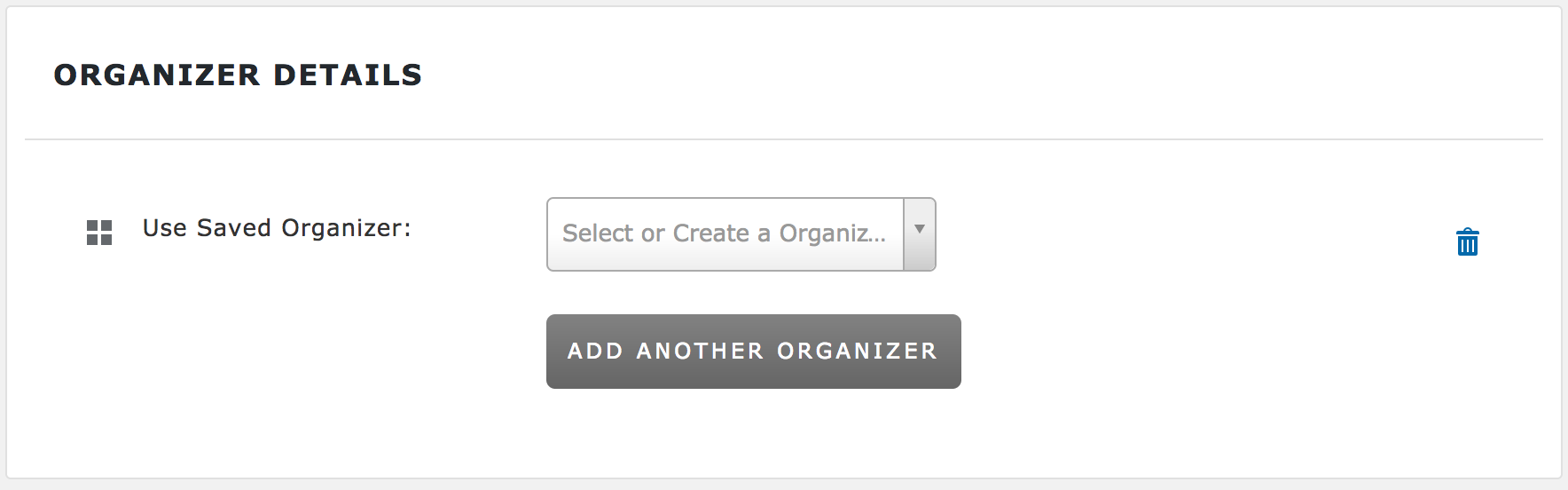
You can see the difference in text in the dropdown: “Select a Organizer” compared to “Select or Create a Organizer”. If you want to completely remove the ‘Organizer’ section from the Add Event form, please review our Themer’s Guide for more information on creating and saving custom templates.
Sorry again you’re having troubles and please keep me updated. Cheers 🙂
February 28, 2017 at 8:35 am #1247011Support Droid
KeymasterHey there! This thread has been pretty quiet for the last three weeks, so we’re going to go ahead and close it to avoid confusion with other topics. If you’re still looking for help with this, please do open a new thread, reference this one and we’d be more than happy to continue the conversation over there.
Thanks so much!
The Events Calendar Support Team -
AuthorPosts
- The topic ‘Duplicate Organizer Fields / Can't Add New Organizer’ is closed to new replies.