
Home › Forums › Calendar Products › Community Events › Duplicate footer on events and community ad page.
- This topic has 7 replies, 3 voices, and was last updated 10 years, 7 months ago by
Support Droid.
-
AuthorPosts
-
February 3, 2016 at 5:36 pm #1067316
Elizabeth
ParticipantHi,
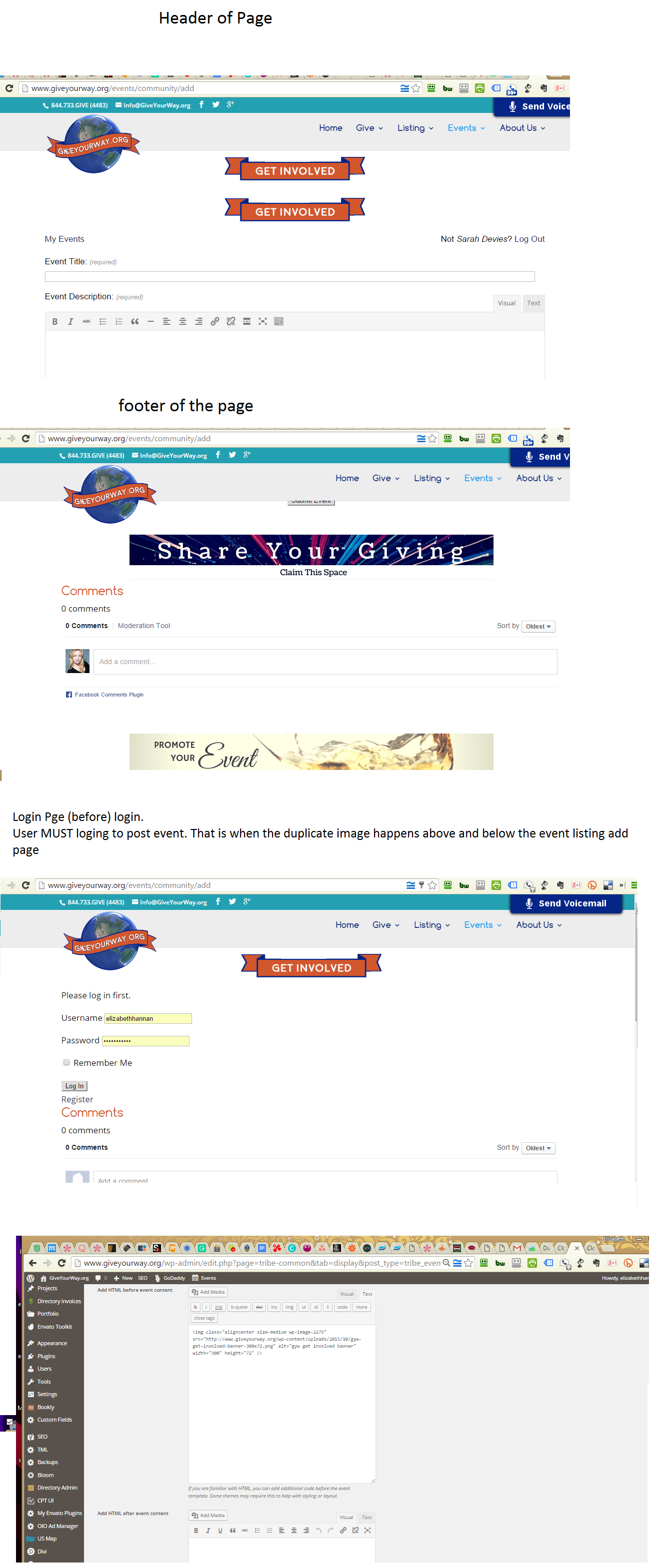
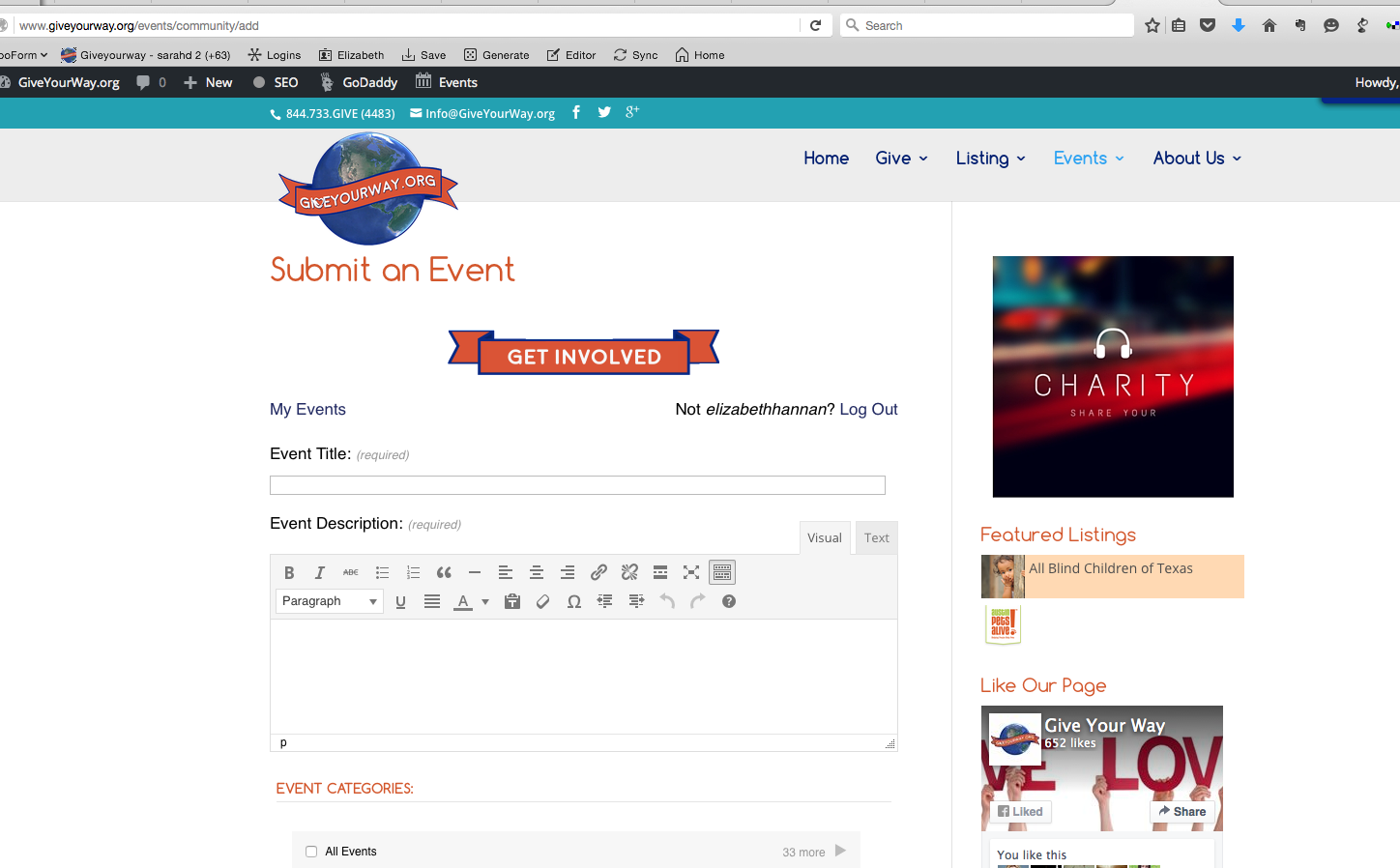
Not sure why this happening but it is happening on two separate sites using Events Pro Calendar and the community Add on. Both sites are built on elegant theme – Divi and Extra theme. Duplicating images below the main content.
Pages with issues:
http://stayclassyarizona.com/events/community/addhttp://www.giveyourway.org/event/
http://giveyourway.org/events/community/add
Could you help me with the following as well?
1> What code do I add (and where to insert it)? To remove “Calendar powered by The Events Calendar”?
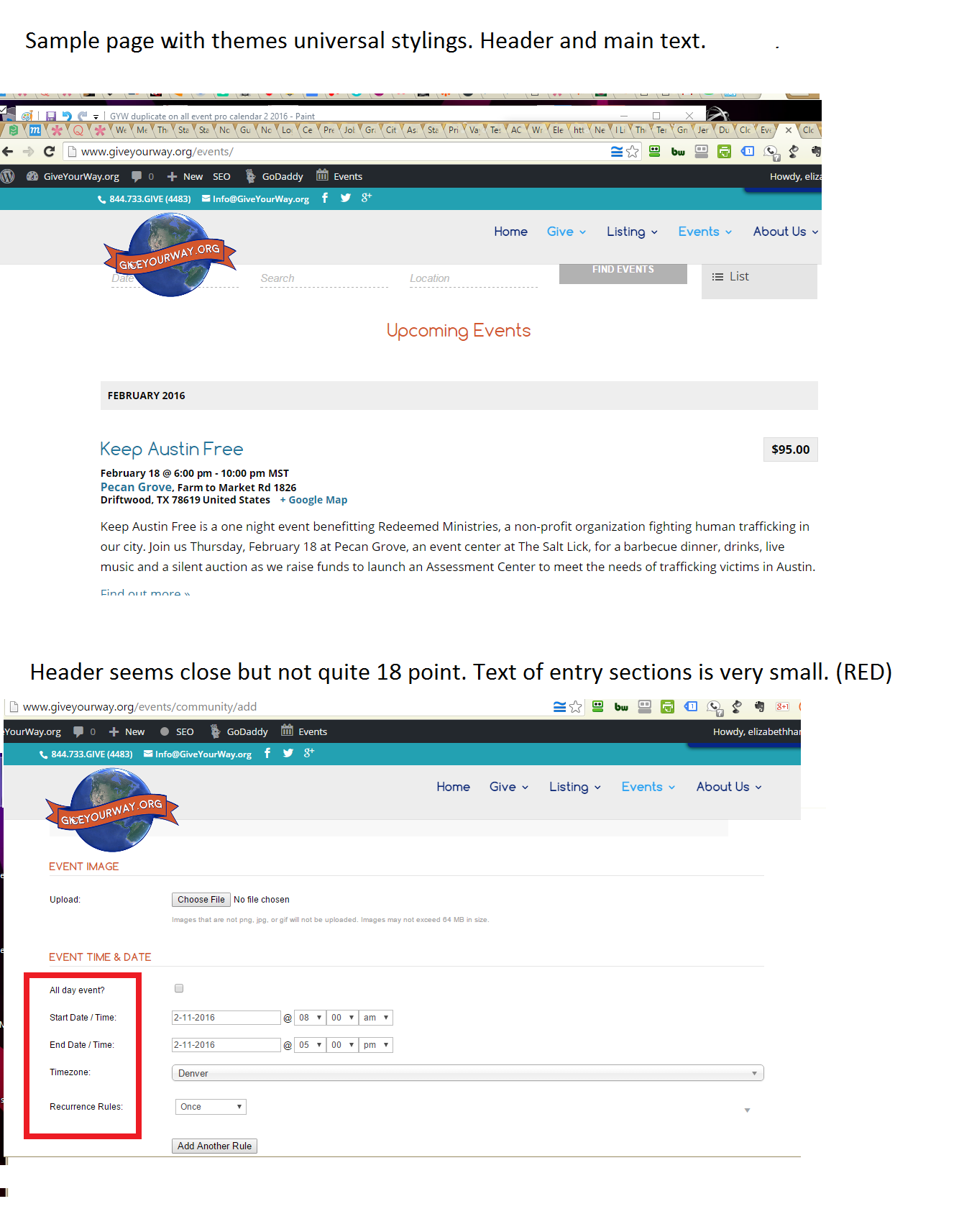
2> I’d like to increase the size of the content font field title to (14). The headers to font (18). What code do I add (and where to insert it)?
Many Thanks!
February 4, 2016 at 8:55 am #1067754Josh
ParticipantHey Elizabeth,
Thanks for reaching out to us.
I just checked out the links you’ve provided and didn’t notice a double footer on any of those pages. Is this happening when you’re logged into the site?
For the other questions:
- There is an option within the General tab under the Event Settings that allow you to include the link in your calendar. You can uncheck the option there (https://cloudup.com/cYLSC_trru9)
- Can you give me more information about the specific texts that you would like modified? When looking at these, you can use the built-in developer tools within your browser to “inspect” the items on the page that you would like to modify. From there you can get the class selector for those elements and set the “font-size” to the size you would like within your theme’s style.css file.
Thanks!
February 11, 2016 at 10:47 am #1071640ParticipantThank you. The name has been removed.
2. http://www.giveyourway.org/events/community/add Yes, when logged in it is present but since you have to login to post an event on the site it is an issue.
https://cldup.com/CKCdSehbf6.png3> The event pro calendar does not seem to be adhering to the divi theme stylings. Sample images here: https://cldup.com/sY0lt-YV_6.png
I am new-ish to coding an we use a child theme, would I update the child theme css file? I’d prefer to not alter the theme code itself by mistake but rather make the event pro calendar retain the same heading and font size features. (heading 18 pts. text @ 14 pts). Do you know what the specific code is I would add tot he child css file?February 11, 2016 at 10:52 am #1071641ParticipantThis reply is private.
February 15, 2016 at 10:46 pm #1073529ParticipantHey Elizabeth,
Thanks for your willingness to let us look into your site, however we have a strict policy against logging into customer sites and I’ve deleted your login credentials for your security.
For the additional footer issue, try switching to a default theme first to see if the issue persists there. If so, try deactivating all themes and reactivating until the issue shows again. Based on what you’re describing, it sounds like the issue may be associated with a template call or function that includes an “is_user_logged_in()” check.
We do have additional styles included, however the majority of the styles should be driven by the theme. Under the event settings > display tab, we do have some options for controlling how much styling our plugin provides (https://cloudup.com/caJQ1TPYUNd). Try switching to Full Styles there and see if that helps to better match your theme.
If you find there are additional modifications you would like to make, you can make those within your child theme’s stylesheet directly.
Let me know if this helps.
Thanks!
February 16, 2016 at 12:19 pm #1073958ParticipantHi Josh!
I attempted what you mentioned above. We are currently using Divi – the most up to date version.
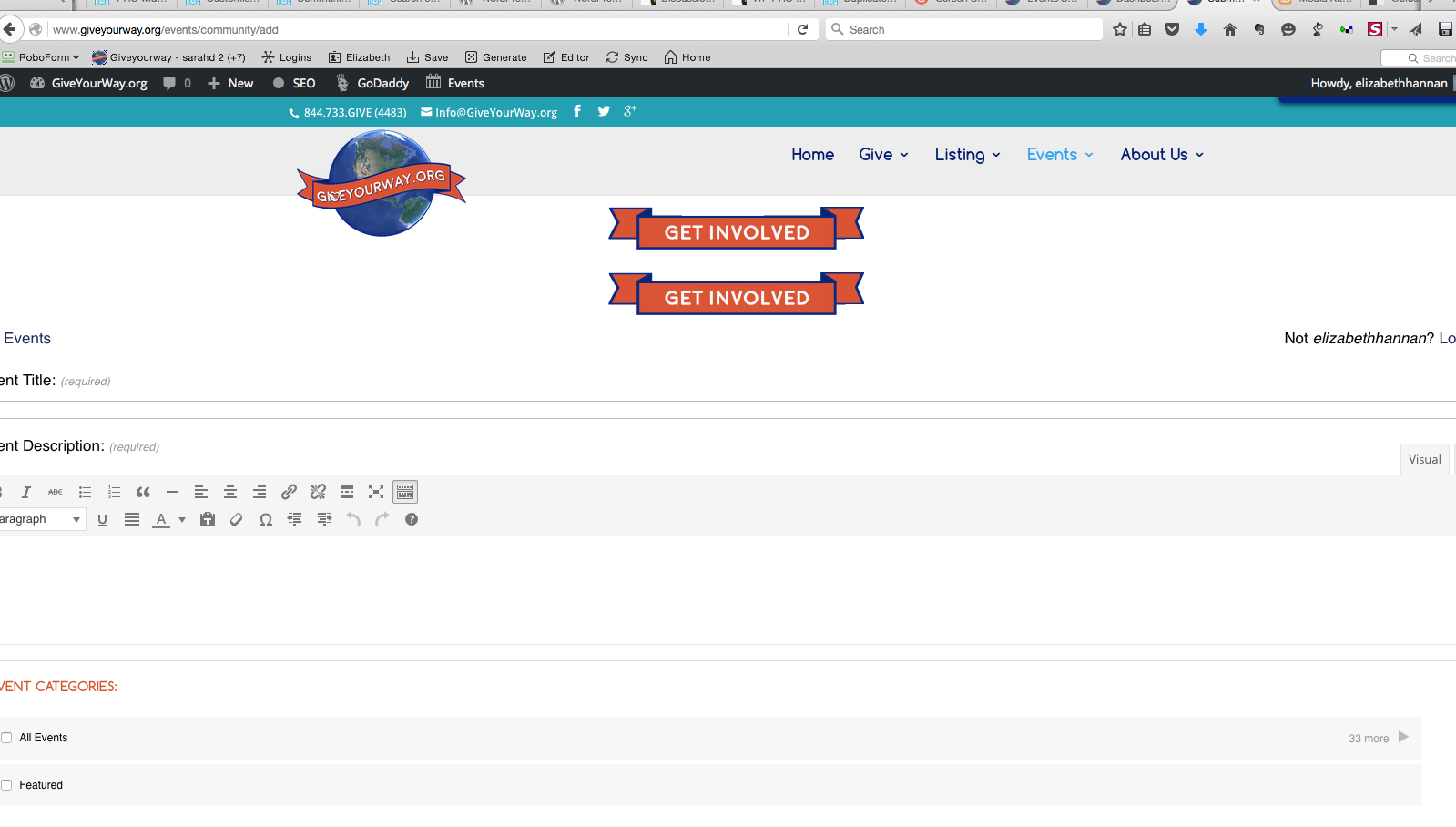
-Changing the above event pro settings for styling did not affect the double image banner issue. It did stretch out the content body beyond full width.
– Changing the theme did fix the issue.
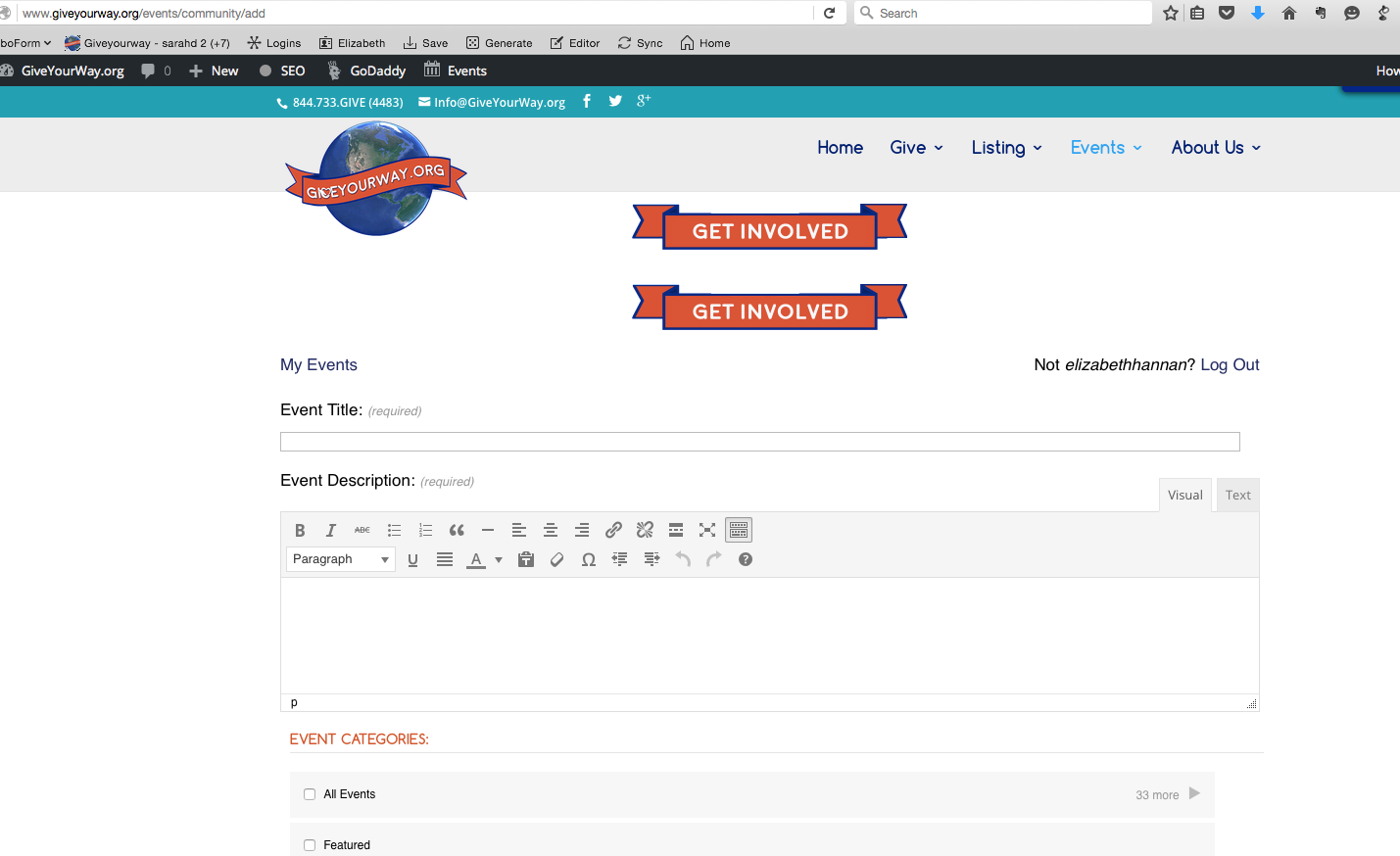
– Within the Divi theme which the site is built upon I changed the page template to include the sidebar verse a full width page. When I did change the page template to include a side bar it removed the duplicate banner above and below the content issue.I have access to the Divi child theme and a child function files.
So perhaps that “the issue may be associated with a template call or function that includes an “is_user_logged_in()”” is the issue. I am not an expert in code. With specific instructions I can handle it.
Could you please provide me a specific list of “to-do” to rectify the issue with the theme code conflict?
I am happy to follow the steps that you provide.Thank you!
Here are some screen shots:
https://cldup.com/kkQ7FTGu_Q.png
https://cldup.com/rS9v9VUhAh.pngSingle banner above and below content successfully with standard theme page template
https://cldup.com/2WyfWhrLPJ.pngFebruary 17, 2016 at 6:56 pm #1074732ParticipantHey Elizabeth,
Thanks for following up here. Unfortunately providing solutions to address issues in child theme templates is beyond what we’re able to provide in support here for our plugin. I also wouldn’t be able to give you a step by step guide for addressing because I currently don’t know what in particular is off with that template.
The best advice that I could give here would be to look at the different templates and see what is off with that particular template compared to the one that is working and modify from there.
I’m sorry I wasn’t able to give you a complete answer here but hopefully it helps to get you pointed in the right direction.
Thanks!
March 3, 2016 at 8:35 am #1084858KeymasterThis topic has not been active for quite some time and will now be closed.
If you still need assistance please simply open a new topic (linking to this one if necessary)
and one of the team will be only too happy to help. -
AuthorPosts
- The topic ‘Duplicate footer on events and community ad page.’ is closed to new replies.