
Home › Forums › Calendar Products › Events Calendar PRO › .csv import is ignoring the events category column
- This topic has 37 replies, 6 voices, and was last updated 10 years, 4 months ago by
Leah.
-
AuthorPosts
-
February 16, 2016 at 11:36 am #1073936
Alison
ParticipantI am working on a site that has 3 calendars. I have been implementing these 3 calendars but using 3 event categories with their respective titles. A lot of the events are the same event title but they want them showing on their specific calendar page. So when uploading there are 3 individual .csv files to import with their event categories in the event category column.
In the last upload for March it seems that the plugin is ignoring the event category column in the .csv upload process. It will just update the events to the category i’m uploading at the time. The only difference it will recognize is if the event is at a different time as you will see in these two examples below.
Skilled Nursing: Fountain View Terrace event category: http://mcknightplace.com/calendar/category/skilled-nursing-fountain-view-terrace/2016-03/?tribe_events_cat=skilled-nursing-fountain-view-terrace&tribe-bar-date=2016-03
Skilled Nursing: Magnolia Place event category: http://mcknightplace.com/calendar/category/skilled-nursing-magnolia-place/2016-03/?tribe_events_cat=skilled-nursing-magnolia-place&tribe-bar-date=2016-03
Is there a way I can send the .csv files for you to review? Please advise.
February 16, 2016 at 11:43 am #1073942ParticipantThis reply is private.
February 16, 2016 at 9:05 pm #1074138Josh
ParticipantHey Alison,
Thanks for reaching out and for providing the CSV files for testing!
I may be a little confused on the issue here. I tested the import via CSV and when assigning the “Category” column to the “Event Category” when setting the options for importing, the events imported assigned to the appropriate category https://cloudup.com/cXD_PqJp3qt.
Based on the import described, does it sound like I’m understanding the issue you’re experiencing here?
Thanks!
February 17, 2016 at 7:52 am #1074491ParticipantHi Josh,
The steps I went through were:
1. I imported Skilled Nursing: Magnolia Place and everything looked fine like for you
2. I imported Skilled Nursing: Fountain View Terrace and it showed “updating” most of the events and this is what showed and everything looked fine: http://mcknightplace.com/calendar/category/skilled-nursing-fountain-view-terrace/2016-03/?tribe_events_cat=skilled-nursing-fountain-view-terrace&tribe-bar-date=2016-03
3. BUT when I check Skilled Nursing: Magnolia Place again this is what showed: http://mcknightplace.com/calendar/category/skilled-nursing-magnolia-place/2016-03/?tribe_events_cat=skilled-nursing-magnolia-place&tribe-bar-date=2016-03It only seemed to recognize the events that had a different time assigned to them and the others as duplicates which is why it said that they were “updating” vs “posting”. Does that make sense? Would it be easier if I made you a user to test the upload yourself?
February 18, 2016 at 8:03 am #1075124ParticipantHey Alison,
I see what you’re saying now! Since the events are the same except for the category it is treating them as the same event and just updating.
I would suggest:
- Deleting the currently imported events
- Combine the CSV files into a single file
- Import all the events at the same time rather than in batches
This should force all the similar events to import as unique.
Let me know if this helps.
Thanks!
February 18, 2016 at 8:37 am #1076998ParticipantHi John,
I have a couple questions:
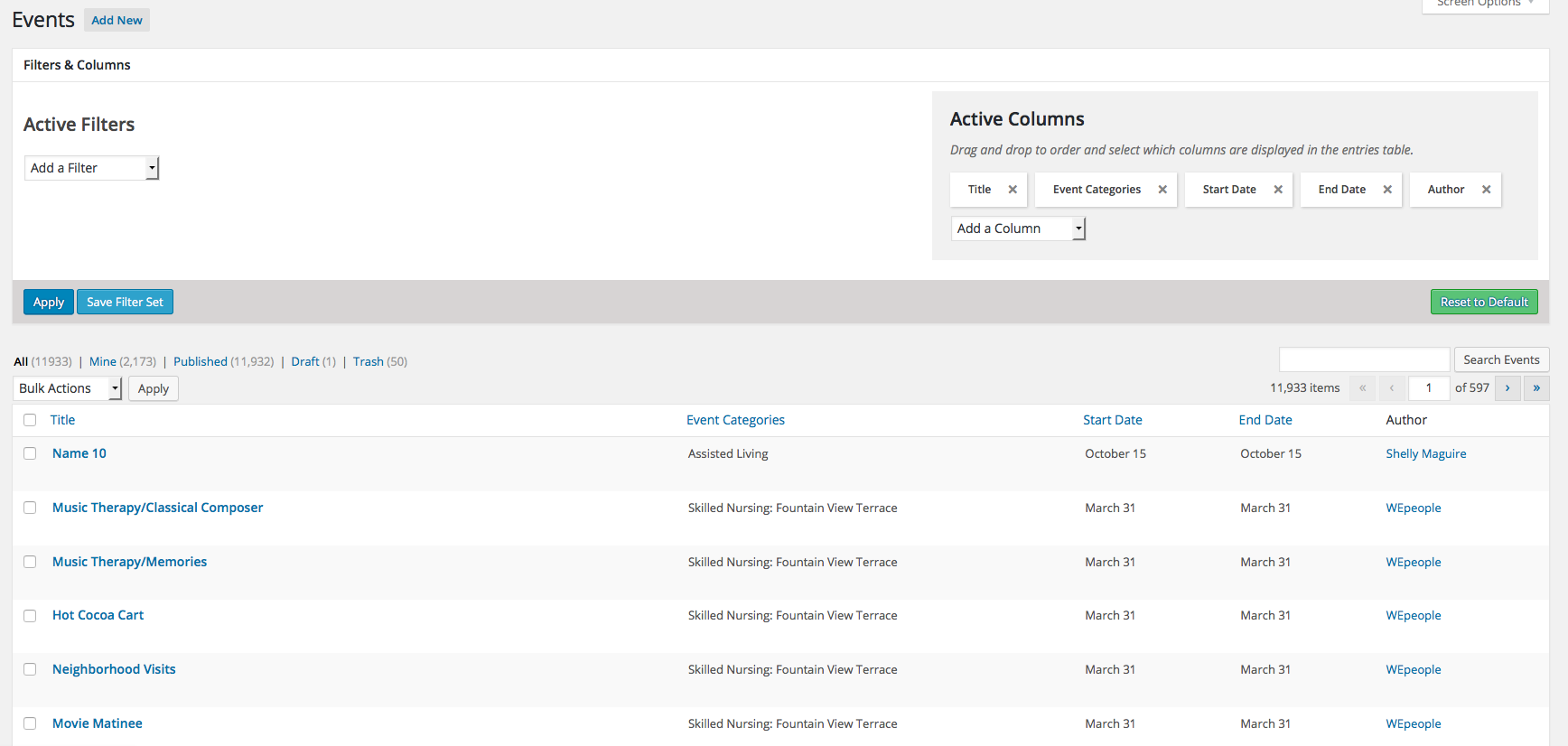
1. There are over 300 events in the “Skilled Nursing: Fountain View Terrace” category. As far as I can tell there isn’t an easy way to filter just that category and month to easily delete? But there is an add-on called Advanced Post Manager (https://wordpress.org/plugins/advanced-post-manager/) that is suggested but when I activate it I still don’t see the ability to filter still? See screenshot: http://mcknightplace.com/wp-content/uploads/2014/09/Screen-Shot-2016-02-18-at-10.29.14-AM.png
2. Even if this new way of a combined upload works this won’t work for my client since they have 3 calendars (each using a different event category) that are uploaded and they are uploaded by different departments in the company so they will need to be able to upload each calendar separately. This hasn’t been an issue until this most recent upload and we have been using this plugin for a year now. Is this an issue others have been running into?
Thank you
February 18, 2016 at 10:27 am #1077196ParticipantHi Josh (sorry i misspelled your name in the last reply!),
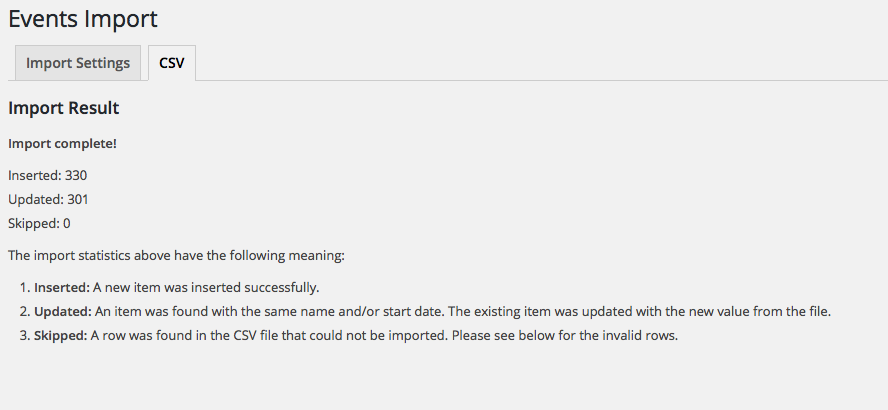
I did as you suggested and combined the two calendar event lists together in one .csv file to upload and it did the same thing: http://mcknightplace.com/wp-content/uploads/2014/09/Screen-Shot-2016-02-18-at-12.22.04-PM.png
Skilled Nursing: Magnolia Place:http://mcknightplace.com/calendar/category/skilled-nursing-magnolia-place/2016-03/?tribe_events_cat=skilled-nursing-magnolia-place&tribe-bar-date=2016-03
Skilled Nursing: Fountain View Terrace: http://mcknightplace.com/calendar/category/skilled-nursing-fountain-view-terrace/2016-03/?tribe_events_cat=skilled-nursing-fountain-view-terrace&tribe-bar-date=2016-03
Please advise.
February 19, 2016 at 8:23 am #1078115ParticipantHi Josh,
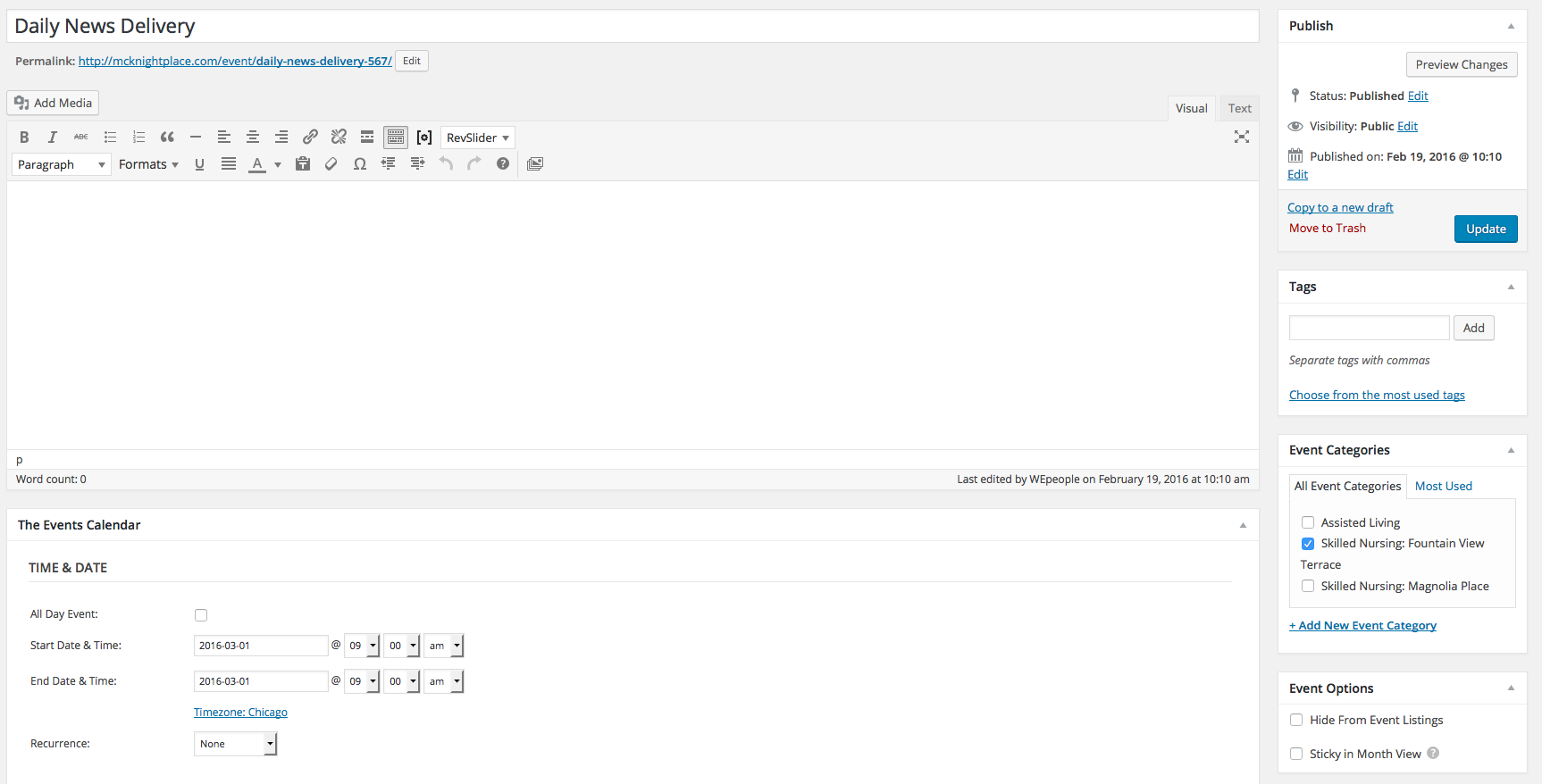
I wanted to let you know that I manually added one event for the “Skilled Nursing: Fountain View Terrace” category and it seemed to take(http://mcknightplace.com/wp-content/uploads/2014/09/Screen-Shot-2016-02-19-at-10.19.51-AM.png). So it seems it is just when I am importing the .csv file it isn’t recognizing the event category. Didn’t know if that helped while you were troubleshooting.
Thank you
February 23, 2016 at 7:48 am #1080689ParticipantHi Josh,
It’s been a little bit since i’ve heard from you and I’m getting a little worried about having these calendars up for my client by march 1. Can you give me an update on where we are with this issue?
Thank you
AlisonFebruary 24, 2016 at 9:32 am #1081547ParticipantHey Alison,
I apologize for the delays here.
Were you able to completely delete all the existing imported events before re-trying the combined import?
Also, looking through these updates, it looks like you were importing events (that were getting treated as updates to existing because they had identical titles and dates but different categories) that had different categories assigned however, those categories didn’t exist within the taxonomy when importing? Did the importing cause the terms to get created (ex. Skilled Nursing: Magnolia Place).
Finally, since it sounds like a combined import won’t work for your needs on a practical level, would the different departments be able to add a specific identifier to the event title designating the location? Or could you add the location (Venue) to the import file. Having a different location should cause it to recognize it as a separate event on import.
Let me know if this helps.
Thanks!
February 24, 2016 at 10:10 am #1081565ParticipantThis reply is private.
February 26, 2016 at 9:36 am #1082522ParticipantThis reply is private.
February 26, 2016 at 9:39 am #1082526ParticipantHey Alison,
Thanks for following up here.
Unfortunately we do have a strict policy that prevents us from logging into client site. What I will do to make sure I’m getting the full picture though is to retry the import of the CSV files that you have provided here with this additional information.
I’ll follow up after testing to verify the functionality/process in regards to importing/overwriting.
Thanks!
February 29, 2016 at 12:27 pm #1083524ParticipantHi Josh,
Just following up on the status of your testing for the .csv files I provided? Are you seeing the same issue?
Thank you
March 1, 2016 at 2:02 pm #1084051ParticipantHi Josh,
I just saw the notification that the support will be slow from March 2-9 but our license expires on the March 10 I believe. I won’t be able to talk my client into renewing if we don’t have any feedback from support. We have been dealing with this issue for a month. Please advise.
-
AuthorPosts
- The topic ‘.csv import is ignoring the events category column’ is closed to new replies.