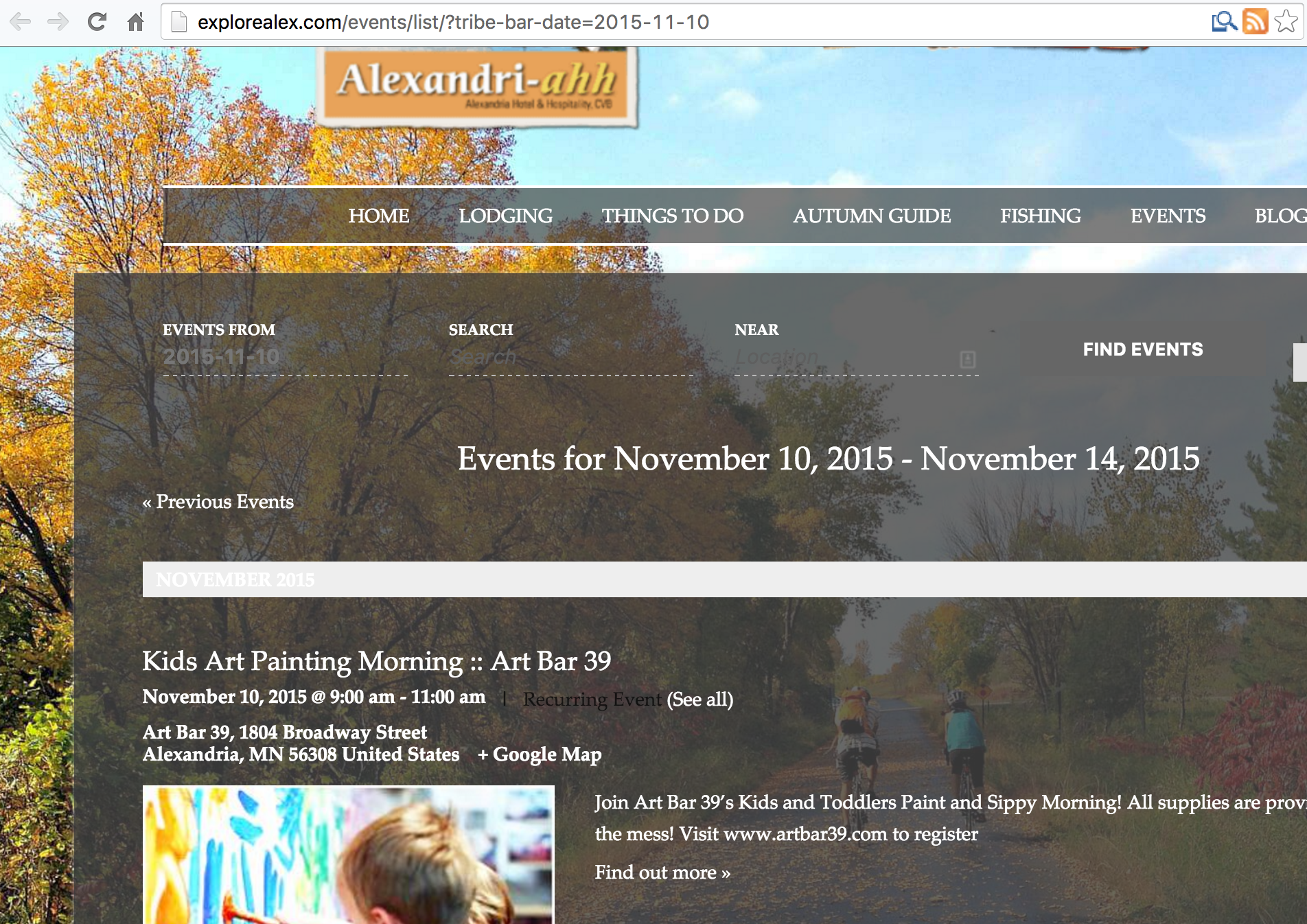
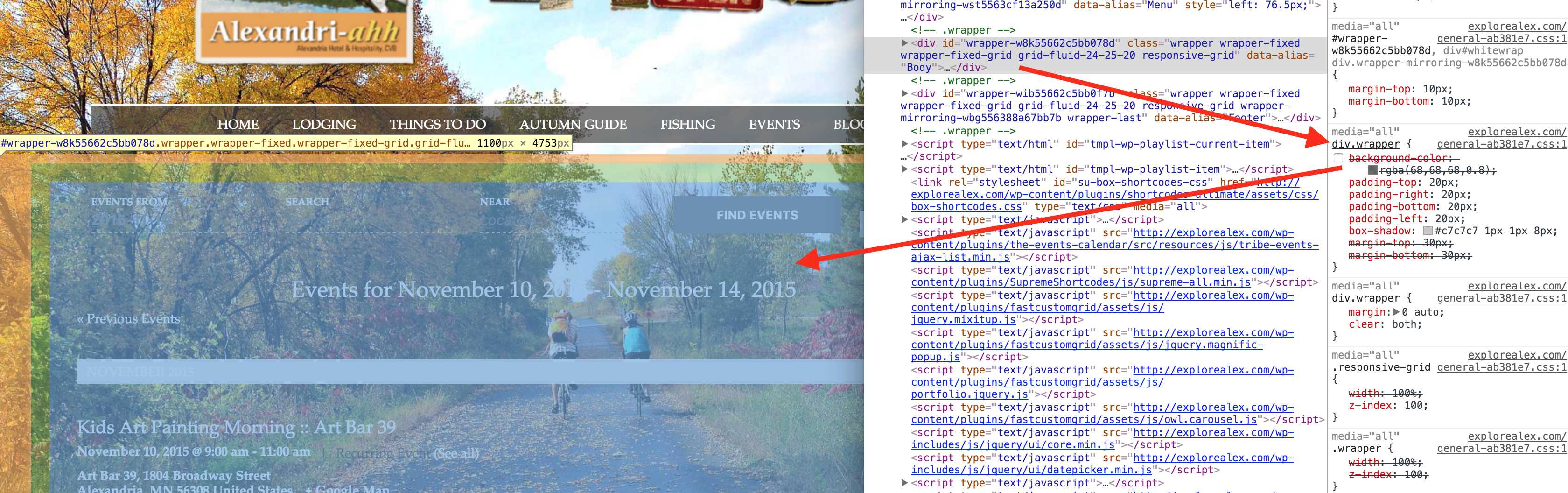
CSS Background Post date Home › Forums › Calendar Products › Events Calendar PRO › CSS Background This topic has 7 replies, 2 voices, and was last updated 10 years, 11 months ago by Cliff. Viewing 8 posts - 1 through 8 (of 8 total) Author Posts November 10, 2015 at 7:56 pm #1024000 cybersproutParticipant There are a few area where I can’t seem to remove the background. List view, for example: http://explorealex.com/events/list/?tribe-bar-date=2015-11-10 Element classes: “tribe-events-loop vcalendar” And these ones on mobile class -“tribe-events-venue-details” -“tribe-events-event-meta vcard” A few of my (failed) solutions: div..tribe-events-loop.vcalendar {background-color: none !important;} div.tribe-events-venue-details {background-color: none !important;} Thanks for any help! November 10, 2015 at 10:23 pm #1024080 CliffMember Thanks for the detailed request. This is what I see now: Is this NOT what you want? You want the semi-transparent black to be 100% transparent (i.e. no background at all)??? If yes, div.wrapper seemed to be the one adding the background: If you need more help, please confirm exactly what you DO want the design to be. P.S. You had two periods in one of your bits of code: ‘div..tribe-‘ Let me know how it goes for you! November 11, 2015 at 9:36 am #1024262 cybersproutParticipant I should have been a bit more specific. It’s just these small areas that are white and need to be transparent: Thanks for the help! November 11, 2015 at 12:47 pm #1024318 CliffMember Please provide the link that accompanies that screenshot so I can take a look. November 11, 2015 at 12:52 pm #1024321 cybersproutParticipant URL: http://explorealex.com/events/list/ The suspect areas are most apparent in mobile view. November 11, 2015 at 1:26 pm #1024333 CliffMember Please try this: #tribe-bar-collapse-toggle, .tribe-events-loop .tribe-events-event-meta, .tribe-events-list-separator-month { background-color: transparent; } You can add custom CSS code via your child theme’s style.css file or via a plugin like Simple Custom CSS or, my favorite, Jetpack. Jetpack supports regular CSS and the LESS and Sass pre-processors. November 11, 2015 at 1:52 pm #1024344 cybersproutParticipant That did the trick! I had to add the !important property but it’s all good. Thanks for the help! November 11, 2015 at 2:15 pm #1024356 CliffMember Glad to help. Thanks for letting me know it worked for you 🙂 Author Posts Viewing 8 posts - 1 through 8 (of 8 total) The topic ‘CSS Background’ is closed to new replies. → Please verify your API key is correctly entered on the settings
.