Hey Ryan,
The simplest alternative I could think of would be to write custom CSS at the bottom of your theme’s style.css file to achieve this.
First, hide the default elements with CSS like this:
.tribe-events-nav-previous span,
.tribe-events-nav-next span {
    display: none !important;
}
Then, use the :before and :after CSS3 pseudo-selectors and the content rule to, well, add content before or after those elements. This will replace the originals pretty adequately.
As an example, after hiding the default arrows with the code above, code like this would a different type of left-facing arrow before the Previous button:
.tribe-events-nav-previous:before {
    content: '←';
}
I’m pasting in a left-arrow character there that I grabbed from http://copypastecharacter.com.
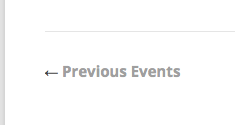
Here’s how that looks:
Doing this for the “Next” events link is just as simple, but you use “after” instead of “before:
.tribe-events-nav-previous:after {
    content: '→';
}
You can apply width/cover/hover/font/image styles from here, but this should give you a good basis for beginning these customizations. Best of luck with them – and be sure to keep good backups of any custom code! (and your site and database in general, of course 🙂 )
Cheers,
George

.
