
Home › Forums › Ticket Products › Event Tickets Plus › Can't edit ticket.
- This topic has 5 replies, 3 voices, and was last updated 10 years ago by
Brian.
-
AuthorPosts
-
March 28, 2016 at 1:38 pm #1094960
Joe
ParticipantI am not able to edit a ticket for a new or existing event in the WordPress admin.
This appears to be similar to:
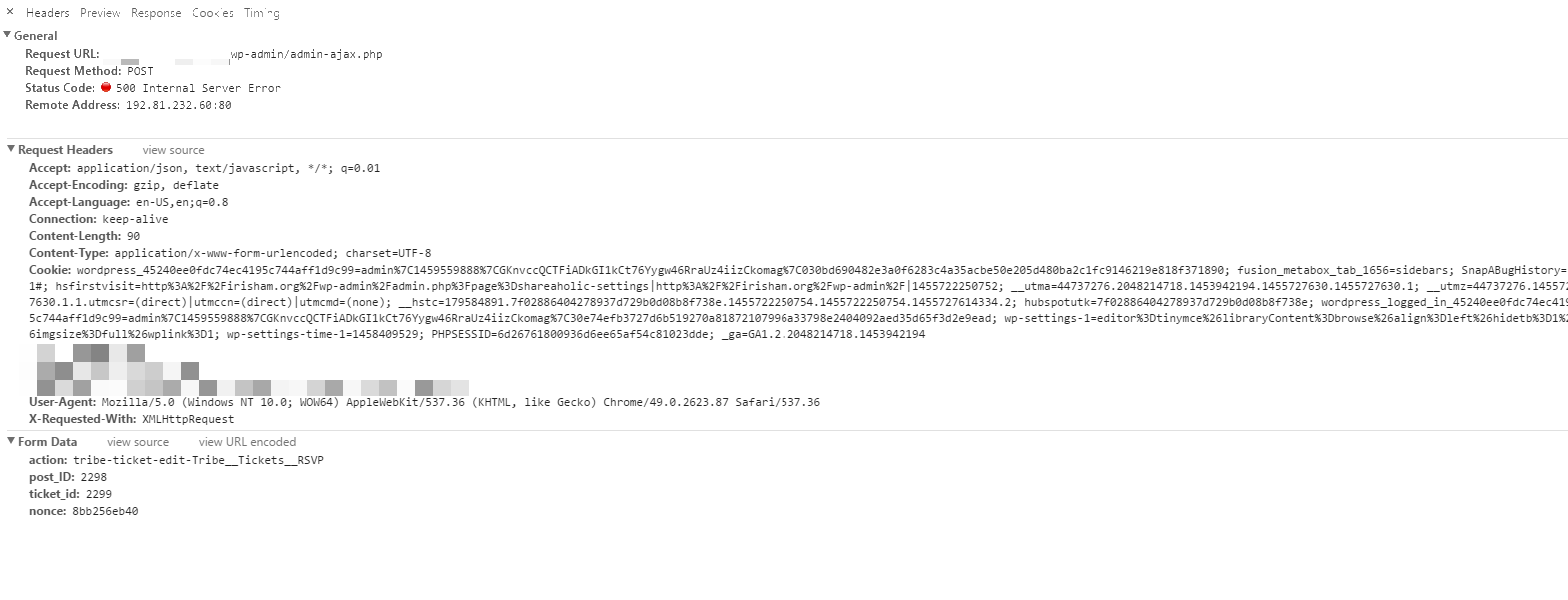
Some screenshots from the Chrome inspector:
Console Tab: https://s3.amazonaws.com/dl.nvthost.com/posts/etp-edit-issue/console.png
Request Headers: https://s3.amazonaws.com/dl.nvthost.com/posts/etp-edit-issue/network-3.png
Showing 500 Error: https://s3.amazonaws.com/dl.nvthost.com/posts/etp-edit-issue/network-1.png
Response Body: https://s3.amazonaws.com/dl.nvthost.com/posts/etp-edit-issue/network-2.pngLet me know if there is any other info that would help. This happened after the latest upgrade of TEC and ETP.
March 28, 2016 at 2:34 pm #1094983Sean
ParticipantI’m having the same problem AND same errors when clicking “Edit” in TEC Tickets.
It seems Ajax isn’t loading properly. The screen “fades” for a bit, then nothing. Editing the ticket becomes impossible since you can’t edit description, or start/end sale dates using “Edit in WooCommerce.” Only price and stock can be edited in WooCommerce. We now need to delete a ticket, then create a new one to make changes. Not good.
Here’s the javascript error I get when testing:
“Failed to load resource: /wp-admin/admin-ajax.php Error 500 (internal server error)”and…
/wp-admin/load-scripts.php?c=0&load%5B%5D=jquery-core,jquery-migrate,jquery-ui-core,jquery-ui-widget,jquery-ui-mouse,jquery-ui-sortable,utils,plupload,postbox&ver=4.4.2Looking forward to a fix on this soon. Thanks!
March 28, 2016 at 3:40 pm #1094999ParticipantI turned on debugging and saw this error:
Call to undefined function edd_get_download() in /home/site/public_html/wp-content/plugins/event-tickets-plus/src/Tribe/Commerce/EDD/Main.php on line 684
Once I installed Easy Digital Downloads I saw this error:
Class ‘WPSC_Product’ not found in /home/site/public_html/wp-content/plugins/event-tickets-plus/src/Tribe/Commerce/WPEC/Main.php on line 623
I can’t seem to find where that class is defined.
March 28, 2016 at 3:54 pm #1095007ParticipantI finally got this sorted. The issue appears to be related to a code snippet some of us have been using to relocate the purchase form.
Once I commented out the following lines in my theme’s functions.php file it started working again.
‘Tribe__Tickets_Plus__Commerce__EDD__Main’,
‘Tribe__Tickets_Plus__Commerce__Shopp__Main’,
‘Tribe__Tickets_Plus__Commerce__WPEC__Main’I found the solution here:
March 28, 2016 at 6:26 pm #1095115ParticipantBrilliant!
That fixed it for me.
Thanks Joe.March 29, 2016 at 7:39 am #1095365MemberHi Joe,
Thanks for finding that fix.
I have gone ahead and changed our snippet to only have WooCommerce Active by default to help prevent this in the future.
https://theeventscalendar.com/knowledgebase/moving-the-ticket-form/
If you have a similar issue or another in the future, please do not hesitate to create a new ticket.
Thanks!
-
AuthorPosts



- The topic ‘Can't edit ticket.’ is closed to new replies.