Howdy Ben,
I would love to help you with this.
Ordinarily what you would see for a cancelled attendee is this:
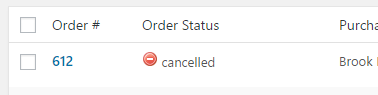
However it looks like you do not have the “Order Status” column visible in the Manage Attendees page. If you go to the Manage Attendees page, in the upper right is the “Screen Options” drop down. Click on this, check “Order Status” as one of the viewable columns, and hit save. Now you will see cancelled next to those tickets.
Alternatively if you wish to outright removeany record of the cancelled Attendee, you could delete the cancelled orders from this same page.
Does that all make sense? Will that work for you? Please let me know.
Cheers!
– Brook
.


