
Home › Forums › Calendar Products › Events Calendar PRO › Can the “Upcoming Events” appearing on the bottom of the event page be removed?
- This topic has 10 replies, 4 voices, and was last updated 11 years, 3 months ago by
Support Droid.
-
AuthorPosts
-
May 29, 2012 at 3:53 am #19783
Lydia
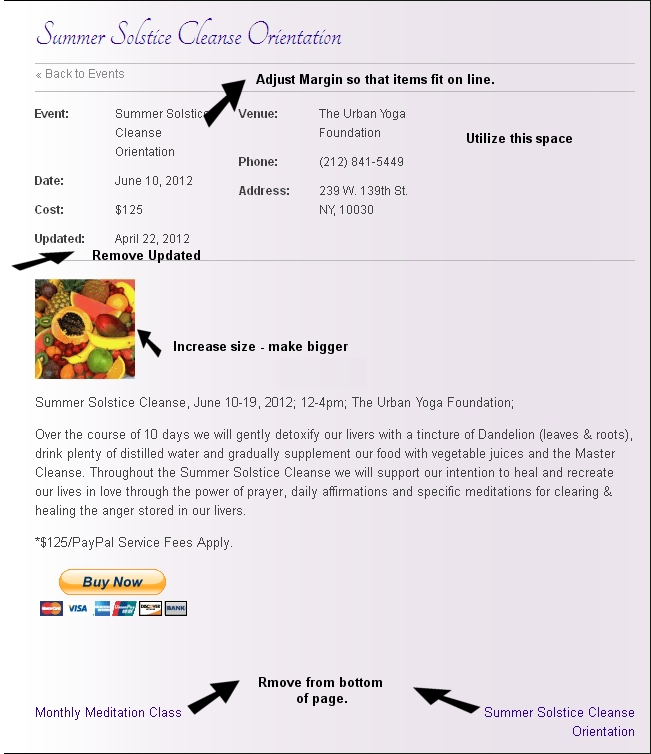
MemberSee pic http://www.siddhayoganyc.org/images/Image1.jpg – Hoping to remove the bottom line on the Event page so that the only information displaying is the current event not what’s coming up next. Is this possible?
May 29, 2012 at 9:16 am #19821Rob
MemberHi there Lydia. Thanks for the note here. So you just want to hide the next/previous links…right? (I saw a few arrows on that screenshot but I’m going to assume until I hear otherwise that these weren’t meant for me).
If so, this thread – in which I directed the user to another, more useful one – https://theeventscalendar.com/support/forums/topic/remove-previous-and-next-from-event/ – may be of value. Please let me know if you’re still having issues from there and I’ll adjust my response accordingly. Cheers!
June 23, 2012 at 5:21 am #21097MemberHi Rob,
Thanks for the response. I took a look at the threads regarding my question and to be honest, I’m not much of a tech person. The thread was a bit confusing for me because it refers to single.php file, then the tribe_previous_event_link(); and tribe_next_event_link(); including the wrapping div then finally to customizing the css (.custom .prev_next p { display: none; }
So I’m no quite sure what to do.
What file do I use to locate to remove the Upcoming Events from appearing on the bottom of the event page? I only want to remove that bottom line of the page no-where else. Everything else works fine for our purposes and should stay the same.
Can you provide me with the file name and the actual line (what the code of the line looks like) so I can find it in the file?Thanks again.
June 23, 2012 at 10:18 am #21107Jonah
ParticipantHi Lydia,
The prev/next events at the bottom of individual events is in /wp-content/plugins/the-events-calendar/views/single.php (or in your overridden single.php file in an ‘events’ folder in your theme). Lines 109 & 111 are the lines to work with.
Does that help?
– Jonah
June 24, 2012 at 8:50 am #21130MemberHey Jonah! Thanks for responding. Here’s are my lines 109 & 111:
Am I deleting or commenting out? (e.g. */*/
June 24, 2012 at 8:52 am #21131Memberlol ! I commented it out! let’s try this again, see my lines below:
June 24, 2012 at 9:06 am #21132MemberOk Jonah….sorry here’s the pastie for my 109 & 111 lines….http://pastebin.com/jtKPM84G, so what do you suggest comment out or delete? Thanks
June 25, 2012 at 11:23 am #21154ParticipantHi Lydia,
You would basically just remove both of those lines completely. Let me know whether or not that works.
– Jonah
June 30, 2012 at 9:29 am #21371MemberJonah that worked perfectly! Thanks!
July 5, 2012 at 3:06 pm #21583MemberGreat to hear that got you where you need to be, Lydia. Let us know if we can do anything else and thanks again for your support so far.
July 7, 2015 at 6:25 am #977272KeymasterThis topic has not been active for quite some time and will now be closed.
If you still need assistance please simply open a new topic (linking to this one if necessary)
and one of the team will be only too happy to help. -
AuthorPosts
- The topic ‘Can the “Upcoming Events” appearing on the bottom of the event page be removed?’ is closed to new replies.