
Home › Forums › Calendar Products › Community Events › Boxes to enter new venue & user missing
- This topic has 4 replies, 3 voices, and was last updated 10 years, 8 months ago by
Support Droid.
-
AuthorPosts
-
December 7, 2015 at 12:21 pm #1037088
KAEC IT
ParticipantAfter upgrading base plugin and Community Events add-on (no PRO subscription) to 4.0, there are no boxes to enter venue details and organizer details as new. I’ve only seen them in my Chrome browser for Mac, but not any other browser, and I’ve had a slew of complaints from our community.
December 8, 2015 at 9:20 am #1037722George
ParticipantHey @Paul,
I’m sorry to hear this! If things display differently across browsers, then there could be a simple theme-related issue here.
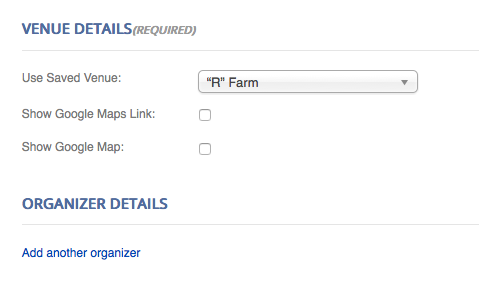
I checked your Community Events submit page and this is how the Venues and Organizers section looked for me in Firefox on a Mac:
Here’s how things look when in Chrome:
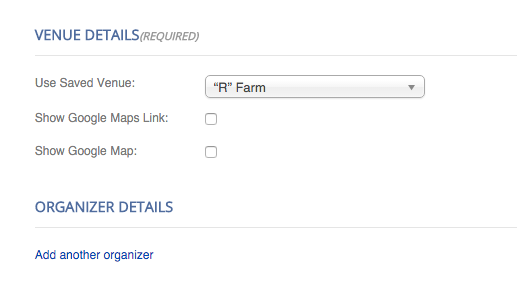
Very similar, aside from some differences in font smoothness between the browsers…
Is that what you’re seeing? Share screenshots if you see otherwise – you can do so by uploading the screenshots to Imgur.com, Flickr.com, CloudUp.com, or any similar image-hosting site; then just share the links to those images here and I’ll take a look.
One thing I noticed in either browser is that, upon refreshing the page, sometimes I see this as the design on the page:
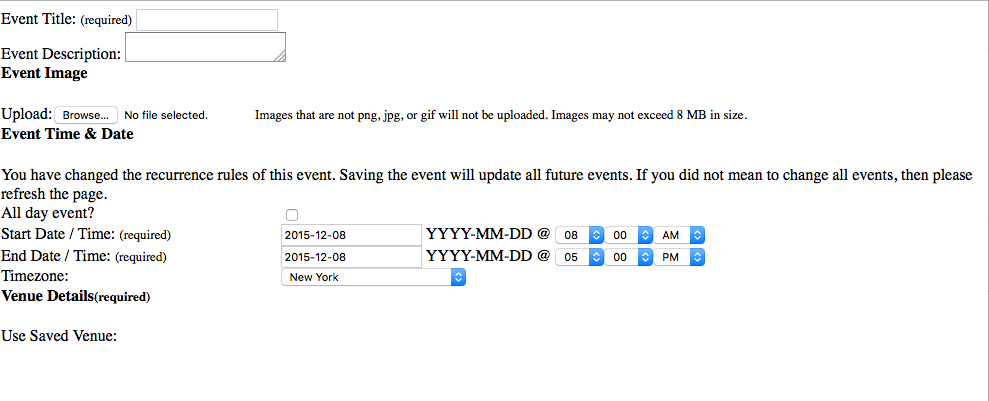
So, it seems like part of the issue may be a caching plugin on your site. It looks like WP Super Cache is active on your site; if you temporarily deactivate this plugin and fully disable caching temporarily, do your issues persist? Or does the display of the fields improve at all?
Thank you!
GeorgeDecember 8, 2015 at 11:33 am #1037781ParticipantWith WP supercache off…which couldn’t remain off…we’re seeing this on both Firefox and Safari:
https://www.dropbox.com/sh/ltoe9sqw0mvm8tm/AAA3sTRqZTRoOytTIA-wkxrDa?dl=0
Looks the same as what you saw. Have occasionally had to reload to see this, with your 3rd screenshot being what loads initially.
Some of our team can use normally on Chrome, some not.
Most users have reported being unable to use.Have used your plugin for nearly a year without conflicts, until now. The problem seemed resolved after your last update, then resurfaced.
Why would it work on Chrome if the problem is our theme?
Thanks
December 9, 2015 at 12:12 pm #1038410ParticipantThis is an odd issue Paul, and I’m sorry that you’re experiencing it. The reason I mentioned your theme is because if there are issues that behave one way in one browser, but a different way in another browser, then these issues tend to be related to front-end things like HTML page structure and CSS, which are handled slightly differently across all browsers.
And these things are primarily dictated by themes on any given page.
I do not know what the source of the problem is here, unfortunately, and the fact that on some page loads there are simply no CSS styles and no page markup (like in the barebones screenshot I shared above) makes it appear like there are other things causing this sort of behavior.
It’s an odd issue – I appreciate your patience with this!
February 18, 2016 at 8:32 am #1076048KeymasterThis topic has not been active for quite some time and will now be closed.
If you still need assistance please simply open a new topic (linking to this one if necessary)
and one of the team will be only too happy to help. -
AuthorPosts
- The topic ‘Boxes to enter new venue & user missing’ is closed to new replies.