
Home › Forums › Ticket Products › Event Tickets Plus › attendees list always displayed
- This topic has 8 replies, 3 voices, and was last updated 9 years, 12 months ago by
Hunter.
-
AuthorPosts
-
April 13, 2016 at 12:28 am #1101813
antoine
ParticipantHi
I have the check box attendees list always displayed, ever I have do to the update, paste the code ..
What can I do to don’t show this line ???
April 13, 2016 at 5:37 am #1101866Remco
ParticipantI don’t know if it’s exact the same question but i also want to hide this option in frontend: “Don’t list me on the public attendee list”
It would be nice to be able to togle it on/off in settings.
April 13, 2016 at 2:02 pm #1102140ModeratorHi Antoine,
Thanks for posting. Forgive me, but I’m a little confused by your question. If you’re trying to hide event attendees from displaying on the front end, you can do so on the edit event page (see screenshot below)
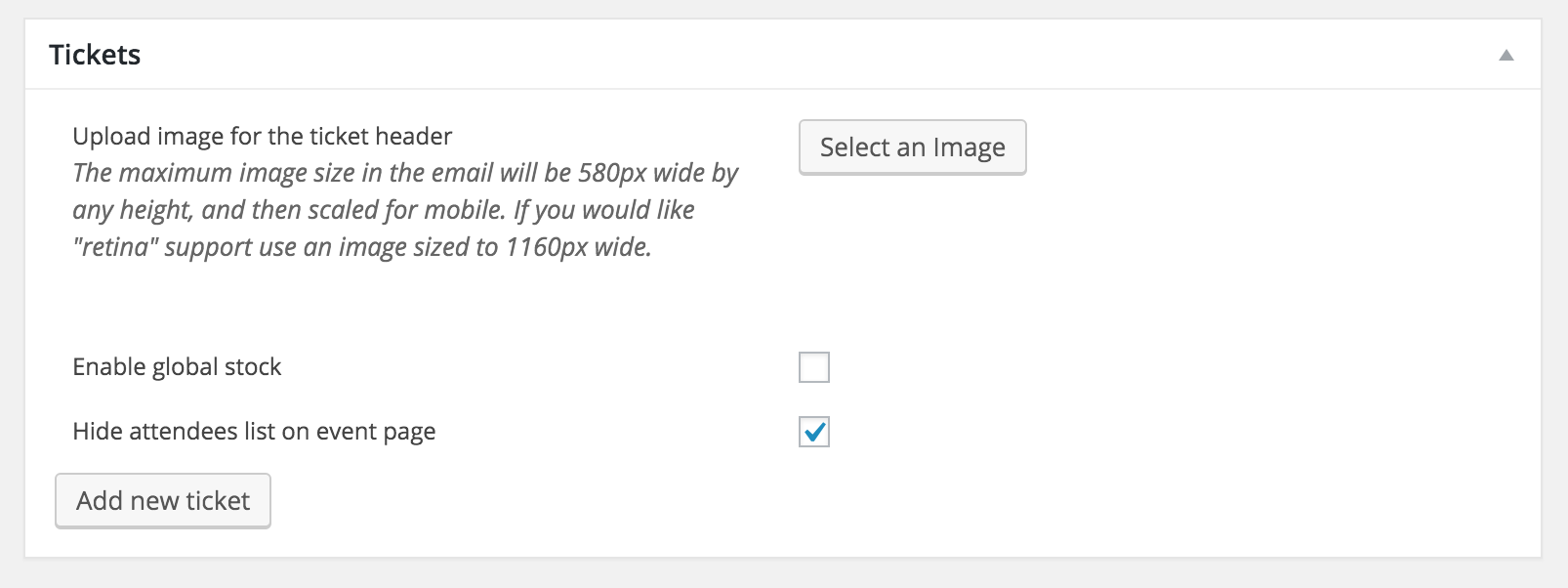
If I’ve misunderstood you, please try rephrasing the question. If you need to edit any files, you can learn how to do that with our Themer’s Guide. Please let me know if this helps. If you’re still experiencing troubles, review our Testing for conflicts guide.
@Remco – would you mind creating a new topic? It will help expedite your question 🙂Thanks to the both of you and have a good day!
April 14, 2016 at 12:48 am #1102325ParticipantHi
Have a look here
http://www.scootherapie.fr/agenda/challenge-scootentole-mirecourt/
The check box you show is checked, but I always have the check box when participant book a ticket. I want to hide this check box.
April 14, 2016 at 12:52 am #1102327ParticipantI don’t understand what the issue of these option ?
Show all participant list ?
April 14, 2016 at 11:28 am #1102638ModeratorYou can hide that box via CSS by adding the following snippet to your theme’s style.css file. Let me know if it does the trick! You can also visit our UserVoice Feature Ideas and add this as a feature request if it hasn’t been already.
.tribe-tickets-attendees-list-optout {

display: none;

}
April 15, 2016 at 1:02 am #1102896ParticipantApril 15, 2016 at 1:03 am #1102897ParticipantThank you Hunter, this solved the issue.
April 15, 2016 at 1:50 pm #1103242ModeratorNo problem, glad I could help! For future reference, you can right-click on your mouse and open “Inspect” to identify CSS classes and make changes in your theme’s style.css file. This YouTube Video gives a pretty good explanation.
Thanks for letting me know the issue is resolved. I’ll close this thread out but please open a new one if you come across any more questions or concerns. Enjoy your weekend!
-
AuthorPosts
- The topic ‘attendees list always displayed’ is closed to new replies.