Hey @Pete,
Thanks for reaching out.
While editing the information that the user supplied is not easily possible, to at least see it you should be able to find it in the main “Attendees” list for an event.
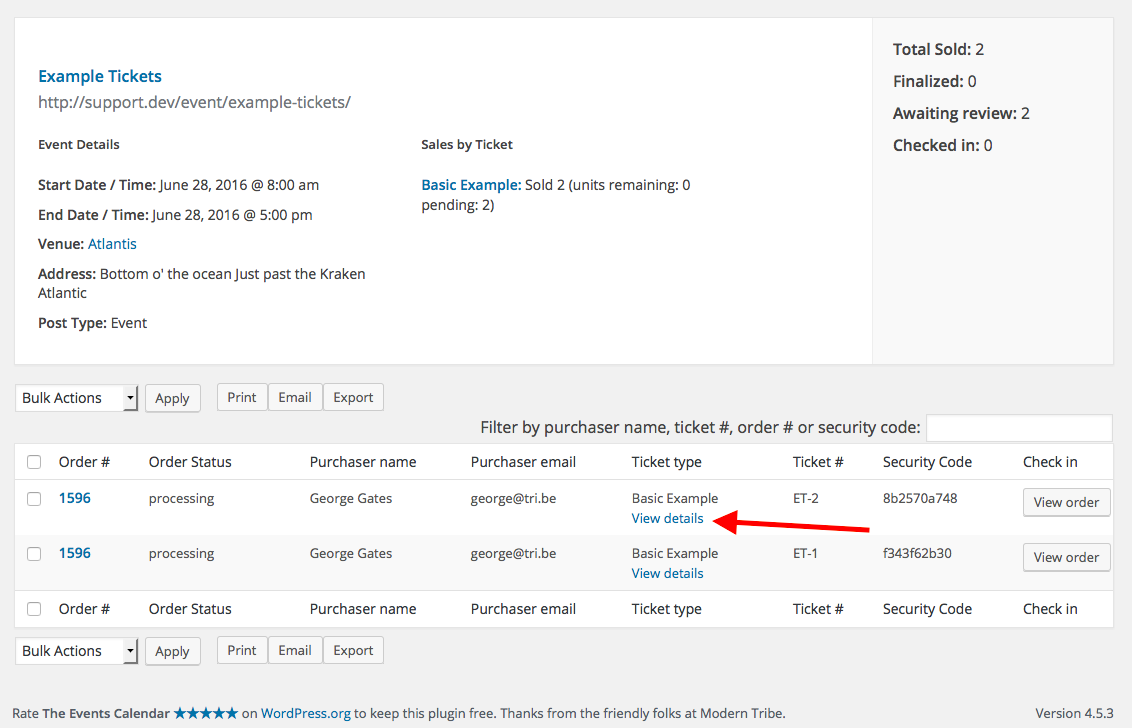
Look for the “View Details” link on this Attendees list, as shown in the following screenshot:
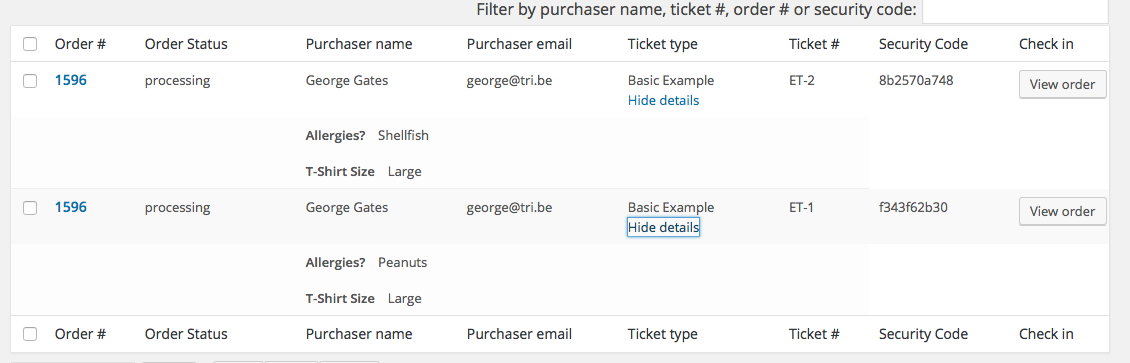
When you click that, the details entered by the user will drop down and you can view them as shown in this screenshot:
To learn more about managing attendees and their “Additional Information”, please explore these knowledgebase articles in-depth:
• https://theeventscalendar.com/knowledgebase/managing-your-orders-and-attendees/
• https://theeventscalendar.com/knowledgebase/collecting-attendee-information/
I hope this information helps! 😀
George

.


