
Home › Forums › Calendar Products › Community Events › "ARCHIVE" appearing at the top of my calendar
- This topic has 5 replies, 2 voices, and was last updated 10 years, 5 months ago by
George.
-
AuthorPosts
-
April 6, 2016 at 1:02 pm #1099106
mehanata
ParticipantHi guys! I purchased the community events add-on but I am not running “pro”. Hopefully you can still help.
The top of my calendar says “ARCHIVES” in huge letters. I don’t see a place to change this. It’d be great if it just said “EVENTS” or something instead. How can I edit that field?
I am just using the default /events page create when I installed the calendar:
http://mehanatanyc.com/events/
Thanks
April 6, 2016 at 4:32 pm #1099276ParticipantHey Michelle,
That text is unfortunately arising from your theme’s templating for archives. There’s not much we can do from our end as lowly plugin developers. 🙁
There are two main options I can help with there—let me know which one you most prefer!
1. Hide the whole gray banner that has the word “Archive” in it, so that it looks like in this screenshot:
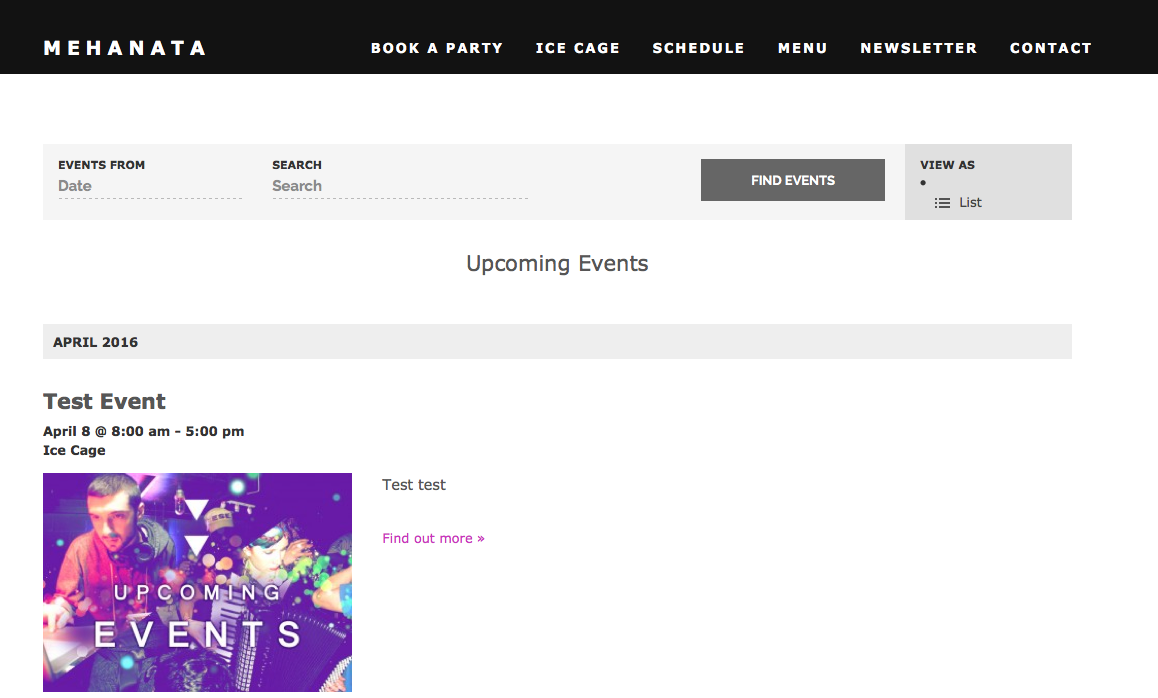
2. Keep that word (and the gray banner behind it) but change it to “Events”.
The only reason I’m asking for clarification of your goals is that option #2 here is only feasible, from our end of things, with a bit of custom JavaScript on the page. I can write that if you need it but let me know which option you prefer just to make sure we’re totally certain about the best way to proceed.
Thank you!
GeorgeApril 7, 2016 at 7:51 am #1099559ParticipantThanks so much for your reply, George! Ideally I would like it to look like #1, and remove that grey bar all together for this page.
I’m only super familiar with front end modifications to WordPress, so any help you can offer in that vein would be much appreciated.
When I installed the plugin, it create its only “page” though I cannot see how to edit any aspect of this page because it doesn’t show up in pages.
M
April 7, 2016 at 12:42 pm #1099799ParticipantThank you for clarifying! Try adding this CSS to the bottom of your theme’s style.css file to achieve that effect:
body.post-type-archive-tribe_events #header-meta {

    display: none !important;

}
Sincerely,
GeorgeApril 7, 2016 at 1:19 pm #1099826ParticipantI tried what you’ve instruction, but no luck.UPDATE: cleared my cache and reloaded, it worked! THANK YOU!
-
This reply was modified 10 years, 5 months ago by
April 8, 2016 at 8:55 am #1100081ParticipantNice!
If you need to write more custom CSS on your site, definitely check out a [free!] tool like Firebug if you use FireFox, or the Developer Tools for either Safari or Chrome. They have “Inspector” tools that let you zoom right over the element whose styles you want to modify.
Best of luck with your site,
George -
This reply was modified 10 years, 5 months ago by
-
AuthorPosts
- The topic ‘"ARCHIVE" appearing at the top of my calendar’ is closed to new replies.