
SureTriggers is an automation platform that connects to The Events Calendar to create automate workflows and boost your business efficiency.
Using The Events Calendar as a Trigger
In this example, we’ll show you how to create a “workflow and trigger” that creates a new Google Sheets row when an attendee purchases a ticket on your WordPress site.
Creating a Workflow
1. Beside having The Events Calendar and Event Tickets plugins activated, install and activate SureTriggers plugin.
2. Follow the wizard to sign up to the SureTriggers platform and connect your site to it.
Once you’re connected, you should see the SureTriggers panel in WP dashboard.
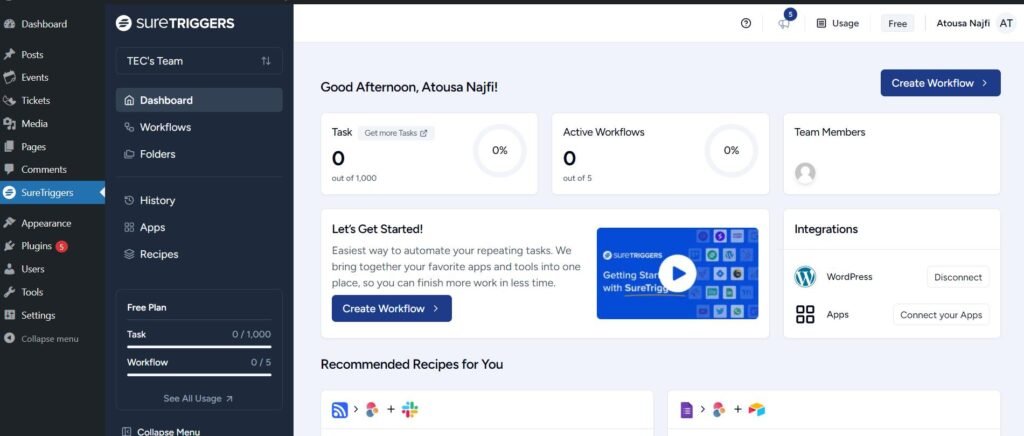
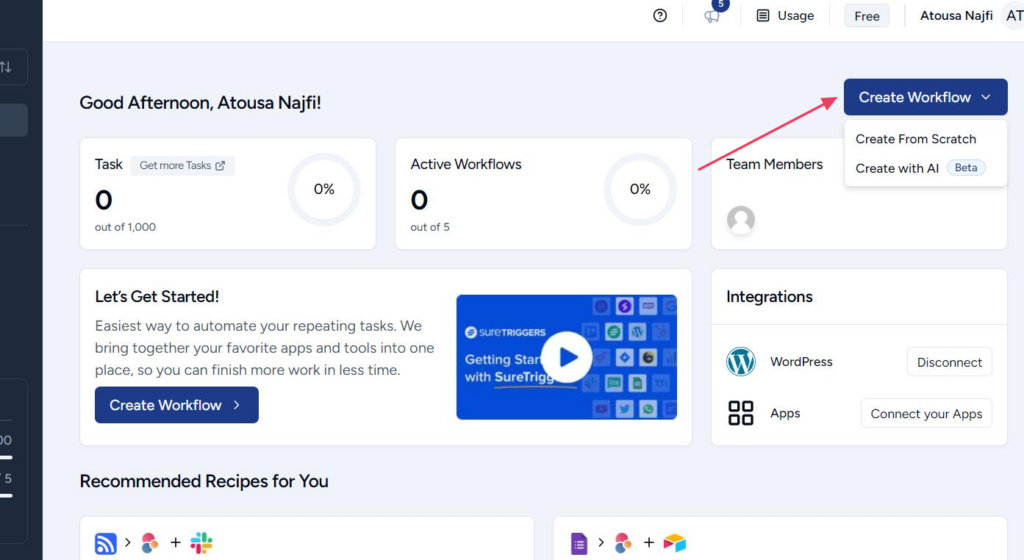
3. Click on the “Create Workflow” button, and choose between “Create From Scratch” or “Create With AI” options.
In this example, we’re going to create a workflow from scratch.
4. Add a name to the workflow and let’s go to the next step.
5. Choose The Events Calendar as the trigger.
6. Under “Select Event” dropdown list, there are two options, in this example we choose “New Attendee”.
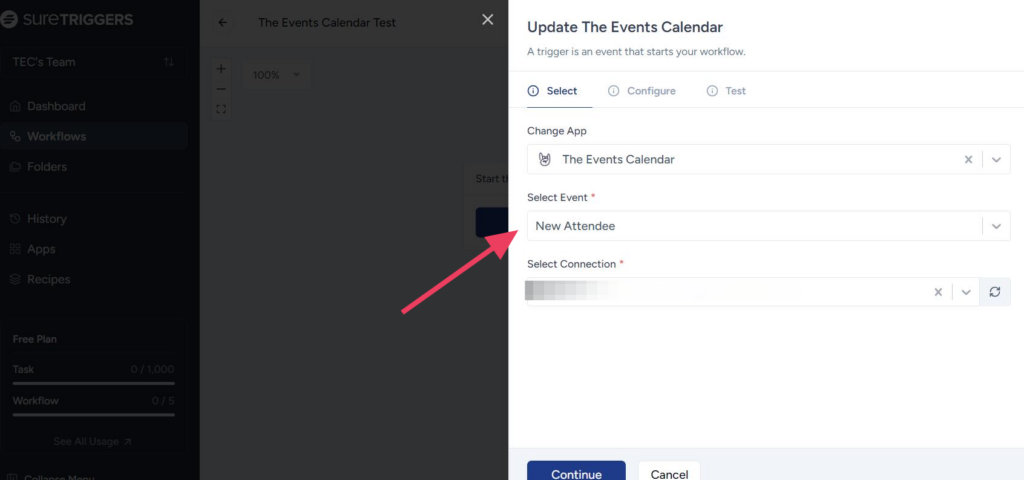
7. Under “Select Connection”, click on the refresh icon, and select your site.
8. Next, select the event, you’d like to create this workflow for.
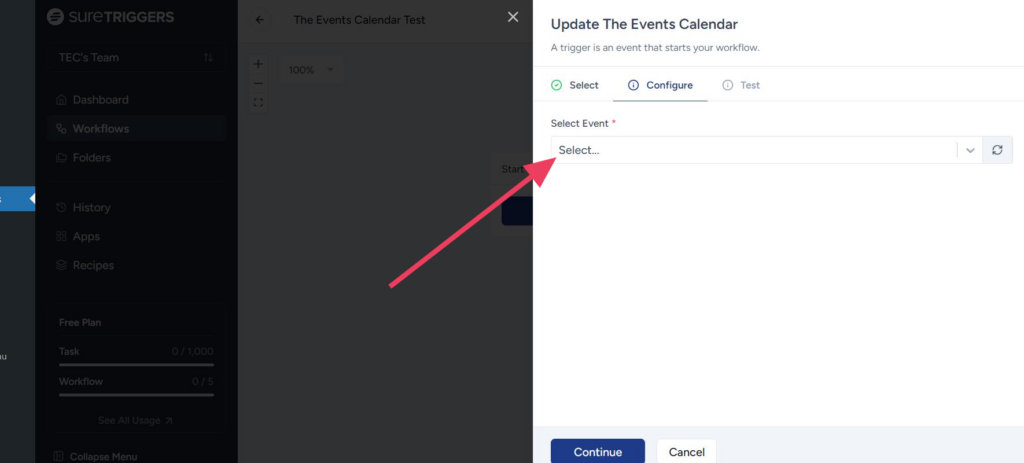
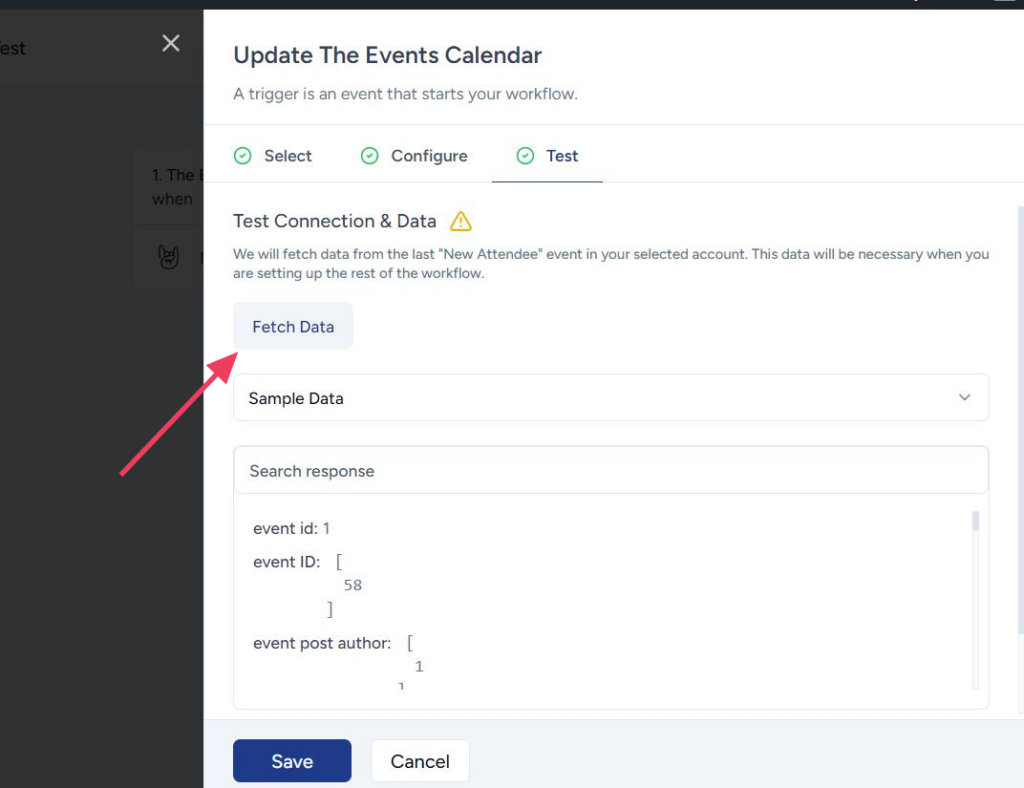
9. Click on the “Fetch Data” button and save the workflow.
Now that we have created our workflow, it’s time to create a trigger.
Creating a Trigger
1. Click on the plus icon and search for Google Sheets.
2. The “Select Event” has two options, in this example we are using “Add New Row”.
3. Now, we should connect the Google Sheet to the app by following the wizard in “Select Connection”.
4. Follow this article to connect the app to the Google spreadsheet: Using Google Sheets Trigger
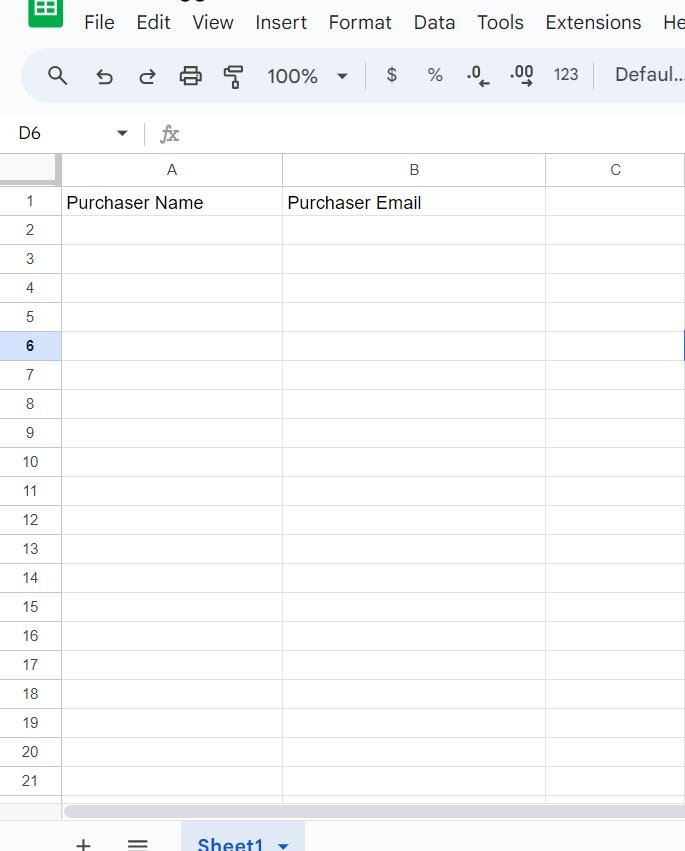
5. In this example, we’ve added two columns to the Google Sheet to collect Purchaser name and email address.
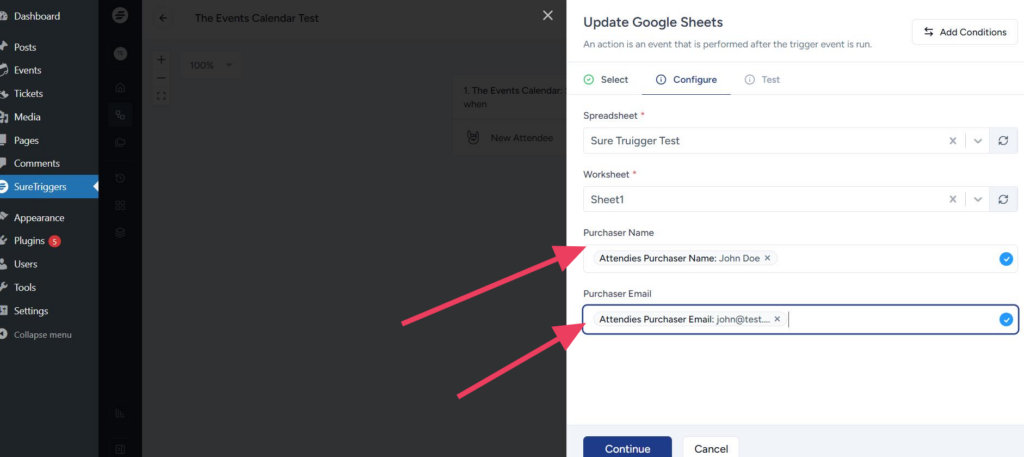
6. Next, we’ll map the Google Sheet columns with The Events Calendar data.
7. Now it’s time to publish the workflow and test the connection.
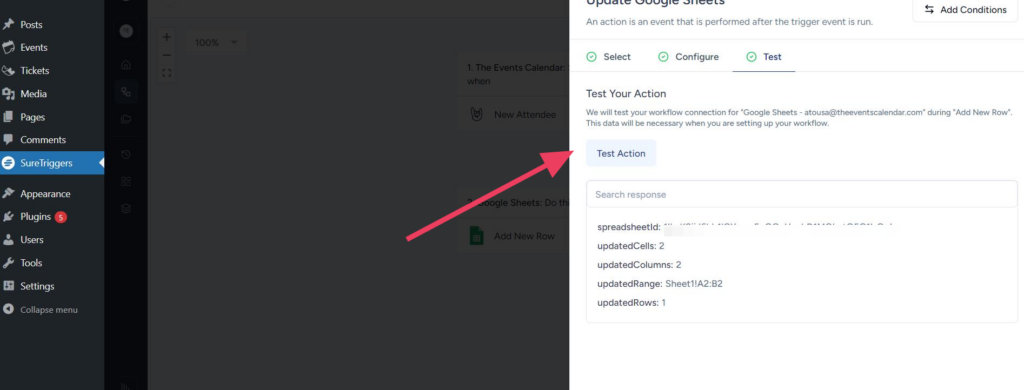
8. If the connection is correct, you should see the test data in the Google Sheet.
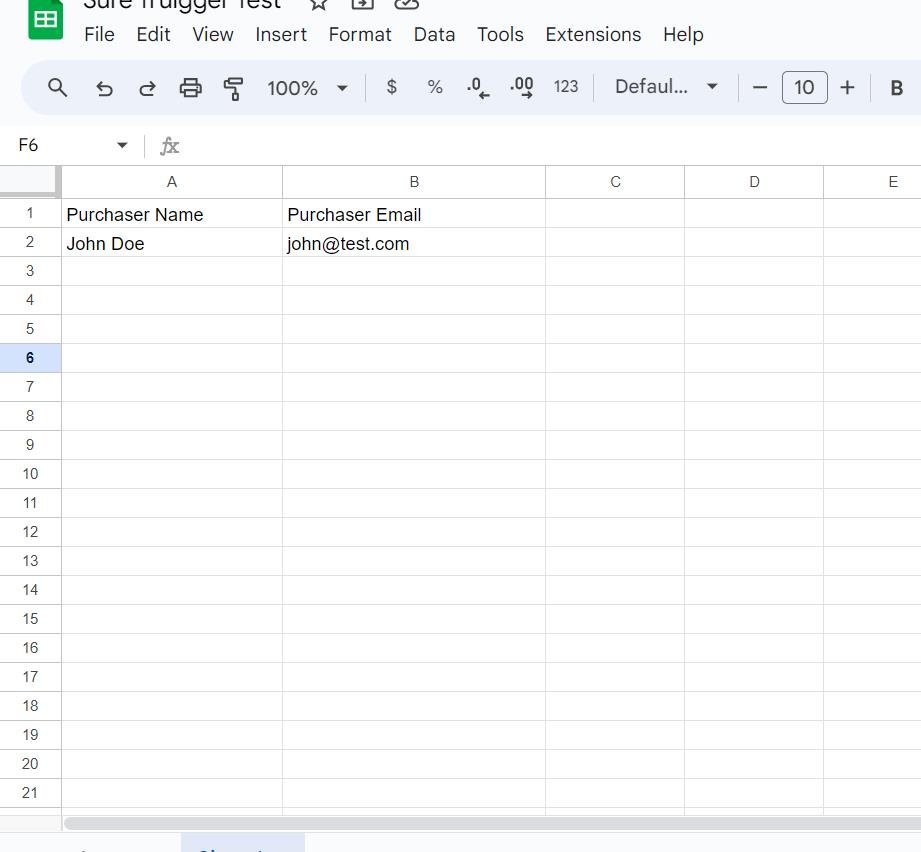
Each time a person buys a ticket for an event, a new row will be added to the Google Sheet.
You can find SureTriggers complete documentation in this article: SureTriggers Knowledge Base.