
Events are the perfect type of thing to share online. Someone visits your site, sees an interesting event, and clicks a button to share that event on a number of places, like Facebook and Twitter.
The Events Calendar does not include social sharing right out of the box. However, there are a number of other WordPress plugins that do add this functionality to your site and (at the time of this writing) are compatible with The Events Calendar. We’re going to outline those plugins in this post. And, of course, if you know of any others, we’d love to hear about them in our WordPress forums.
Jetpack by Automattic
Jetpack is a popular set of plugins contained within a single plugin. One of those plugins is a module called Jetpack Sharing.
When installing Jetpack and Jetpack Sharing, the key is to configure the module settings so that the social sharing options display for Events, since they are a custom post type. Here’s what that looks like when everything has been set up.
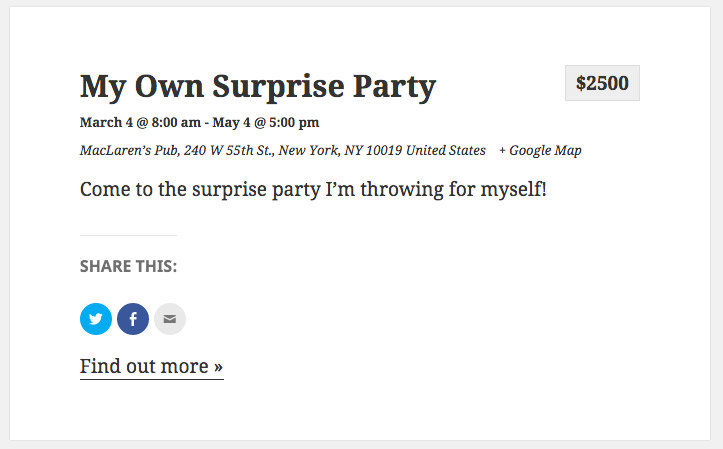
It’s worth noting that we have come across reports of conflicts with Jetpack Sharing where some social sharing options could be unavailable. Please check out this tutorial to see if it’s something that might affect your site and how you may be able to overcome it.
Social Media Feather by Synved
This is another popular option that is free (with premium upgrades) and comes with a ton configurable options.
Like Jetpack, Social Media Feather is compatible with custom post types, like Events. When set up, social media buttons are added to the top, bottom or top and bottom of the event content, depending on what settings you select.

One thing to note is that Social Media Feather will only add the social sharing options to the post itself. Jetpack, on the other hand, adds the sharing options to both the event archive and the event post. It’s a small difference (and one that might be overcome with some custom development), but certainly worth pointing out.
Mashshare by Rene Hermenau
This plugin is a lot like Social Media Feather but with a more unique look. And, like the other options, Mashshare is compatible with custom post types. The interesting thing about this one is that it will actually tally the total number of shares for a given event and display that number next to the sharing options. Pretty nice!

Wrapping up
We’ve only shared a few of the many WordPress plugins that offer social media sharing for posts. There are undoubtedly others that were not listed here and you’re certainly welcome to use those as well. The important to look for when choosing a social sharing plugin is to make sure it is compatible with custom post types.
Do you have a favorite social media sharing plugin that works with The Events Calendar and is not listed here? Please let us know in the WordPress support forums!