
There are times when we need to include an additional product as a gift when selling a ticket to an event, such as an e-book, a cap, or a t-shirt. Currently, this feature is not available by default in our plugin. However, since our Premium version, Event Tickets Plus, can integrate with WooCommerce, we can utilize third-party plugins to add additional features to our sales process.
👋 Note: This feature is available in our premium plugin Event Tickets Plus.
For this case, we can find some WooCommerce add-ons to achieve this. For instance, we can use the Free Gift Product For WooCommerce free plugin.
Once we install and activate this free plugin, we can create the products we want to include for free with the sale of event tickets, just as we create any physical or virtual product in WooCommerce.
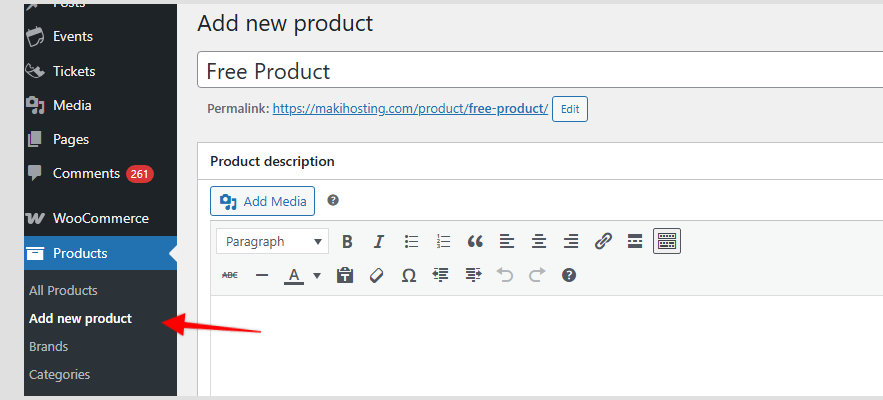
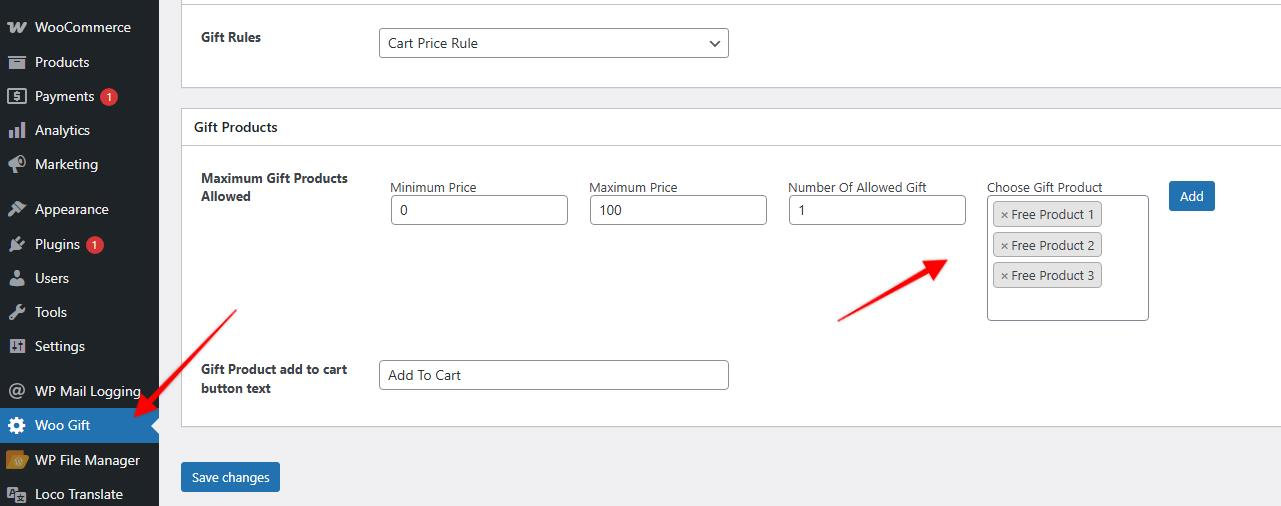
Then, in the Free Gift Product plugin settings, you can add the product or products you want to include with the purchase of the event tickets. You can also set up rules to filter when displaying gifts by product, price, product category, etc. We suggest reviewing this plugin’s documentation for more specific options.
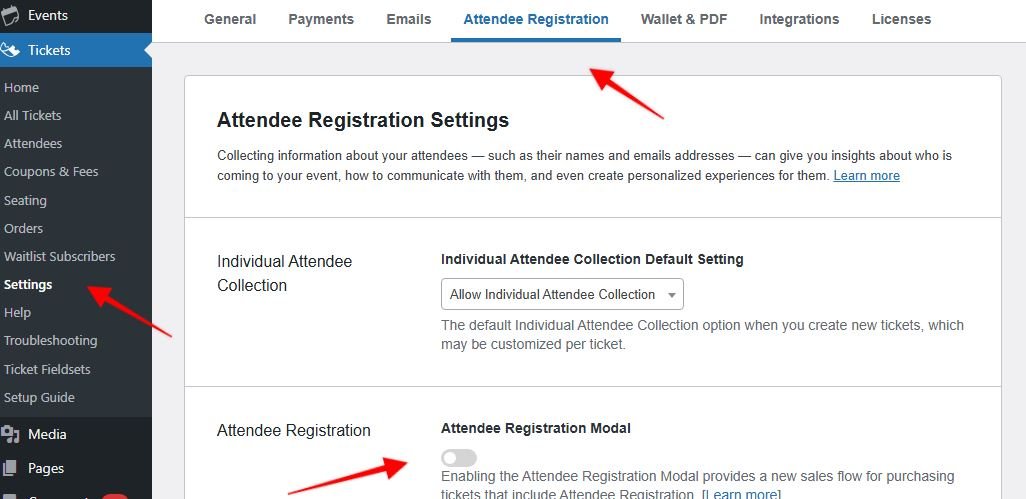
Since this free version of the Free Gift Product plugin only allows you to select the gift on the WooCommerce Shopping Cart page, we recommend deactivating the Attendee Registration Modal option in the Tickets > Settings > Attendee Registration tab section. (With the Pro version of that plugin, you can offer to select the gift in the WooCommerce Checkout page.)
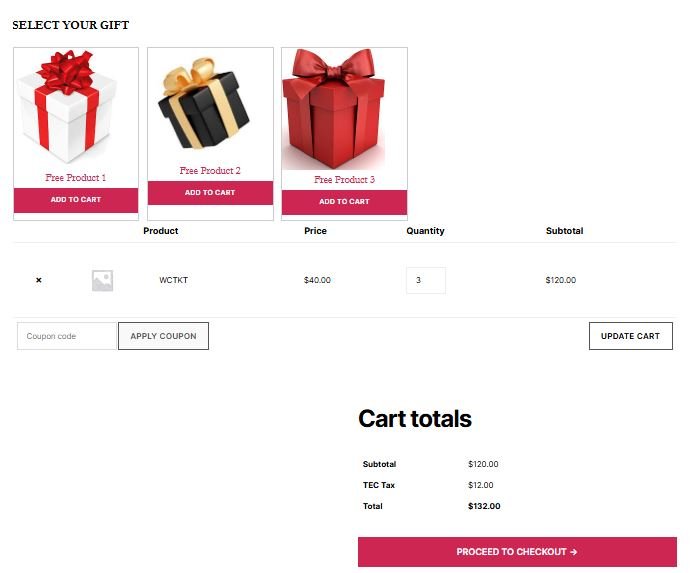
So, in the process of purchasing event tickets, when someone selects the number of tickets to buy, they will be able to choose the gift they want, and it will be included for free on the Checkout Page.
Please note that this is an example using a specific third-party plugin. You could also use similar WooCommerce plugins that can leverage our Events Tickets Plus plugin’s integration with WooCommerce.