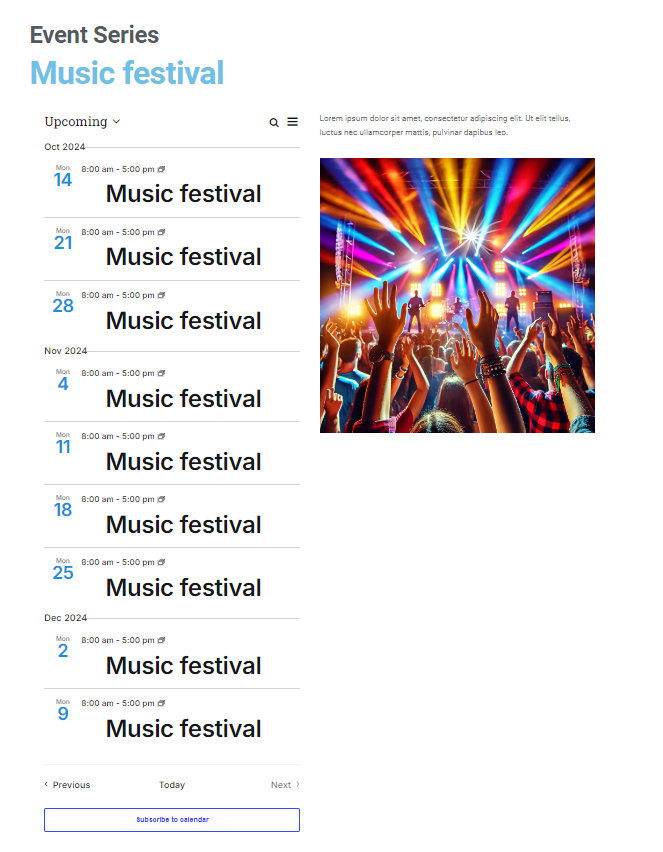
An event series page lists all events that belong to a specific series, and its URL follows the format: [site-url]/series/[series-name].
While The Events Calendar does not have a built-in integration specifically for the series page, you can still create a custom template using Elementor and assign it to Series using the display conditions provided by Elementor.
Step 1: Enable Elementor for the Series Post Type
Before creating the template, make sure that Elementor is enabled for the Series post type:
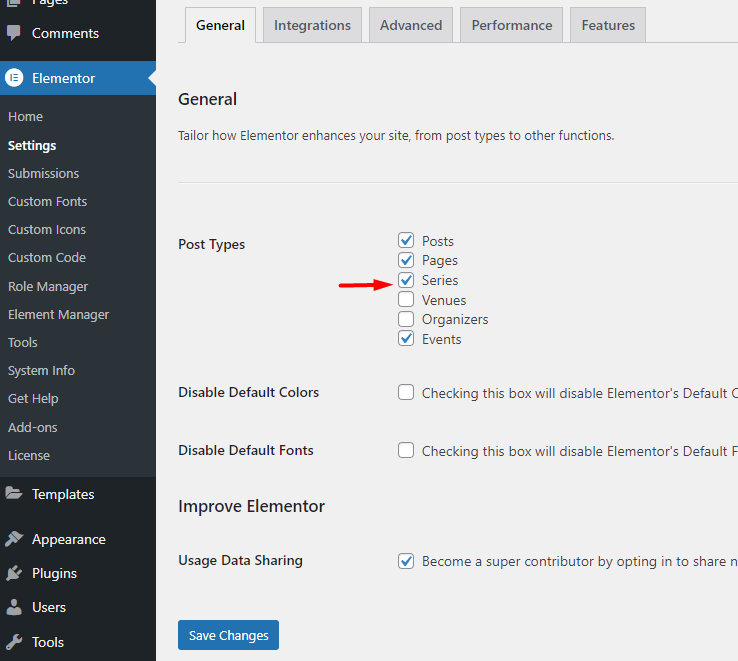
- Navigate to Elementor → Settings → Post Types.
- Ensure the Series checkbox is selected.
Step 2: Create a New Template in Elementor
- Go to Elementor’s theme builder at Templates → Theme Builder.
- Click Add New and select Single Post.
Step 3: Design Your Series Page Layout
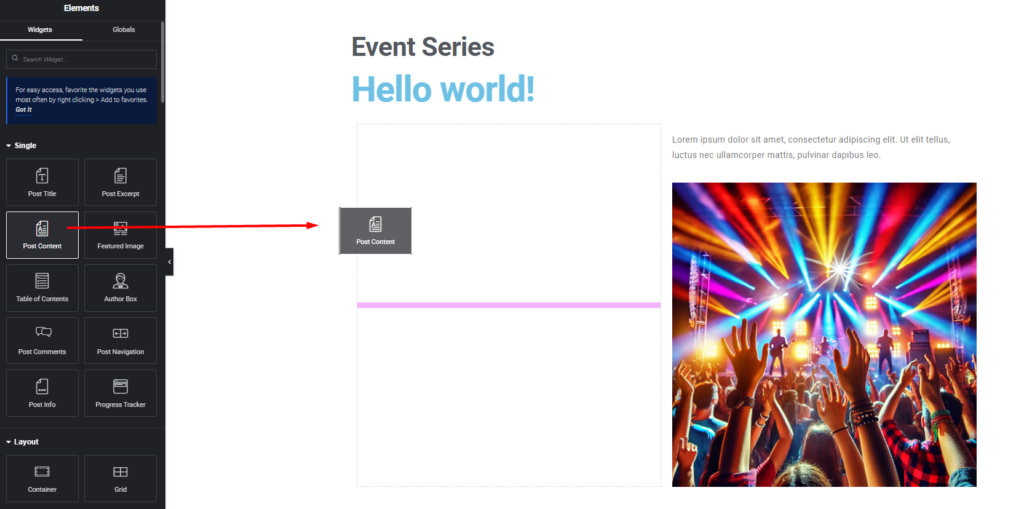
Once in the template builder, you can design the layout for your series page by dragging and dropping Elementor widgets.
Important: Include the ‘Post Content’ Block
The series content, including the list of events, is associated with the Post Content block. This block is essential for rendering the series’ events, so be sure to add it to your template.
Step 4: Apply Conditions to Your Template
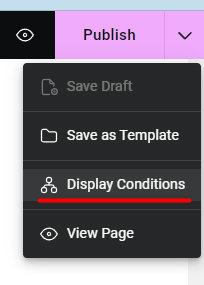
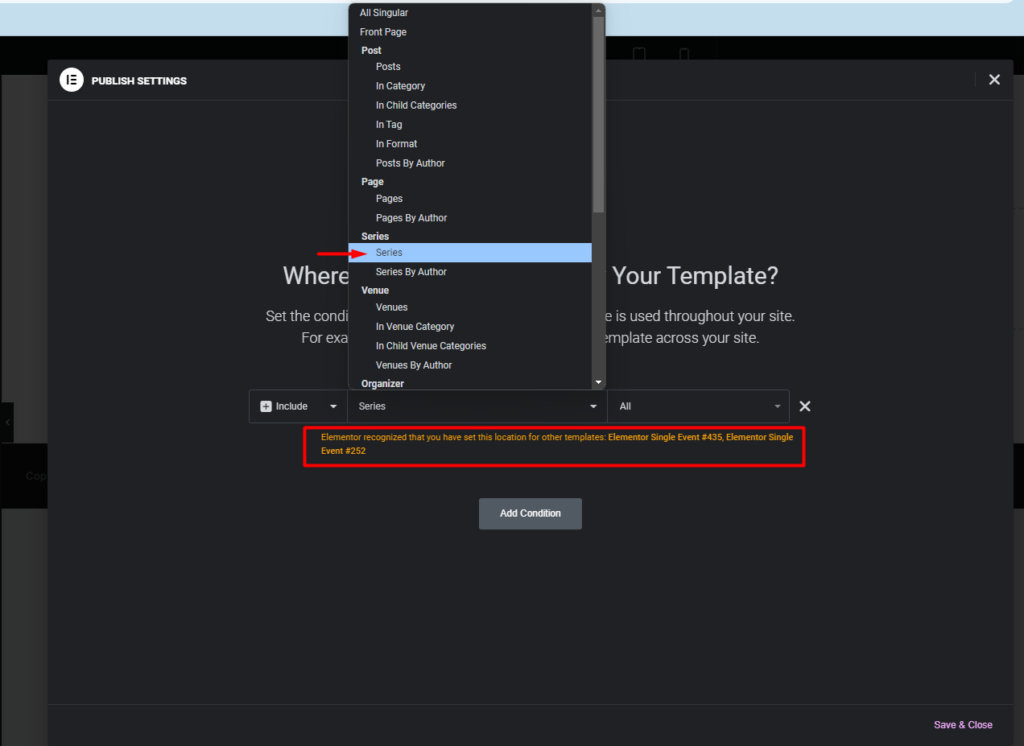
Once you’ve finished designing, you can assign the template to all series pages or apply specific conditions, like assigning it to a series by a certain author.
Important: Check Display Conditions Before Saving
Before saving your changes, ensure that your template doesn’t share the same display conditions as any existing templates. If there is a conflict, Elementor will display a message indicating this, allowing you to resolve it before finalizing your template.
Step 5: Check the Results
Once you’ve finished designing your template, open any event series page (e.g., [site-url]/series/[series-name]) to verify that the template has been applied correctly. Ensure that the layout and content are displayed as expected. If the template doesn’t appear, double-check the display conditions and make sure that ‘Series’ is enabled under Elementor’s settings.
In this example, we’ve added a few fundamental elements: a heading, a dynamic ‘Post Title’ block that pulls in the Series name, an image, and most importantly, the ‘Post Content’ block to display the list of events in the series.
It’s worth noting that Elementor’s flexbox container provides extensive flexibility for arranging blocks and customizing the overall style of the page.