
Home › Forums › Calendar Products › Events Calendar PRO › Widget layout – row of 4 instead of column of 4
- This topic has 2 replies, 3 voices, and was last updated 10 years, 1 month ago by
Support Droid.
-
AuthorPosts
-
January 6, 2016 at 9:10 pm #1051602
Jason Koning
ParticipantHi there,
So this may actually not be the best way to display these events on the homepage, so feel free to suggest an alternative.
I’m using Divi in this instance, & I have a section which is pulling in a widget to display events assigned to specific category.
Sidebar Module
The problem I have is, the default widget displays as a column, when I want it to display as a row.
Widget
I decided to use the Divi sidebar module as it was quick & easy, but of course this looks to be a solution that doesn’t fit.
Sidebar Module description
I’m only helping out on this build, but feel free to take a look.
Any suggestions much appreciated.
Thanks,
JasonJanuary 7, 2016 at 8:08 am #1051957George
ParticipantHey @Jason,
Thanks for reaching out. I’m sorry to say that there’s little input we can offer here, for a number of reasons, namely that the “Sidebar Module” (and the “module” system itself) are unique to Divi, and we cannot provide much theme-specific support.
With that being said, it seems like at bottom you’re eventually just using basic “Event List” widgets, which are our own code. To try and get things in column layout instead of row, a bit of custom CSS is likely required.
Can you clarify if this column is the one you want to display as a row? This screenshot, I mean:
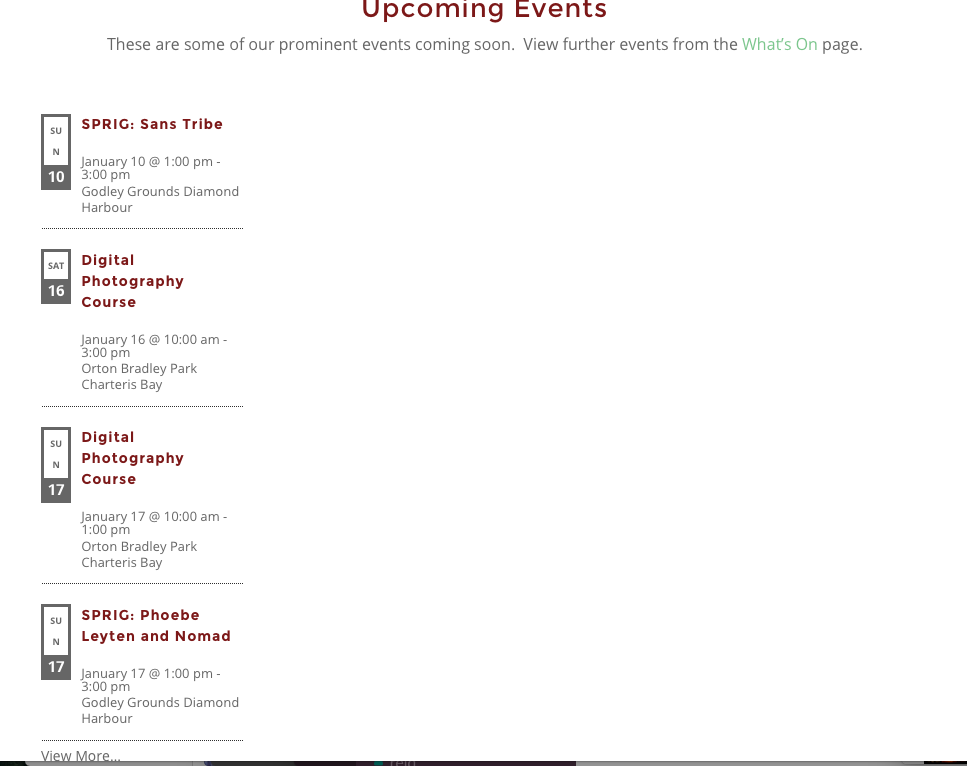
If so, you can get a row layout by adding CSS like this to the bottom of your theme’s style.css file:
.tribe-events-adv-list-widget {

    float: left;

    width: 100% !important;

}
.tribe-events-adv-list-widget .type-tribe_events {
float: left;
margin-right: 6.5%;
width: 20%;
}.tribe-events-adv-list-widget .type-tribe_events:last-of-type {
margin-right: 0;
}
Here’s how that makes things look:
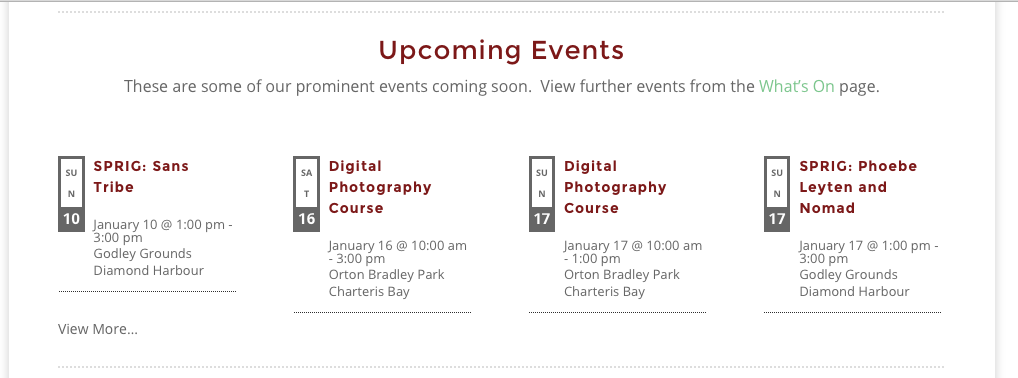
This would still require some tweaking to get the appearance “just right” – since we cannot help with custom code, I’ll leave the tweaking to you 🙂
But I hope this helps you get started!
Cheers,
GeorgeFebruary 18, 2016 at 8:33 am #1076545KeymasterThis topic has not been active for quite some time and will now be closed.
If you still need assistance please simply open a new topic (linking to this one if necessary)
and one of the team will be only too happy to help. -
AuthorPosts


- The topic ‘Widget layout – row of 4 instead of column of 4’ is closed to new replies.