
Home › Forums › Additional Help › Translations › Translations
- This topic has 12 replies, 3 voices, and was last updated 10 years, 8 months ago by
Support Droid.
-
AuthorPosts
-
December 22, 2015 at 12:47 pm #1045559
b101
GuestHi
I’ve installed the EC & the EC Pro, the Ticket Addon and the Community Addon. I got two kind of problems, first of all I live in Germany so I use the German Translation, which is Ok for the most part, but now I wanted to change “Veranstaltung” what would be your translation for “Event” to something different, do I have to make the changes in the EC-Pro *.po File ? or in every .po File containing your translation “Veranstaltung” ? So far I’ve changed it in every .po file I was able to find it and it seems to work. Except for a couple of exceptions like: when I search for, lets say “PHP” the Calendar returns: There were no results found for “PHP”. literally this english sentence instead of the german translation, which was by default translated and wasn’t touched by me. Also, when I change the view from List to Month it returns: There were no results found for “PHP” this month. Try searching next month. – again this is the english sentence, but it should translate it to german. I guess this is some kind of bug? could you please tell me how I can fix this?
Oh and it would be a reaaaaallllyy HUGE help if you would make it possible for us to define if we want the Events to be called Events or something else, and you construct the output by using the defined word (singular and plural version of course) – this way I wouldn’t have to go through the whole .po file(s) to replace “Veranstaltung” / “Veranstaltungen” with my naming of Event/Events
thank you!
December 22, 2015 at 9:42 pm #1045664Cliff
MemberHi. I see you weren’t logged in to the account you purchased our plugin(s) with when you posted this question. As such, we won’t be providing customized support if you need it.
However, here’s the general information that I hope will help you with your situation:
While we don’t directly take po/mo files, we’ve got these instructions:
- Translating the premium plugins
- Translating The Events Calendar (free/core plugin)
Here’s another helpful link for your situation: https://theeventscalendar.com/knowledgebase-category/change-terms/
Please reference that information and let me know if you need any further assistance.
December 23, 2015 at 9:20 am #1046007Susan
Participantnow I’ve logged in ( I think..)
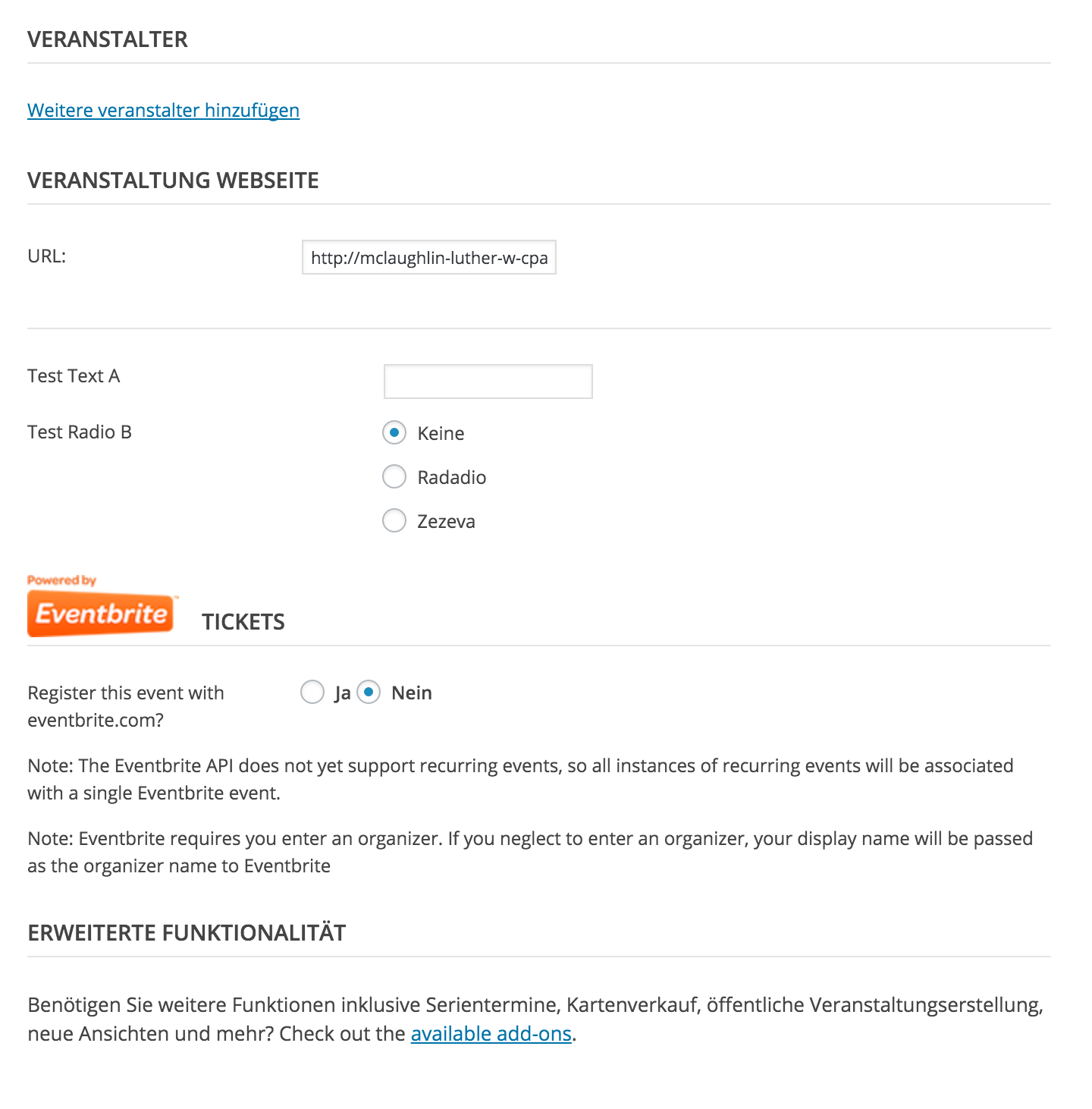
thank you for the links, the last one was interesting but didn’t quite fix my problem. My Events Calendar Core and Pro as well as my Community Events are on Version 4.0.2. and some translations which used to work, don’t work anymore. For example the “<< Previous Event” button in List View didn’t translate to German – before I updated to 4.0.2 it was perfectly translated tho. Now I had to hardcode the translation, but this is not quiet the solution I’m looking for. Also, when I create a new Event, the Organizer Part Asks for a Name, Phone, Website and Email – underneath the Email is an english info text “You may want to consider obfuscating any e-mail ….” and under the Tickets Section (still while creating a new Event) the “Upload image for ticket header the maximum image size in the email will…” is also in english. How can I fix this ? Its really urgent.
Thank you
-
This reply was modified 10 years, 10 months ago by
January 4, 2016 at 1:29 pm #1050028MemberHi Susan. I saw your response and then I saw you marked your response as the correct answer. If you need additional help on this topic, please reply. If your issue is resolved, there’s nothing else you need to do.
Thanks.
January 10, 2016 at 6:51 pm #1053621ParticipantHi Cliff,
well actually I didn’t mark my answer as correct, someone else did. The problems are still relevant and I still need help or a workaround.EDIT: As I’ve already said, I was able to hardcode a translation for the “<< Previous Event” button in the List View, but there are still text fragments in english, like the one I’ve already addressed in my previous reply, the upload image text and the email text.
January 11, 2016 at 8:24 pm #1054284MemberSorry that happened, Susan. Thanks for letting me know the issue is not resolved.
Would you please provide me screenshots of each untranslated item you notice, along with its corresponding URL so I can determine which template file(s) I need to investigate further?
You can choose to set it as a “private reply” if you prefer.
I hope to be able to answer your question soon. Thanks for your help with this!
January 13, 2016 at 12:51 am #1055021Participant@Cliff
I have created the screenshots but I don’t see the option to set a reply as private, where can I set the option in order to make the reply private?Thank you
January 13, 2016 at 6:08 am #1055260MemberSorry. I didn’t see a way to “private reply” either… hmmm. Maybe try replying without sensitive information in the message (e.g. “test”) and then EDIT that reply and see if there’s a checkbox for something like “Mark this reply as private”.
I hope that works for you. Thanks for trying.
January 14, 2016 at 8:21 am #1056054ParticipantI’ve uploaded the screenshots to a imagehoster. Please take a look


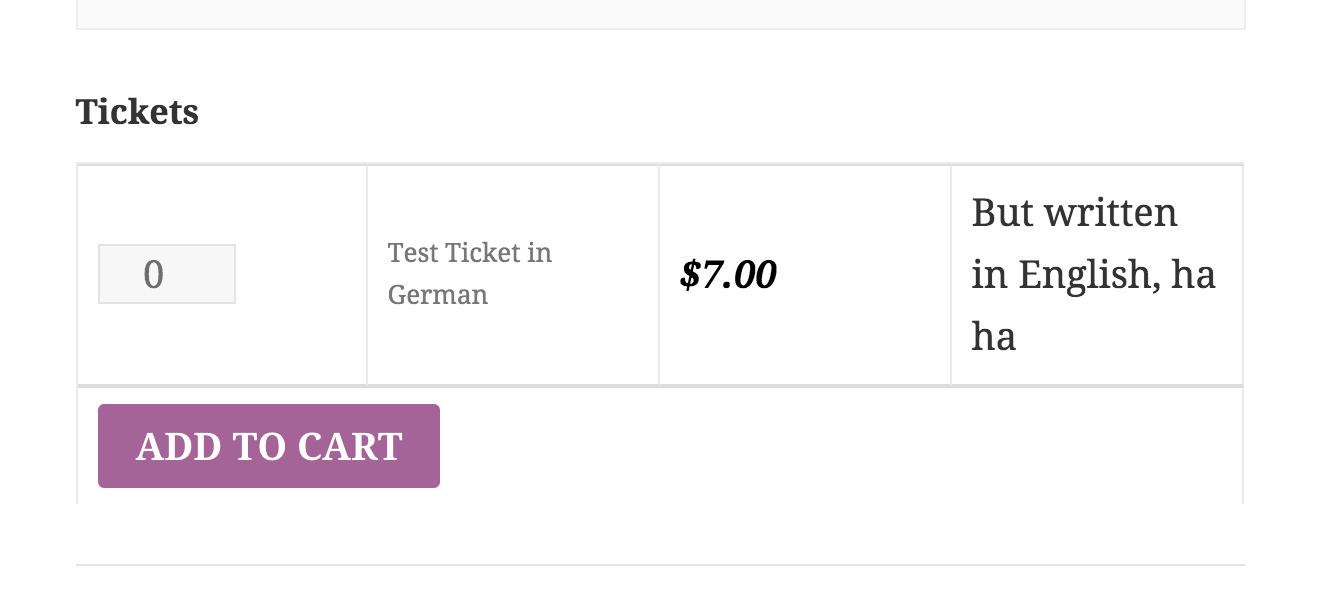
Error1 and Error2 are related to the events calendar and Error3 – I am not sure if it is related to my Events Calendar Woocommerce Tickets or Woocommerce itself..
thanks in advance
January 15, 2016 at 9:43 am #1056711MemberThank you very much for the screenshots.
To help test, I switched my local testing site to German.
I didn’t see the same results as you did. Please make sure you’re using the latest versions of all our plugins (The Events Calendar, PRO add-on, etc), WooCommerce, and WordPress — and please make sure to install the language packs for those last two.
For our plugins’ translations, you’ll either need to wait for the next release if some of the translations weren’t in the files by the time it was released, or you can go to the applicable glotpress page and export the po/mo files (e.g. Event Tickets Plus – German).
Without any custom po/mo files, I saw the following:


Again, some of the translatable things like “Price:” and “Stock:” in the 2nd screenshot are already translated in glotpress but not in the current release of Event Tickets Plus.
If you see anything different than what my screenshots display, you’ve probably got something custom in place.
Please let me know if you need anything else.
January 16, 2016 at 4:30 am #1056938Participantthat’s kind of akward, I will try to uninstall all the plugins and then reinstall the latest releases. Is there a way for me to preserve my custom translations? It is actually quiet some work to search and replace certain words inside the .po files, to customize the the translation. Also, I always have to customize the events calendar plugin AND the events calendar plugin pro AND the events calendar woocommerce tickets plugin.. translating only the events cal pro plugin won’t do the trick because some things remain in their original translation. So is there a known workaround / hack to increase the workflow/speed ?
I will report if reinstalling everything worked out.
January 17, 2016 at 7:07 am #1057496MemberHere’s what I’d recommend:
- keep a backup of all the customizations you did
- delete all copies of the plugins
- download, install, and activate fresh copies from w.org and https://theeventscalendar.com/my-account/downloads/
- if there are any custom translations you want, use the gettext filter instead of custom mo/po files
This way, you’ll have the latest translations available in our released versions and you’ll be able to customize any bit of text you want without messing with mo/po files.
I hope this solution will work well for you for the long-term. Please let me know how it goes.
Thanks.
February 18, 2016 at 8:34 am #1076824KeymasterThis topic has not been active for quite some time and will now be closed.
If you still need assistance please simply open a new topic (linking to this one if necessary)
and one of the team will be only too happy to help. -
AuthorPosts
- The topic ‘Translations’ is closed to new replies.