
Home › Forums › Calendar Products › Event Aggregator › Resync All Events
- This topic has 3 replies, 3 voices, and was last updated 10 years, 1 month ago by
Cliff.
-
AuthorPosts
-
February 29, 2016 at 8:10 am #1083355
Bryan
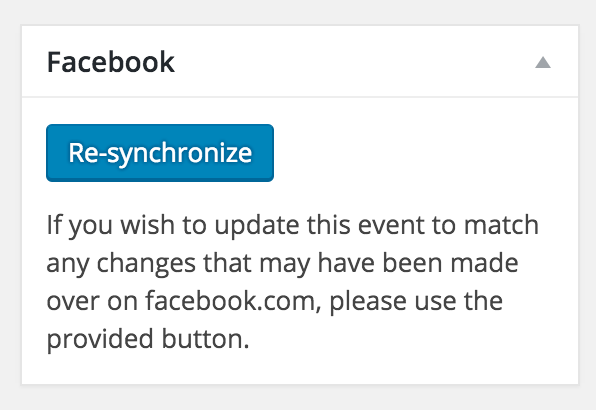
ParticipantFebruary 29, 2016 at 7:32 pm #1083669MemberHi Bryan. As you know, there is a “Re-synchronize” option on each event: https://cldup.com/ZecO276G2s.png
Instead, you want a one-click global version of that button for all FB events… Sorry to say that’s not an option at this time.
You might be able to leverage the code where that button is found — /wp-content/plugins/the-events-calendar-facebook-importer/src/Tribe/Resync.php — to create your own cronjob or something along those lines.
I didn’t find that as an existing feature request at our plugins’ UserVoice page.
Please do add your feature request there.
This allows others who are interested in that feature to easily voice their support. We frequently review suggestions there to find out which ones are popular, then we implement as many of them as we can.
Once you post it, feel free to link to it from here in case anyone comes across this forum thread in the future.
March 7, 2016 at 9:26 am #1085903Keith
ParticipantI’d also like to see this. I’d like to see a way of automatically checking for events which need resynchronization. To be frank, I’m disappointed that the option doesn’t exist.
I know your standard response to all of these things is “Raise a User Voice ticket”, but the fact that that you implemented the resynch button without resynch-all or automated resynch options implies that you didn’t really think it through.
As far as I can see, there is no way I will know that an event needs resynching, and in cases such as this one, I won’t even see the event. That means either yet more customizations or going through every event, every day, including passed events, and clicking the resynch button just in case.
March 10, 2016 at 8:14 am #1087184MemberThanks for your patience during the time we were closed.
Keith, I understand. Yes, the response is to use our UserVoice system…
I’ll mark this thread Closed since I haven’t heard back from Bryan in a while.
Thank you.
-
AuthorPosts
- The topic ‘Resync All Events’ is closed to new replies.